Is your home network struggling to keep up with the demands of countless smart devices, 4K streaming, and competitive online gaming? You’re not alone. In today’s hyper-connected world, a robust and efficient Wi-Fi network isn’t a luxury; it’s a necessity. We’ve spent years diving deep into the world of Wi-Fi 6 routers, testing and evaluating a wide array of products to bring you insights that genuinely matter. This comprehensive guide will equip you with the knowledge to navigate the evolving landscape of wireless technology, helping you select the perfect Wi-Fi 6 router to transform your digital experience.
Wi-Fi 6, also known as 802.11ax, represents a significant leap forward from its predecessor, Wi-Fi 5 (802.11ac). It’s designed not just for raw speed, but for efficiency in busy network environments, making it ideal for homes teeming with connected gadgets. With features like Orthogonal Frequency Division Multiple Access (OFDMA) and Multi-User Multiple Input, Multiple Output (MU-MIMO), Wi-Fi 6 routers can communicate with multiple devices simultaneously, reducing latency and boosting overall network capacity. This means smoother streaming, faster downloads, and a more responsive internet experience for everyone in your household.
 A modern Wi-Fi 6 router in a smart home setting, showcasing multiple connected devices like a laptop, smartphone, and smart TV.
Popular Wi-Fi 6 Router Types
Choosing the right Wi-Fi 6 router starts with understanding the different categories available, tailored to various needs and environments. Whether you live in a compact apartment or a sprawling multi-story house, or you require specialized performance for gaming or a small office, there’s a Wi-Fi 6 router designed with you in mind. Identifying your primary use case is the first step toward finding a router that offers optimal performance and value.
Classification by Usage Needs
Different lifestyles and home setups demand distinct router capabilities. A small apartment dweller has vastly different needs than a hardcore gamer or a remote worker managing a home office.
- Routers for Small Homes (Apartments/Condos): For smaller living spaces, entry-level Wi-Fi 6 routers offer significant upgrades over older models without breaking the bank. These typically provide excellent speed and sufficient coverage for up to 1,000-1,500 square feet, handling everyday browsing, streaming, and a moderate number of devices. Look for dual-band options that prioritize stable performance and ease of setup.
- Routers for Large Homes (Multi-story Houses): Covering extensive areas or homes with multiple floors and thick walls often requires more robust solutions. High-power standalone Wi-Fi 6 routers with strong antennas can be effective, but mesh Wi-Fi 6 systems are often the superior choice. Mesh systems use multiple nodes to create a unified network that eliminates dead zones, ensuring consistent coverage and seamless roaming throughout your entire property.
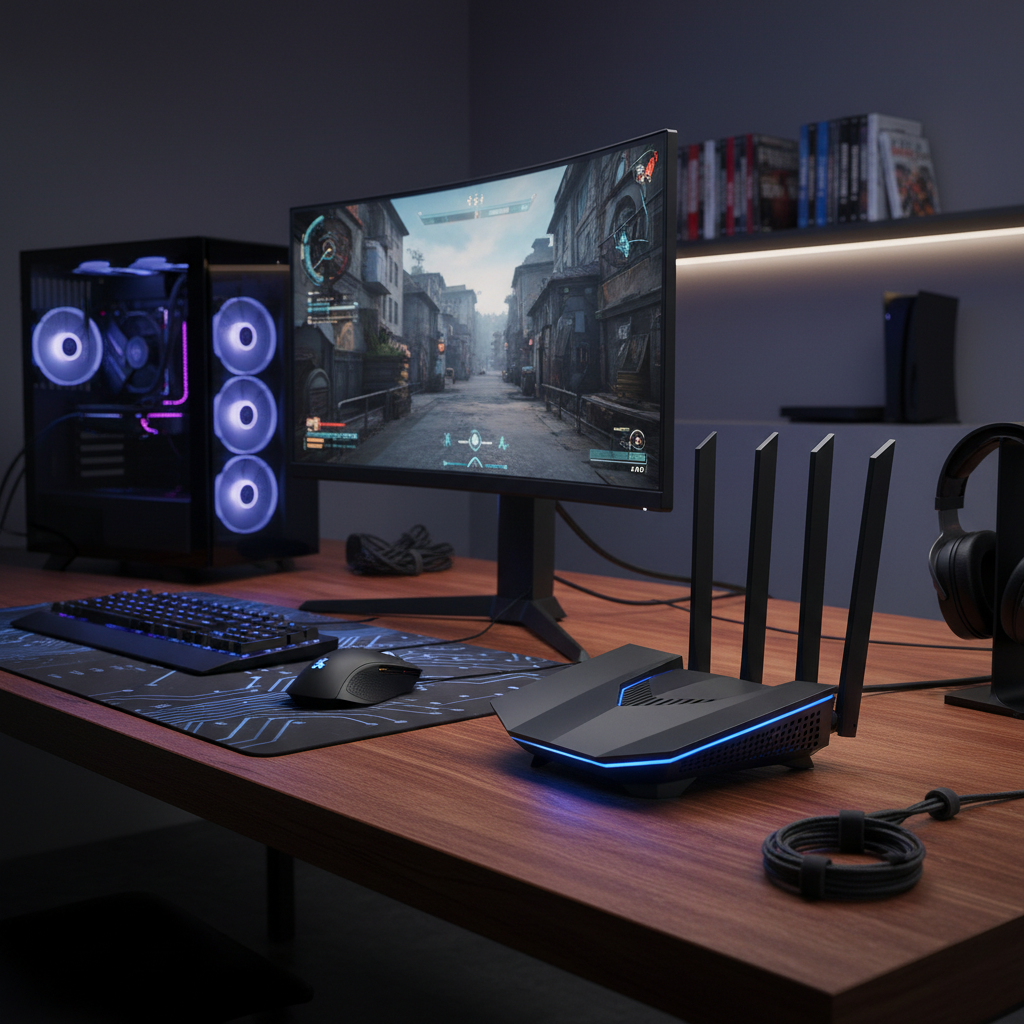
- Routers for Gaming: Gamers demand ultra-low latency, high bandwidth, and consistent connections. Wi-Fi 6 gaming routers are engineered with powerful processors, often tri-band capabilities, and specialized Quality of Service (QoS) features that prioritize gaming traffic. Many include multi-gig Ethernet ports for wired connections, crucial for competitive play, and often feature aggressive designs with advanced cooling systems.
- Routers for Small Offices: In a small office environment, reliability, security, and the ability to handle numerous concurrent connections are paramount. Routers for this segment often feature robust security protocols, VPN support, multiple gigabit LAN ports for wired devices, and advanced management options. They are built to sustain heavy workloads and ensure data integrity.
|
Our Picks for the Best Wifi 6 router in 2026
As an Amazon Associate I earn from qualifying purchases.
|
||
| Num | Product | Action |
|---|---|---|
| 1 | TP-Link AX5400 WiFi 6 Router (Archer AX73)- Dual Band Gigabit Wireless Internet Router for Streaming, Long Range Coverage |

|
| 2 | ASUS RT-AX1800S Dual Band WiFi 6 Extendable Router, Subscription-Free Network Security, Parental Control, Built-in VPN, AiMesh Compatible, Gaming & Streaming, Smart Home |
|
| 3 | TP-Link Dual-Band BE3600 Wi-Fi 7 Router Archer BE230 | 4-Stream | 2×2.5G + 3×1G Ports, USB 3.0, 2.0 GHz Quad Core, 4 Antennas | VPN, EasyMesh, HomeShield, MLO, Private IOT | Free Expert Support |
|
| 4 | TP-Link AXE5400 Tri-Band WiFi 6E Router (Archer AXE75), 2025 PCMag Editors' Choice, Gigabit Internet for Gaming & Streaming, New 6GHz Band, 160MHz, OneMesh, Quad-Core CPU, VPN & WPA3 Security |
|
| 5 | NETGEAR Nighthawk WiFi 6 Router (RAX36) – Router Only, AX3000 3 Gbps Wireless Speed – Dual-Band Gigabit Internet – Covers 2,000 sq. ft., 25 Devices – Built-in VPN, USB 3.0, Gaming |
|
| 6 | TP-Link Deco X55 AX3000 WiFi 6 Mesh System - Covers up to 2500 Sq.Ft., Replaces Wireless Router and Extender, 3 Gigabit Ports, Supports Ethernet Backhaul, Deco X55(1-Pack) |
|
| 7 | TP-Link Dual-Band AX3000 Wi-Fi 6 Router Archer AX55 | Wireless Gigabit Internet Router for Home | EasyMesh Compatible | VPN Clients & Server | HomeShield, OFDMA, MU-MIMO | USB 3.0 | Secure by Design |
|
| 8 | TP-Link AX1800 WiFi 6 Router (Archer AX21 V5) – Dual Band Wireless Internet, Gigabit, Easy Mesh, Works with Alexa - A Certified for Humans Device, Free Expert Support |
|
| 9 | TP-Link Smart WiFi 6 Router (Archer AX10) – 4 Gigabit LAN Ports, Dual Band 802.11AX Router, Beamforming, OFDMA, MU-MIMO, Parental Controls, Dual-Core 900MHz Processor, Works with Alexa |
|
| 10 | TP-Link Archer AX1450 WiFi 6 Dual-Band Wireless Router | up to 1.45 Gbps Speeds (Renewed) |
|
Classification by Brand
The market for Wi-Fi 6 routers is dominated by several key players, each bringing their unique strengths and product philosophies. Understanding these brands can help you align with a manufacturer whose offerings best match your expectations for performance, features, and user experience.
- TP-Link: A dominant force in the networking industry, TP-Link offers an extensive range of Wi-Fi 6 routers spanning all price points. Their Archer series is popular for its balance of performance and affordability, while the Deco line provides user-friendly mesh Wi-Fi solutions. TP-Link is often praised for its intuitive mobile apps, making setup and management straightforward for all users. Their Archer AX11000 is a top pick for high-end users, while the Archer AX55 consistently ranks well for mid-range value.
- ASUS: Known for pushing the boundaries of performance and features, especially in the gaming segment, ASUS routers are a favorite among enthusiasts. Their ROG (Republic of Gamers) Rapture series, such as the GT-AX11000 Pro, is designed for hardcore gamers, offering advanced QoS, game acceleration, and robust hardware. ASUS also provides excellent mainstream options like the RT-AX86U, often lauded for strong performance, extensive customization via its firmware, and comprehensive security features.
- Netgear: Netgear’s Nighthawk series is synonymous with high performance and advanced technology, particularly for speed and coverage. Routers like the Nighthawk RAXE300 or RAXE500 deliver impressive throughput, making them suitable for demanding applications and large homes. Their Orbi mesh systems are also highly regarded for their seamless whole-home Wi-Fi coverage. Netgear often integrates robust security suites, like Netgear Armor, into its products.
- Xiaomi: While perhaps less universally recognized for routers in Western markets compared to the others, Xiaomi offers a range of competitively priced Wi-Fi 6 routers. These often provide a solid feature set for their cost, aiming for value in the budget and mid-range segments. They are typically aimed at general home use, focusing on ease of use and smart home integration.
Detailed Comparison of Top Wi-Fi 6 Router Models
Making an informed decision requires a clear comparison of how different models stack up against crucial performance metrics and features. We analyze several key criteria to give you a comprehensive overview of what to expect from leading Wi-Fi 6 routers. This section will highlight the critical specifications that differentiate one router from another, helping you weigh the pros and cons based on your personal priorities.
Comparison Criteria:
When evaluating Wi-Fi 6 routers, several factors come into play that directly impact your network experience. Understanding these criteria is essential for choosing a device that not only meets your current needs but also future-proofs your home network.
- Wi-Fi Speed: This refers to the theoretical maximum throughput the router can achieve, often indicated by an “AX” rating (e.g., AX3000, AX6000, AX11000). A higher number generally means greater bandwidth across all bands. Wi-Fi 6 routers offer speeds significantly faster than Wi-Fi 5, with Wi-Fi 6E models introducing a less congested 6GHz band for even higher potential speeds. Real-world speeds will always be lower due to environmental factors.
- Coverage Range: The physical area a router can reliably cover. This is influenced by antenna design, transmission power, and whether it’s a standalone unit or part of a mesh system. For larger homes or properties with many obstructions, robust range or a mesh network is crucial to eliminate dead zones.
- Number of Concurrent Devices: Wi-Fi 6 excels at managing multiple devices simultaneously thanks to OFDMA and MU-MIMO. Routers vary in their capacity to efficiently handle dozens, or even hundreds, of connected gadgets without performance degradation, a key consideration for smart homes.
- Security Features: Modern routers come with advanced security protocols like WPA3 encryption, which offers stronger protection against brute-force attacks. Many also include built-in network security software (e.g., parental controls, malware protection, guest networks) to safeguard your network and connected devices.
- Price: Routers are available across a wide spectrum, from budget-friendly options offering basic Wi-Fi 6 benefits to premium models packed with advanced features and multi-gig ports. Aligning the price with your performance needs and budget is vital.
Comparison Table (Example Models):
To illustrate the differences, here’s a snapshot comparing a few popular Wi-Fi 6 router models. Note that prices can fluctuate, and specifications may vary slightly by region.
| Model | Wi-Fi Speed (AX Rating) | Bands | Coverage (Approx. Sq. Ft.) | Max Devices | Security Features | Multi-Gig Ports | Price (Approx. USD) |
|---|---|---|---|---|---|---|---|
| TP-Link Archer AX55 | AX3000 | Dual | 2000 | 40-60 | WPA3, HomeShield (Parental Control, QoS) | 1x 2.5G WAN/LAN | $80 |
| ASUS RT-AX86U Pro | AX5700 | Dual | 2500-3000 | 60-80+ | WPA3, AiProtection Pro (lifetime free) | 1x 2.5G WAN/LAN | $260 |
| Netgear Nighthawk RAXE300 | AXE7800 | Tri (6E) | 2500-3500 | 70-100+ | WPA3, Netgear Armor (trial), VPN | 1x 2.5G WAN/LAN | $300 |
| TP-Link Archer AX11000 | AX11000 | Tri | 3000-4000 | 100+ | WPA3, HomeCare (Parental Control, QoS, Antivirus) | 1x 2.5G WAN, 8x 1G LAN | $350 |
“The true power of Wi-Fi 6 isn’t just in its raw speed, but its ability to maintain stability and efficiency even when your network is saturated with smart devices, streaming, and gaming. It’s about a smarter, more resilient connection for modern homes.” – David Chen, Lead Network Architect at TechSolutions
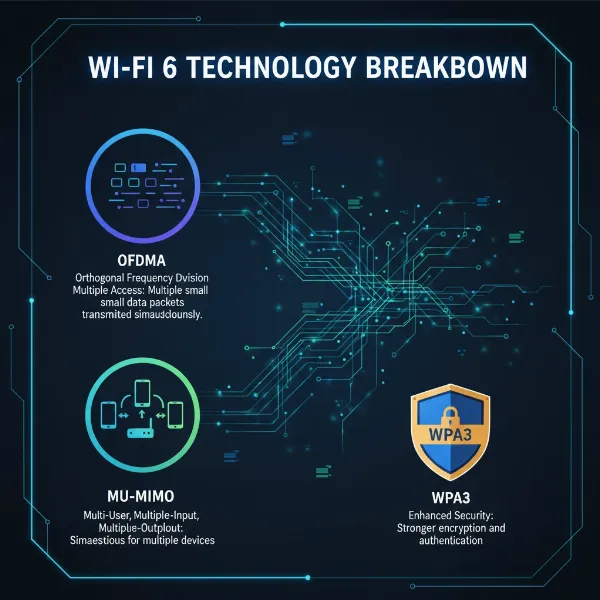 An infographic illustrating key technical specifications of Wi-Fi 6, such as OFDMA, MU-MIMO, and WPA3, with abstract network lines.
Wi-Fi 6 Router Buying Guide
Investing in a Wi-Fi 6 router can significantly improve your home network, but navigating the options requires careful consideration. This buying guide outlines the essential factors to assess before making a purchase, ensuring you select a router that perfectly aligns with your specific requirements and budget. A thoughtful approach now can save you from connectivity headaches later.
Key Factors to Consider When Buying
Before you click “add to cart,” take a moment to evaluate your current and future networking needs. This foundational assessment will guide you toward the right category of Wi-Fi 6 router.
- Usage Needs (Number of Devices, Area Size): How many devices will connect to your Wi-Fi regularly? Do you have many smart home gadgets, or is it primarily phones and laptops? What is the square footage of your home, and does it have multiple floors or thick walls? These questions will determine whether you need a basic dual-band router, a powerful standalone unit, or a comprehensive mesh system.
- Budget: Wi-Fi 6 routers range from under $100 to over $400. Define how much you’re willing to spend. While cheaper models offer fundamental Wi-Fi 6 benefits, higher-priced routers include advanced features like multi-gig ports, more powerful processors, additional bands (Wi-Fi 6E), and more extensive software suites.
- Essential Features (Security, Parental Control, QoS): Prioritize features that matter most to you. Robust security (WPA3, built-in antivirus) is critical for privacy. Parental controls are vital for families. Quality of Service (QoS) allows you to prioritize certain types of traffic (e.g., gaming, video calls) over others, ensuring a smooth experience for critical applications.
- Reputable Brand: Sticking with well-established brands like TP-Link, ASUS, or Netgear generally ensures better product support, more reliable firmware updates, and a larger community for troubleshooting. These brands have a proven track record in manufacturing high-quality networking equipment.
Tips for Choosing Your Wi-Fi 6 Router
Beyond the core considerations, a few practical tips can help refine your decision and ensure you get the best value for your money.
- Read Technical Specifications Carefully: Don’t just look at the big “AX” number. Check the number of streams (e.g., 4×4, 8×8 MU-MIMO), processor speed, RAM, and port configurations (Gigabit vs. Multi-Gig Ethernet, USB 2.0 vs. 3.0). These details provide a clearer picture of the router’s true capabilities.
- Consult User Reviews: Real-world experiences from other users can offer invaluable insights into a router’s performance, reliability, and ease of use in diverse home environments. Look for reviews that highlight pros and cons relevant to your specific usage scenario.
- Compare Prices Across Retailers: Prices can vary significantly between different online and brick-and-mortar stores. Use price comparison tools to find the best deal, and be aware of sales or bundle offers.
- Verify Warranty and Support Policies: Understand the manufacturer’s warranty period and their customer support options. A good warranty and responsive technical support can be crucial if you encounter any issues down the line.
Common Issues and How to Resolve Them
Even with the best Wi-Fi 6 router, you might occasionally encounter network issues. Knowing how to troubleshoot common problems can help you quickly restore optimal performance.
- Dropped Connections:
- Cause: Often due to interference from other devices (microwaves, cordless phones), outdated drivers on client devices (especially Intel Wi-Fi adapters), or overcrowding on a Wi-Fi channel.
- Fix: Try moving your router to a more central, elevated location away from interference sources. Update your device’s Wi-Fi drivers. Log into your router’s admin panel and switch to a less congested Wi-Fi channel (using a Wi-Fi analyzer app can help identify this). Some older devices may struggle with WPA3 security; try configuring your router to WPA2/WPA3 mixed mode if available.
- Slow Speeds:
- Cause: Similar to dropped connections, slow speeds can stem from poor router placement, signal interference, an outdated router firmware, or too many devices hogging bandwidth without proper QoS. Your internet service provider (ISP) plan might also be a bottleneck.
- Fix: First, reboot your modem and router. Ensure your router’s firmware is up to date. Verify your internet plan speed. Optimize router placement and check for interference. Use QoS settings to prioritize critical traffic. For stationary devices, consider using a wired Ethernet connection for maximum speed and stability.
- Unable to Connect Devices:
- Cause: This often happens with older smart home devices that only support the 2.4GHz band while your Wi-Fi 6 router is optimized for 5GHz or has combined bands (Smart Connect). It can also be due to incorrect Wi-Fi passwords or WPA3 compatibility issues.
- Fix: If you have 2.4GHz-only devices, check if your router allows you to create a separate 2.4GHz guest network or a dedicated SSID for the 2.4GHz band. Temporarily disable “Smart Connect” if it combines 2.4GHz and 5GHz under one name. Double-check your Wi-Fi password. If WPA3 is the issue, try WPA2/WPA3 mixed mode.
- Security Flaws or Vulnerabilities:
- Cause: Outdated firmware often contains unpatched security vulnerabilities. Default login credentials or weak Wi-Fi passwords can also leave your network exposed.
- Fix: Regularly update your router’s firmware. Always change default admin credentials immediately after setup. Use strong, unique Wi-Fi passwords with WPA3 encryption enabled. Utilize built-in security features like firewalls, intrusion detection, and network scanning if provided by your router.
Top Picks Wi-Fi 6 Routers by Price Segment
To simplify your decision, we’ve broken down our top Wi-Fi 6 router recommendations across different budget categories. This approach ensures that whether you’re looking for an economical upgrade or a premium networking powerhouse, you have clear, expert-backed suggestions tailored to your financial comfort zone. Each segment balances performance with cost, guiding you to the best value for your investment.
Budget-Friendly Segment (Under $100)
This segment focuses on delivering the core benefits of Wi-Fi 6 without a hefty price tag. These routers are perfect for users with smaller homes or apartments and moderate internet speeds who want to upgrade from older Wi-Fi standards.
- Advantages:
- Affordable Price: Provides a cost-effective entry point into Wi-Fi 6 technology.
- Basic Wi-Fi 6 Benefits: Still offers improved efficiency, better handling of multiple devices, and faster speeds compared to Wi-Fi 5 routers at a similar price point.
- Easy Setup: Often designed for straightforward installation and management, ideal for less tech-savvy users.
- Disadvantages:
- Limited Features: May lack advanced functionalities like multi-gig ports, extensive parental controls, or high-end QoS.
- Reduced Range: Typically best suited for smaller to medium-sized spaces, and might struggle with extensive coverage in larger or multi-story homes.
- Lower Stream Count: Can become less efficient under very heavy network loads with a high number of concurrent, bandwidth-intensive devices.
- Product Suggestions:
- TP-Link Archer AX10 (AX1500/AX1800): An excellent entry-level option offering Wi-Fi 6 speeds and good coverage for small homes or apartments. It’s often praised for its value and ease of use.
- ASUS RT-AX55 (AX1800): A reliable dual-band Wi-Fi 6 router that provides stable performance and good basic features, ideal for upgrading a standard home network on a budget.
Mid-Range Segment ($100 – $250)
The mid-range is where Wi-Fi 6 truly shines, offering an impressive balance of performance, features, and value. These routers are well-suited for most average-sized homes, families with multiple users, and those with higher internet speeds.
- Advantages:
- Balanced Performance: Delivers significantly faster speeds and better coverage than budget options, suitable for 4K streaming, online gaming, and numerous connected devices.
- Enhanced Features: Often includes more advanced security, better QoS, stronger parental controls, and sometimes multi-gig WAN/LAN ports.
- Improved Range & Stability: Provides more robust signals and better handling of interference, leading to a more stable connection across the home.
- Disadvantages:
- May Lack Premium Features: While feature-rich, they might not have the absolute cutting-edge technology (e.g., 10Gbps ports, advanced gaming acceleration) found in high-end models.
- Not Always Wi-Fi 6E: Most mid-range options are Wi-Fi 6, not Wi-Fi 6E, meaning they don’t have the uncongested 6GHz band.
- Product Suggestions:
- TP-Link Archer AX55 (AX3000): (Sometimes available in this segment, depending on sales). Offers 160MHz channel support for higher speeds and solid overall performance, making it a dependable choice for families.
- GL.iNet Flint 2 (GL-MT6000): A powerful dual-band Wi-Fi 6 router praised for its excellent VPN speeds, OpenWRT firmware for extensive customization, and dual 2.5G ports. Ideal for tech-savvy users seeking control and privacy.
- eero 6: A popular mesh system component, the eero 6 offers simple setup, reliable coverage, and good speeds for mid-sized homes, often available in multi-packs for expandable coverage.
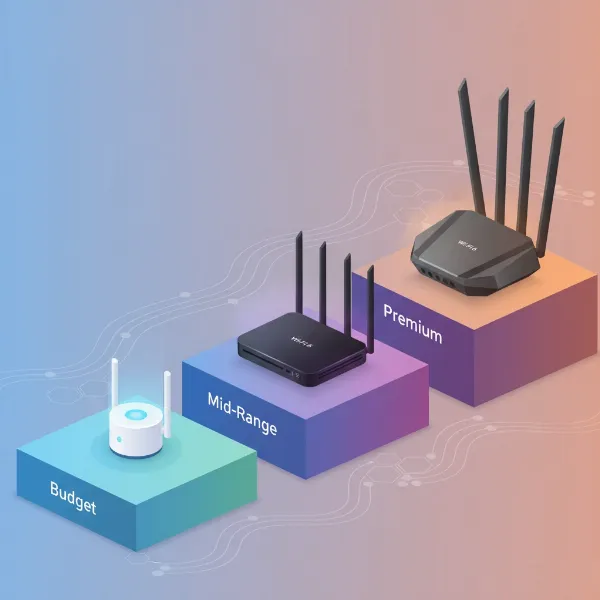 A visual representation of Wi-Fi 6 routers categorized by budget, mid-range, and premium tiers, with sample routers in each.
High-End Segment (Over $250)
For power users, large homes, and those with multi-gig internet connections, the high-end segment offers uncompromising performance and a full suite of advanced features. These routers are built to handle the most demanding network environments.
- Advantages:
- Unrivaled Performance: Delivers the fastest possible Wi-Fi 6 and often Wi-Fi 6E speeds, along with superior coverage and capacity for hundreds of devices.
- Feature-Rich: Includes multi-gig Ethernet ports, advanced gaming optimizations (triple-level game acceleration), robust security suites, extensive customization options, and powerful processors.
- Future-Proofing: Many come with Wi-Fi 6E (6GHz band) support, offering a cleaner spectrum for compatible devices, positioning your network for future technologies.
- Disadvantages:
- Premium Price: The significant investment might not be justified for average users or smaller homes.
- Often Bulky Design: These powerful routers can be large and visually prominent, which might not suit all interior aesthetics.
- Complex Setup: The sheer number of features can make initial setup and advanced configuration more challenging for beginners.
- Product Suggestions:
- ASUS ROG Rapture GT-AX11000 Pro: An absolute beast of a gaming router, offering insane speeds (up to AX11000), a 10G port, and triple-level game acceleration. Perfect for hardcore gamers and power users.
- TP-Link Archer AX11000: Another top-tier gaming router with impressive tri-band speeds, multiple Gigabit LAN ports, and a 2.5G WAN port. Excellent for large homes with many wired and wireless devices.
- Netgear Nighthawk RAXE300 / RAXE500 (Wi-Fi 6E): These models offer Wi-Fi 6E with access to the 6GHz band, providing incredibly fast, uncongested speeds for compatible devices. Ideal for those prioritizing peak performance and reduced interference.
Conclusion
The evolution of Wi-Fi 6 routers has brought unprecedented speed, efficiency, and stability to home networks, making it an indispensable upgrade for anyone serious about their online experience. From seamless 4K streaming and lag-free gaming to managing an ever-growing array of smart home devices, a well-chosen Wi-Fi 6 router can dramatically enhance your connectivity. We’ve explored the diverse types, critical comparison points, essential buying considerations, and common troubleshooting tips, arming you with the knowledge to make an informed decision.
Ultimately, the best Wi-Fi 6 router is one that perfectly aligns with your unique usage patterns, home size, and budget. By understanding the core technologies and weighing the options across different price segments, you can select a device that not only meets your current demands but also ensures your network is ready for the future. Are you ready to unlock the full potential of your home network with Wi-Fi 6?
Frequently Asked Questions
What is the main advantage of Wi-Fi 6 over Wi-Fi 5?
Wi-Fi 6 primarily enhances network efficiency and capacity rather than just raw speed. It utilizes technologies like OFDMA and MU-MIMO to handle multiple devices simultaneously, reducing latency and improving overall performance in device-dense environments compared to Wi-Fi 5.
Do I need a Wi-Fi 6 router if my devices are only Wi-Fi 5?
While your Wi-Fi 5 devices won’t experience Wi-Fi 6’s full speed benefits, upgrading can still improve your network. A Wi-Fi 6 router will manage your existing devices more efficiently and provide a faster, more stable connection for any new Wi-Fi 6 compatible devices you acquire in the future.
What is the difference between Wi-Fi 6 and Wi-Fi 6E?
Wi-Fi 6E builds upon Wi-Fi 6 by adding support for the 6GHz frequency band. This new band is significantly less congested than the 2.4GHz and 5GHz bands, offering higher speeds, lower latency, and reduced interference, especially for newer, compatible devices.
How much coverage can I expect from a Wi-Fi 6 router?
Coverage varies based on the router’s power, antenna design, and environmental factors like walls and interference. Entry-level Wi-Fi 6 routers typically cover 1,500-2,000 sq ft, while high-end models or mesh systems can extend coverage to 3,000-5,000+ sq ft across multiple floors.
Are Wi-Fi 6 routers compatible with older Wi-Fi devices?
Yes, Wi-Fi 6 routers are backward compatible with older Wi-Fi standards (Wi-Fi 5, Wi-Fi 4, etc.). Your older devices will connect to the Wi-Fi 6 network, although they will operate at their native Wi-Fi standard speeds, not the full Wi-Fi 6 speed.
Should I choose a dual-band or tri-band Wi-Fi 6 router?
For most users, a dual-band (2.4GHz and 5GHz) Wi-Fi 6 router is sufficient. Tri-band routers add a second 5GHz band (or a 6GHz band in Wi-Fi 6E) which can be beneficial for very busy networks, extensive gaming, or large homes needing dedicated bandwidth for specific tasks or devices.
What is a “multi-gig” port, and do I need one?
A multi-gig port (typically 2.5Gbps or 10Gbps) is an Ethernet port faster than the standard 1Gbps. You’ll need one if you have internet service faster than 1Gbps, or if you want to connect a high-speed device (like a NAS or a gaming PC) directly to the router for maximum wired throughput.