Are you tired of sluggish internet speeds and annoying dead zones in your home? In today’s hyper-connected world, a reliable Wi-Fi connection isn’t a luxury; it’s a necessity. From streaming 4K content to competitive online gaming and managing a plethora of smart devices, your home network is constantly under demand. When your current setup falls short, the solution often comes down to two primary options: investing in a new Wifi 6 router or adding a Wifi extender to your existing system. Both promise to improve your wireless experience, but they serve different purposes and offer distinct benefits. Understanding these differences is key to choosing the right path for your specific needs, ensuring a smooth, fast, and stable connection throughout your entire living space.
Understanding Wifi 6 Routers
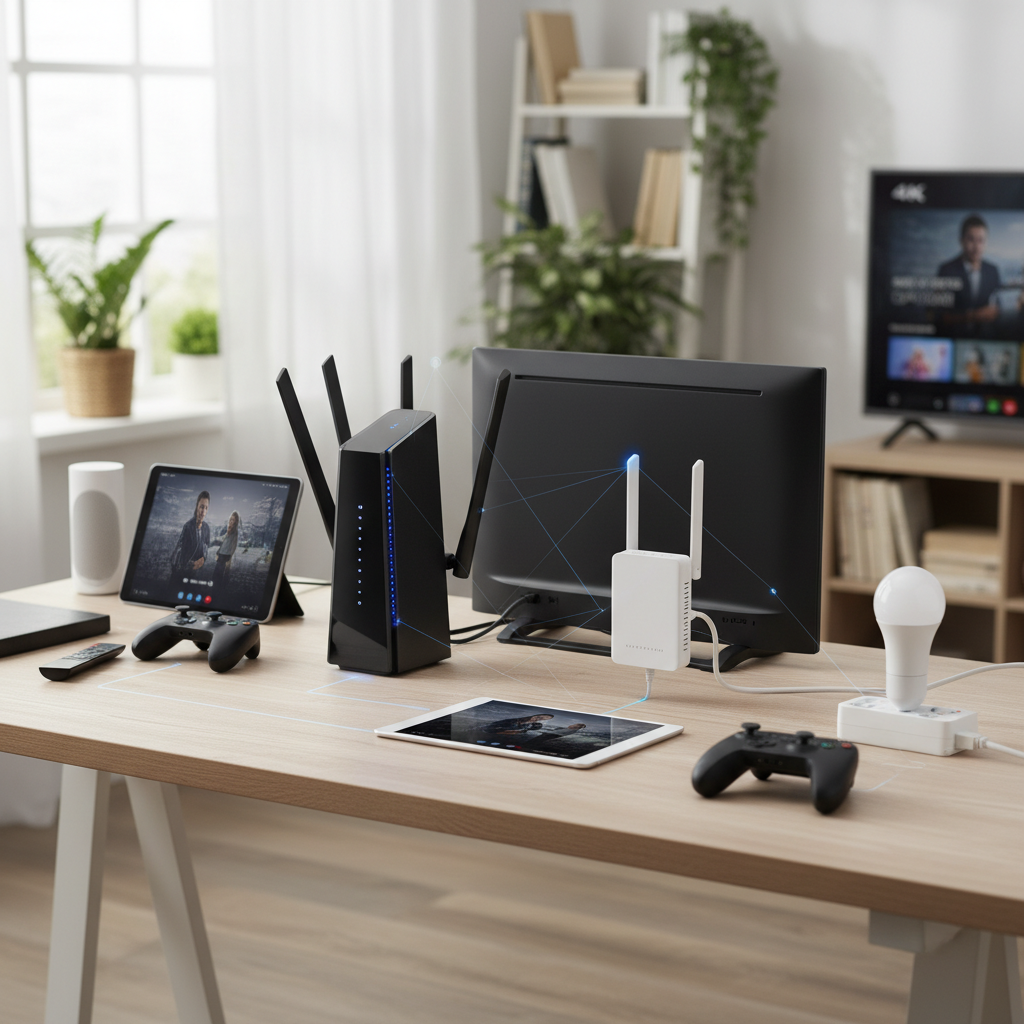
Wifi 6, also known as 802.11ax, represents the latest significant leap in wireless technology. Unlike previous generations that focused primarily on raw speed, Wifi 6 is engineered for efficiency, especially in environments with many connected devices. Imagine your home with smartphones, tablets, smart TVs, gaming consoles, and smart home gadgets all vying for bandwidth – Wifi 6 handles this congestion with remarkable grace.
One of the core advantages of a Wifi 6 router is its ability to deliver faster theoretical speeds, reaching up to 9.6 Gbps. This isn’t just about faster downloads; it’s about a network that can more effectively manage data streams. Technologies like Orthogonal Frequency Division Multiple Access (OFDMA) and Multi-User Multiple Input Multiple Output (MU-MIMO) allow the router to communicate with multiple devices simultaneously, rather than sequentially. This drastically reduces latency and improves overall performance, making activities like 4K/8K streaming and online gaming far smoother. Furthermore, Wifi 6 enhances network security with the WPA3 standard, offering stronger encryption and protection against cyber threats. It also features Target Wake Time (TWT), which helps compatible devices schedule check-ins with the router, leading to extended battery life for your gadgets.
[image-1|wifi-6-router-modern-home|A sleek, futuristic Wifi 6 router prominently displayed on a modern living room table, casting a soft, reliable glow of network connectivity.|
A close-up, eye-level shot of a sleek, futuristic Wifi 6 router, possibly black or white with subtle LED indicators. It is positioned on a modern, minimalist coffee table in a bright, contemporary living room. The background shows blurred elements of a smart home setup like a smart speaker or a tablet. The router emanates a soft, glowing light, symbolizing robust and reliable network connectivity. Realistic, high-tech style.]
While Wifi 6 offers significant improvements, it’s not without its considerations. The initial investment in a Wifi 6 router can be higher than older models. Also, to fully leverage its capabilities, your client devices (phones, laptops, etc.) should also support Wifi 6. Older devices will still connect, thanks to backward compatibility, but won’t experience the full benefits. While Wifi 6 provides better range and signal penetration than its predecessors, dense building materials or very large, multi-story homes can still pose challenges, potentially leaving some dead spots.
Understanding Wifi Extenders
A Wifi extender, sometimes called a range extender or repeater, is a more straightforward solution designed to boost your existing Wi-Fi signal. Its primary function is to pick up the wireless signal from your main router and rebroadcast it, effectively extending the coverage area to parts of your home where the signal is weak or non-existent. This can be a cost-effective way to eliminate small dead zones, such as a distant bedroom or a patio just outside your router’s reach.
[image-2|wifi-extender-wall-outlet|A compact Wifi extender plugged into a wall outlet in a home hallway, subtly extending wireless network coverage.|
A discreet Wifi extender plugged directly into a standard wall outlet in a home hallway. The extender is compact and white, with a small indicator light. The background shows a hallway with a wooden floor and a light-colored wall, implying a common household environment. The shot is at eye-level, clean, and highlights the extender as a simple, unobtrusive device.]
The appeal of a Wifi extender lies in its simplicity and affordability. Most models are plug-and-play, requiring minimal setup, and they are generally compatible with most routers, regardless of brand. This makes them an easy fix for targeted areas of poor reception. You can simply plug an extender into a power outlet in a strategic location – typically halfway between your router and the dead zone – and instantly improve signal strength in that area.
However, Wifi extenders come with notable drawbacks. One of the most significant is the potential for speed reduction. Because an extender receives and then rebroadcasts the signal on the same wireless band, it can essentially “halve” the available bandwidth. This means that while you might get a signal in a dead zone, the actual speed could be much slower than what your main router delivers. This “hop” also introduces increased latency, which can be detrimental for real-time applications like online gaming or video conferencing. Many extenders also create a separate network name (SSID), meaning your devices won’t seamlessly roam between your main router and the extender; you might have to manually switch networks. While some newer “mesh-ready” extenders from the same brand as your router can offer a more integrated experience, this isn’t a universal feature. For large homes or multiple dead zones, relying on several extenders can lead to signal overlap, interference, and a fragmented network experience that is less reliable than a robust router or mesh system.
Key Differences: Wifi 6 Router vs. Wifi Extender
Choosing between a Wifi 6 router and a Wifi extender boils down to your primary goal: are you looking for a foundational network upgrade with superior performance and capacity, or a simple, targeted fix for coverage gaps? A Wifi 6 router fundamentally enhances your entire network’s capability, offering faster speeds, better efficiency for numerous devices, and improved security. It’s like upgrading the engine of your car for overall better performance. In contrast, a Wifi extender takes your existing signal and stretches it further, akin to adding an extension cord to reach a distant outlet. It addresses range but often at the expense of speed and seamless connectivity.
The performance disparity is perhaps the most critical distinction. A Wifi 6 router is built to handle high-bandwidth activities and a high density of devices without significant slowdowns, thanks to its advanced technologies. An extender, by repeating a signal, inherently introduces a performance bottleneck, potentially cutting speeds and increasing latency. While an extender is cost-effective for isolated spots, it cannot replicate the robust, high-speed, and intelligent management capabilities of a modern Wifi 6 router. For a truly future-proof and seamless whole-home Wi-Fi experience, especially in larger environments, an entire network overhaul with a Wifi 6 router or a mesh system often proves to be the superior long-term investment.
When to Choose a Wifi 6 Router
Deciding on a Wifi 6 router is a strategic choice for improving your entire home network foundation. This option is ideal if your current router is several years old (e.g., Wifi 5 or older) and struggling to keep up with modern demands. If you’ve upgraded your internet service to a gigabit or multi-gigabit plan, a Wifi 6 router is essential to fully realize those speeds, as older routers will act as a bottleneck.
Consider a Wifi 6 router if:
- You have a fast internet connection (100 Mbps or higher): A Wifi 6 router can deliver the speeds you pay for to more devices.
- Your home has many connected devices: Smart homes, gaming setups, multiple streamers, and remote workers benefit from the efficiency of Wifi 6’s OFDMA and MU-MIMO technologies, which allow the router to communicate with many devices simultaneously without performance degradation.
- You engage in bandwidth-intensive activities: 4K/8K video streaming, competitive online gaming, and large file transfers all demand the low latency and high throughput a Wifi 6 router provides.
- You seek enhanced security: Wifi 6 routers typically support WPA3 encryption, offering a stronger defense against cyber threats compared to older security protocols.
- You want a future-proof network: While Wifi 7 is emerging, Wifi 6 is widely adopted and offers substantial improvements over previous generations, ensuring your network remains relevant for years.
- You are experiencing overall slow speeds or frequent buffering, not just dead zones: This indicates a core router performance issue rather than simply a coverage problem.
“Investing in a Wifi 6 router isn’t just about faster speeds; it’s about building a more resilient, efficient, and secure network foundation that can handle the growing demands of modern smart homes.” – John Smith, Network Architect at Connected Living Solutions.
When to Choose a Wifi Extender
A Wifi extender is a practical, budget-friendly solution best suited for specific scenarios where a full router upgrade might be unnecessary or beyond your current budget. It shines in addressing isolated areas of poor signal rather than overhauling overall network performance.
Opt for a Wifi extender if:
- You have a small, isolated dead zone: If only one or two specific areas, like a garage, basement corner, or far-end bedroom, consistently have weak Wi-Fi, an extender can provide a targeted signal boost.
- Your existing router is relatively new and performs well everywhere else: If your main network speeds are satisfactory, but you just need to stretch coverage a little further, an extender can be a quick fix.
- Budget is a primary concern: Extenders are significantly less expensive than new Wifi 6 routers or mesh systems, making them an accessible option for immediate relief from poor coverage.
- Ease of installation is a priority: Most extenders are simple plug-and-play devices that require minimal technical expertise to set up.
- You don’t require maximum speed in the extended area: If the devices in the dead zone (e.g., smart light bulbs, a casual browsing tablet) don’t demand high bandwidth, the speed reduction inherent in extenders might not be an issue.
- You are renting and cannot easily replace the main router: An extender offers a non-invasive way to improve coverage without altering the primary network hardware.
Comparison Table: Wifi 6 Router vs. Wifi Extender
| Feature | Wifi 6 Router | Wifi Extender |
|---|---|---|
| Primary Function | Core network hub, creates/manages Wi-Fi network | Rebroadcasts existing Wi-Fi signal to extend range |
| Performance | High speeds, high efficiency, low latency, handles many devices | Extends range, but often reduces speed and increases latency |
| Coverage | Comprehensive for its range, better signal penetration than older standards | Extends coverage to dead zones, targeted range expansion |
| Device Capacity | Excellent, designed for high density of devices (OFDMA, MU-MIMO) | Limited, can slow down network as devices connect |
| Security | WPA3 standard, advanced firewall features | Relies on router’s security, can have separate login (SSID) |
| Seamless Roaming | Yes, devices seamlessly switch if part of a mesh system or single network | Often creates a separate network, requiring manual switching |
| Installation | Initial setup more complex (replaces existing router) | Generally plug-and-play, easy setup |
| Cost | Higher initial investment | Lower cost, budget-friendly for small fixes |
| Best Use Case | Network upgrade for speed, capacity, security; new home setup | Fixing small, isolated dead zones in an otherwise good network |
Buying Guide: How to Choose Between Them
Making the right decision between a Wifi 6 router and a Wifi extender requires a clear understanding of your specific needs, budget, and home environment. Don’t rush into a purchase; a little consideration can save you frustration and money in the long run.
Factors to Consider When Buying
|
Our Picks for the Best Wifi 6 router in 2026
As an Amazon Associate I earn from qualifying purchases.
|
||
| Num | Product | Action |
|---|---|---|
| 1 | TP-Link Archer AX1450 WiFi 6 Dual-Band Wireless Router | up to 1.45 Gbps Speeds (Renewed) |

|
| 2 | TP-Link AX1800 WiFi 6 Router (Archer AX21 V5) – Dual Band Wireless Internet, Gigabit, Easy Mesh, Works with Alexa - A Certified for Humans Device, Free Expert Support |
|
| 3 | TP-Link Smart WiFi 6 Router (Archer AX10) – 4 Gigabit LAN Ports, Dual Band 802.11AX Router, Beamforming, OFDMA, MU-MIMO, Parental Controls, Dual-Core 900MHz Processor, Works with Alexa |
|
| 4 | TP-Link AXE5400 Tri-Band WiFi 6E Router (Archer AXE75), 2025 PCMag Editors' Choice, Gigabit Internet for Gaming & Streaming, New 6GHz Band, 160MHz, OneMesh, Quad-Core CPU, VPN & WPA3 Security |
|
| 5 | TP-Link AX5400 WiFi 6 Router (Archer AX73)- Dual Band Gigabit Wireless Internet Router for Streaming, Long Range Coverage |
|
| 6 | TP-Link Dual-Band BE3600 Wi-Fi 7 Router Archer BE230 | 4-Stream | 2×2.5G + 3×1G Ports, USB 3.0, 2.0 GHz Quad Core, 4 Antennas | VPN, EasyMesh, HomeShield, MLO, Private IOT | Free Expert Support |
|
| 7 | TP-Link Dual-Band AX3000 Wi-Fi 6 Router Archer AX55 | Wireless Gigabit Internet Router for Home | EasyMesh Compatible | VPN Clients & Server | HomeShield, OFDMA, MU-MIMO | USB 3.0 | Secure by Design |
|
| 8 | TP-Link Deco X55 AX3000 WiFi 6 Mesh System - Covers up to 2500 Sq.Ft., Replaces Wireless Router and Extender, 3 Gigabit Ports, Supports Ethernet Backhaul, Deco X55(1-Pack) |
|
| 9 | NETGEAR Nighthawk WiFi 6 Router (RAX36) – Router Only, AX3000 3 Gbps Wireless Speed – Dual-Band Gigabit Internet – Covers 2,000 sq. ft., 25 Devices – Built-in VPN, USB 3.0, Gaming |
|
| 10 | ASUS RT-AX1800S Dual Band WiFi 6 Extendable Router, Subscription-Free Network Security, Parental Control, Built-in VPN, AiMesh Compatible, Gaming & Streaming, Smart Home |
|
- Your Internet Service Provider (ISP) Speed: If your internet plan is 100 Mbps or lower, a basic extender might suffice for coverage. However, for 200 Mbps or higher, a Wifi 6 router is almost certainly necessary to maximize those speeds across your home.
- Home Size and Layout: For smaller apartments or homes (under 1500 sq ft) with minimal obstructions, a good Wifi 6 router might cover everything. Larger homes, multi-story houses, or those with thick walls (brick, concrete) will likely benefit more from a Wifi 6 mesh system (an advanced form of router) or might consider an extender for isolated spots.
- Number of Connected Devices: A household with many smartphones, smart home devices, streaming sticks, and gaming consoles will overwhelm older routers and extenders. A Wifi 6 router excels in these high-density environments.
- Types of Online Activities: If you primarily browse the web and check email, a minor speed drop from an extender might be tolerable. But for 4K streaming, online gaming, video conferencing, or large file transfers, the consistent speed and low latency of a Wifi 6 router are crucial.
- Budget: Extenders are generally much cheaper. If your budget is very limited and you only need to fix one small coverage gap, an extender is a viable short-term solution. However, consider the long-term value and performance.
- Future-proofing: Wifi 6 routers offer advanced features and security, preparing your network for upcoming technologies and increasing device demands. An extender merely extends an existing signal, which might itself become outdated.
- Ease of Installation and Management: Extenders are typically easier to set up. Replacing a router involves reconfiguring your network. However, managing a scattered network of extenders can become cumbersome.
Tips for Choosing Your Wifi Solution
- Assess your current network: Use online speed tests in different areas of your home. Identify true dead zones versus areas with just slow speeds. Tools can help measure signal strength (e.g., dBm values).
- Prioritize overall network health: If your entire network feels slow, even near the router, a new Wifi 6 router is the better investment. If only one far corner is problematic, an extender might be enough.
- Consider a Mesh Wifi System as an alternative: For large homes with multiple dead zones and a need for seamless coverage, a Wifi 6 mesh system (multiple units working as one network) often outperforms both a single Wifi 6 router and multiple extenders. It combines the benefits of Wifi 6 with superior coverage and roaming.
- Match standards: If you buy an extender, try to match its Wifi standard (e.g., Wifi 6) to your main router for optimal compatibility, although they are generally backward compatible.
- Read reviews: User reviews can offer practical insights into real-world performance, especially concerning range and stability.
Common Problems and How to Address Them
Regardless of whether you choose a Wifi 6 router or a Wifi extender, you might encounter common network issues. Knowing how to troubleshoot them can save you a lot of headache.
Lost Connection
- Router/Extender Issue: Ensure both devices are powered on and all cables are securely connected. Restarting the router and/or extender often resolves temporary glitches.
- ISP Problem: Check if your internet service is down by connecting a device directly to your modem (if separate).
- Interference: Cordless phones, microwaves, and even neighboring Wi-Fi networks can interfere. Try changing your Wi-Fi channel in your router settings.
Slow Speeds
- Bandwidth Overload: Too many devices streaming or downloading simultaneously can slow down the network. A Wifi 6 router handles this better, but an extender might struggle.
- Weak Signal: If speeds are slow in an extended area, the extender might be placed too far from the main router, receiving a weak signal to begin with. Relocate it closer.
- Outdated Firmware: Ensure your router and extender (if applicable) have the latest firmware updates.
- ISP Throttling: Sometimes your ISP might be temporarily reducing your speed. Contact them to check.
- Extender Performance: Remember extenders can halve bandwidth. If the speed is consistently too low for your needs in the extended area, an extender might not be the right solution for you.
Device Cannot Connect
- Incorrect Password: Double-check your Wi-Fi password.
- Network Name (SSID) Issues: If using an extender, ensure you’re connecting to the correct network name. Some extenders create a separate SSID.
- IP Address Conflict: Restarting your devices and router can often clear up IP address conflicts.
- Device Compatibility: Ensure your device supports the Wi-Fi standard being broadcast (e.g., older devices won’t connect to 6GHz band of Wifi 6E).
Security Flaws
- Weak Password: Always use a strong, unique password for your Wi-Fi network.
- Outdated Security Protocol: Ensure your router is using WPA3 (for Wifi 6 routers) or at least WPA2. Avoid WEP.
- Firmware Vulnerabilities: Regularly update your router’s firmware to patch known security vulnerabilities.
- Guest Network: Utilize a guest network for visitors to keep your main network secure.
Top Picks Wifi 6 Router and Extender
Finding the perfect Wi-Fi solution can be daunting with the array of options available. Here are some general recommendations for Wifi 6 routers and extenders across different price segments, keeping in mind popular and well-regarded brands known for performance and reliability.
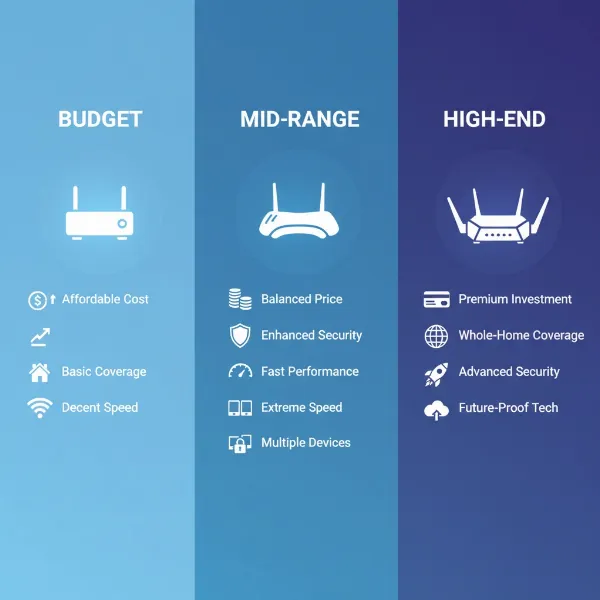
Entry-Level Wifi 6 Router (Under $100-$150)
- Pros: Affordable entry into Wifi 6 benefits, good for small to medium-sized homes, improved efficiency over Wifi 5.
- Cons: May lack advanced features, limited ports, and high-end processing power for very heavy use.
- Suggested Products:
- TP-Link Archer AX1500 (AX1500): A solid budget option offering basic Wifi 6 speeds and improved device handling.
- ASUS RT-AX1800S (AX1800): Provides reliable dual-band Wifi 6 performance at an accessible price point, often with good software features.
Mid-Range Wifi 6 Router ($150-$300)
- Pros: Excellent balance of price and performance, strong speeds, better coverage, more advanced features like MU-MIMO and OFDMA.
- Cons: Might not have the extreme speeds or multi-gig ports of premium models.
- Suggested Products:
- TP-Link Archer AX5400 (AX5400): Known for robust performance, good range, and a feature-rich interface suitable for many households.
- ASUS RT-AX82U (AX5400): Often praised for gaming features, strong performance, and a user-friendly app.
High-End Wifi 6 Router (Over $300)
- Pros: Maximum performance, extensive coverage, multi-gig Ethernet ports, advanced security, often Wifi 6E compatible (adding 6GHz band), ideal for very large homes or power users.
- Cons: High price point, potentially overkill for smaller homes or slower internet plans.
- Suggested Products:
- TP-Link Archer AXE95 (AXE7800) or TP-Link Deco XE75 Pro (Mesh System): Excellent for large homes, offering tri-band Wi-Fi 6E with multi-gig connectivity and advanced features.
- Netgear Nighthawk RAX120 (AX6000) or ASUS RT-AX86U Pro (AX5700): Top-tier dual-band Wifi 6 performance, often with robust processing for demanding applications.
Wifi 6 Extender (Various Price Points)
- Pros: Cost-effective solution for specific dead zones, easy to set up, can extend Wifi 6 signals.
- Cons: Inherent speed reduction, potential for separate SSIDs, not a foundational network upgrade.
- Suggested Products:
- TP-Link RE715X (AX3000 Wifi 6 Extender): A well-regarded Wifi 6 extender that offers good speed for an extender and is compatible with TP-Link’s OneMesh for a more seamless experience.
- Netgear Nighthawk AX6000 (EAX80) Mesh Extender: A more powerful Wifi 6 extender suitable for larger areas, often with multi-gig capabilities and mesh integration.
Conclusion
The choice between a Wifi 6 router and a Wifi extender ultimately depends on the specific challenges you face with your home network. If you’re looking for a comprehensive overhaul to boost speeds, enhance efficiency for numerous devices, and fortify security across your entire home, a Wifi 6 router is the superior investment. It lays down a robust foundation for a truly modern, high-performance network.
However, if your current router is performing adequately and you only need to resolve a few isolated dead zones in a cost-effective and straightforward manner, a Wifi extender can be a perfectly viable solution. It’s a quick patch rather than a full upgrade, offering extended coverage at a potentially reduced speed. For expansive homes with multiple dead zones and a desire for seamless roaming, remember that a Wifi 6 mesh system often provides the best of both worlds.
Evaluate your internet plan, the size of your home, your budget, and most importantly, your daily online activities. Are you seeking a fundamental transformation of your network, or just a targeted fix for a persistent signal gap? Whichever path you choose, understanding the capabilities and limitations of each option will guide you toward a more connected and less frustrating digital life. What’s the biggest Wi-Fi frustration you hope to solve with your next upgrade?
Frequently Asked Questions
What is the main difference between Wifi 6 and older Wifi standards?
Wifi 6 offers significantly faster theoretical speeds and, critically, much greater efficiency in managing multiple devices simultaneously through technologies like OFDMA and MU-MIMO. This results in lower latency, better performance in crowded network environments, and improved security compared to older standards like Wifi 5.
Can a Wifi extender improve my internet speed?
A Wifi extender primarily extends the range of your existing Wi-Fi signal, it does not increase your internet speed from your provider. In fact, due to the nature of rebroadcasting the signal, extenders can often reduce the effective speed and increase latency in the extended area.
Do I need a Wifi 6 router if my devices are older?
While older devices will still connect to a Wifi 6 router, they won’t be able to utilize its advanced features and faster speeds. However, a Wifi 6 router can still improve overall network efficiency, benefiting all devices by better managing bandwidth, even if individual older devices don’t see peak Wifi 6 performance.
Is a Mesh Wifi System better than a Wifi extender?
For large homes or multi-story buildings, a Mesh Wifi System is generally superior to a Wifi extender. Mesh systems use multiple nodes to create a single, seamless network with consistent speeds and coverage throughout your home, offering much better performance and seamless roaming compared to the fragmented network often created by extenders.
Where should I place a Wifi extender for best performance?
The optimal placement for a Wifi extender is roughly halfway between your main router and the Wi-Fi dead zone you want to cover. It needs to receive a strong enough signal from the router to effectively rebroadcast it, without being so close that it doesn’t meaningfully extend coverage. Many extenders have indicator lights to help you find the ideal spot.