Is your home network struggling to keep up with an ever-growing number of connected devices, sluggish streaming, or frustrating dead zones? If your current router is showing its age, a Wifi 6 router might be the upgrade you desperately need. With the rapid expansion of smart homes, 4K streaming, and online gaming, the demands on our wireless networks have never been higher. Investing in a modern Wifi 6 router is no longer just a luxury; it’s a foundational step towards a faster, more reliable, and future-proof home network. This comprehensive guide will navigate you through the world of Wifi 6 routers, exploring different types, comparing top models, offering crucial buying advice, and tackling common issues, so you can confidently choose the perfect router to meet your unique needs.
Popular Wifi 6 Router Categories
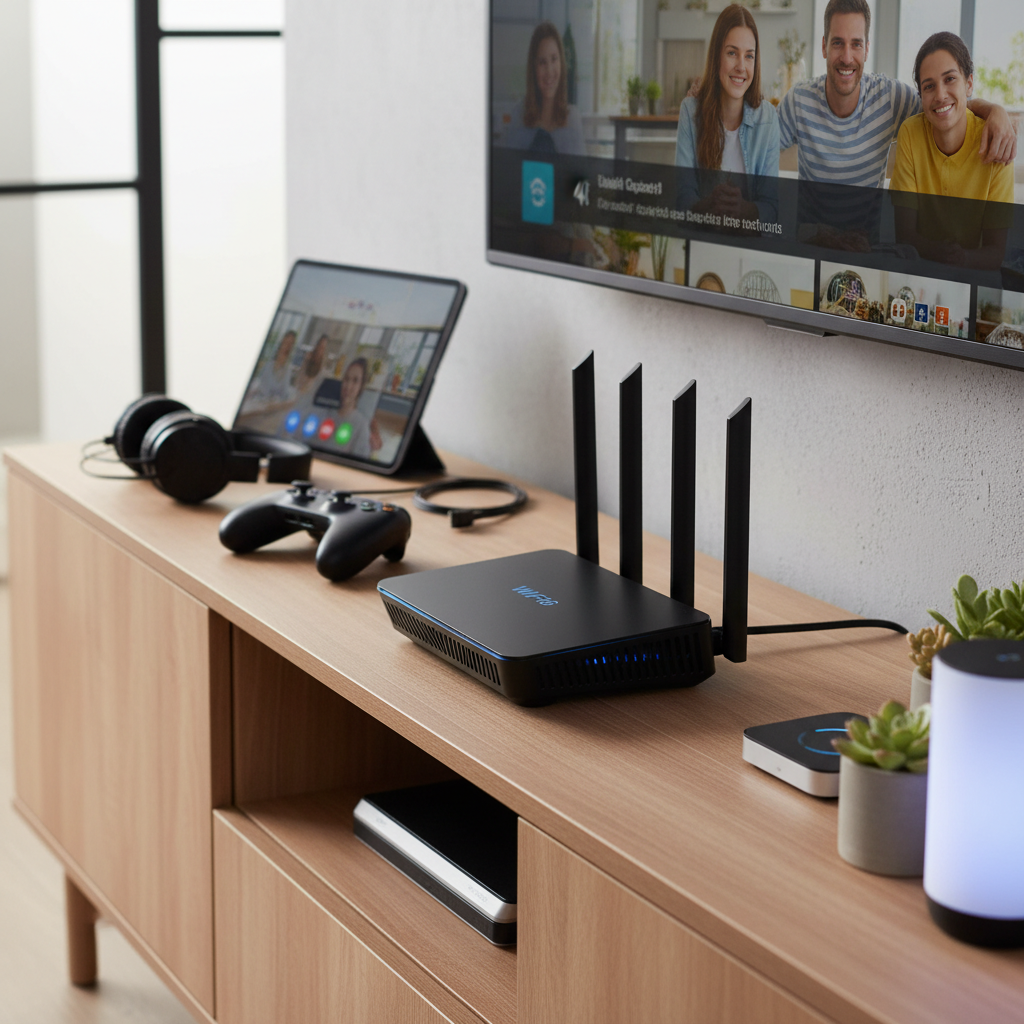
Wifi 6 routers cater to a diverse range of users and environments, offering tailored solutions to optimize your wireless experience. Understanding these categories is the first step in finding a router that truly fits your lifestyle.
Routers by Usage Scenario
Different households and activities demand distinct router capabilities. Whether you live in a compact apartment or a sprawling multi-story home, or if you’re a hardcore gamer or managing a small office, there’s a Wifi 6 router designed for you.
- For Small Homes and Apartments: For typical internet usage like web browsing, video streaming, and occasional downloads in smaller spaces, an entry-level dual-band Wifi 6 router often suffices. These models prioritize affordability and provide ample speed and coverage for common needs, ensuring a reliable connection for a modest number of devices.
- For Large Homes and Multi-story Houses: Covering extensive areas or multiple floors effectively usually requires more robust solutions. Powerful standalone routers with excellent range or, more commonly, mesh Wifi 6 systems are ideal. Mesh systems use multiple units to create a unified network, eliminating dead zones and providing seamless coverage throughout your entire property.
- For Gaming Enthusiasts: Gamers require a router that prioritizes low latency, high throughput, and stable connections. Dedicated gaming Wifi 6 routers often feature advanced Quality of Service (QoS) settings to prioritize gaming traffic, multi-gig Ethernet ports for wired connections, and specialized software to minimize lag and interference, ensuring a smooth online experience.
- For Small Offices or High-Bandwidth Users: Environments with numerous devices or intensive data demands benefit from routers with superior processing power, more memory, and advanced efficiency features. These routers support a high number of simultaneous connections without slowdowns and often include enhanced security features suitable for professional use, along with multi-gig WAN/LAN ports.
|
Our Picks for the Best Wifi 6 router in 2026
As an Amazon Associate I earn from qualifying purchases.
|
||
| Num | Product | Action |
|---|---|---|
| 1 | TP-Link AXE5400 Tri-Band WiFi 6E Router (Archer AXE75), 2025 PCMag Editors' Choice, Gigabit Internet for Gaming & Streaming, New 6GHz Band, 160MHz, OneMesh, Quad-Core CPU, VPN & WPA3 Security |

|
| 2 | TP-Link Dual-Band AX3000 Wi-Fi 6 Router Archer AX55 | Wireless Gigabit Internet Router for Home | EasyMesh Compatible | VPN Clients & Server | HomeShield, OFDMA, MU-MIMO | USB 3.0 | Secure by Design |
|
| 3 | TP-Link Archer AX1450 WiFi 6 Dual-Band Wireless Router | up to 1.45 Gbps Speeds (Renewed) |
|
| 4 | TP-Link Smart WiFi 6 Router (Archer AX10) – 4 Gigabit LAN Ports, Dual Band 802.11AX Router, Beamforming, OFDMA, MU-MIMO, Parental Controls, Dual-Core 900MHz Processor, Works with Alexa |
|
| 5 | TP-Link AX1800 WiFi 6 Router (Archer AX21 V5) – Dual Band Wireless Internet, Gigabit, Easy Mesh, Works with Alexa - A Certified for Humans Device, Free Expert Support |
|
| 6 | TP-Link Dual-Band BE3600 Wi-Fi 7 Router Archer BE230 | 4-Stream | 2×2.5G + 3×1G Ports, USB 3.0, 2.0 GHz Quad Core, 4 Antennas | VPN, EasyMesh, HomeShield, MLO, Private IOT | Free Expert Support |
|
| 7 | TP-Link Deco X55 AX3000 WiFi 6 Mesh System - Covers up to 2500 Sq.Ft., Replaces Wireless Router and Extender, 3 Gigabit Ports, Supports Ethernet Backhaul, Deco X55(1-Pack) |
|
| 8 | TP-Link AX5400 WiFi 6 Router (Archer AX73)- Dual Band Gigabit Wireless Internet Router for Streaming, Long Range Coverage |
|
| 9 | ASUS RT-AX1800S Dual Band WiFi 6 Extendable Router, Subscription-Free Network Security, Parental Control, Built-in VPN, AiMesh Compatible, Gaming & Streaming, Smart Home |
|
| 10 | NETGEAR Nighthawk WiFi 6 Router (RAX36) – Router Only, AX3000 3 Gbps Wireless Speed – Dual-Band Gigabit Internet – Covers 2,000 sq. ft., 25 Devices – Built-in VPN, USB 3.0, Gaming |
|
Routers by Brand
The Wifi 6 router market features several prominent brands, each with its own strengths and product philosophies. From budget-friendly options to premium performance, these manufacturers offer a wide array of choices.
- TP-Link: Known for offering a broad spectrum of routers, from highly affordable entry-level models to high-performance gaming and mesh systems. TP-Link often provides a good balance of features and value, making it a popular choice for many users.
- ASUS: ASUS is a leader in high-performance and gaming routers, recognized for robust features, advanced firmware (like AiMesh for mesh capabilities and AiProtection for security), and often a more premium price point. Their ROG (Republic of Gamers) series is specifically designed for competitive gaming.
- Netgear: A long-standing brand in networking, Netgear offers a range of Nighthawk routers known for strong performance, robust features, and often impressive range. They also provide Orbi mesh systems, including those supporting Wifi 6 and 6E.
- Xiaomi: While perhaps less universally distributed for routers in some markets, Xiaomi often offers cost-effective Wifi 6 solutions that can appeal to budget-conscious consumers looking for basic functionality.
- Other Notable Brands: Manufacturers like Synology, GL.iNet, eero, and Linksys also provide excellent Wifi 6 options, often specializing in areas like network-attached storage integration, open-source firmware flexibility, user-friendly mesh systems, or professional-grade performance.
Detailed Comparison of Top Wifi 6 Router Models
Choosing the best Wifi 6 router involves weighing several technical specifications and features against your specific needs. Here, we outline the key criteria and provide a comparative overview of some top models across different categories.
Key Comparison Criteria:
When evaluating Wifi 6 routers, these factors are crucial for determining performance and suitability:
- Wifi Speed (AX Rating): This indicates the theoretical maximum speed of the router (e.g., AX1500, AX3000, AX11000). Higher numbers generally mean faster overall throughput, especially beneficial for gigabit internet plans and multiple demanding devices. The actual speed you experience will also depend on your internet service provider (ISP) and client devices.
- Coverage Range: The physical area a router can reliably cover with a strong signal. Factors like antenna design, transmit power, and internal components influence this. For larger homes, mesh systems often provide superior, consistent coverage compared to a single router.
- Concurrent Device Capacity: Wifi 6 significantly improves how routers handle multiple devices simultaneously using technologies like OFDMA and MU-MIMO. This criterion assesses how many devices can connect and operate efficiently without experiencing slowdowns.
- Security Features: Robust security is paramount. Look for WPA3 encryption support, built-in network protection (like parental controls, malware protection, and guest networks), and regular firmware updates. Some brands offer free, lifetime security suites.
- Price Point: Wifi 6 routers are available across a wide budget spectrum, from entry-level options under $100 to premium models exceeding $400. Balance your desired features with what you’re willing to spend.
- Bands (Dual-band/Tri-band/6E):
- Dual-band routers operate on 2.4GHz (better range) and 5GHz (faster speed) frequencies.
- Tri-band routers offer an additional 5GHz band or, in the case of Wifi 6E, a 6GHz band. The 6GHz band is far less congested, providing exclusive high-speed lanes for compatible devices, ideal for gaming and VR.
- Ethernet Ports: The number and speed of wired ports (Gigabit, 2.5Gbps, 5Gbps) are vital for connecting devices like PCs, gaming consoles, NAS drives, and for multi-gig internet connections.
Comparative Table of Recommended Wifi 6 Routers:
| Model | Wifi Speed (AX Rating) | Bands | Max Throughput | Range (Typical) | Key Features | Price Segment |
|---|---|---|---|---|---|---|
| TP-Link Archer AX10 | AX1500 | Dual-band | ~1.5 Gbps | Small-Medium | Budget-friendly, basic Wifi 6 benefits | Budget |
| TP-Link Archer AX55 | AX3000 | Dual-band | ~3.0 Gbps | Medium-Large | 160MHz channel support, OneMesh | Mid-range |
| ASUS RT-AX82U | AX5400 | Dual-band | ~5.4 Gbps | Large | Gaming optimization, AiMesh, AiProtection | Mid-range |
| Synology WRX560 | AX3000 | Dual-band | ~3.0 Gbps | Medium-Large | Multi-gig WAN/LAN, robust software | Mid-range |
| GL.iNet Flint 2 (GL-MT6000) | AX6000 | Dual-band | ~6.0 Gbps | Large | OpenWRT, VPN, dual 2.5G ports | High-end |
| ASUS ROG Rapture GT-AX6000 | AX6000 | Dual-band | ~6.0 Gbps | Very Large | Gaming port, advanced QoS, AiMesh | High-end |
| TP-Link Deco W7200 | AX3600 | Tri-band | ~3.6 Gbps | Whole Home | Mesh system, seamless coverage | Mid-High |
| TP-Link Archer AXE75 | AXE5400 | Tri-band (6E) | ~5.4 Gbps | Large | Wifi 6E (6GHz band), value | Mid-High (6E) |
Note: Max throughput is theoretical; real-world performance varies. Price segments are approximate and subject to change.
Wifi 6 Router Buying Guide
Navigating the options can be overwhelming, but by focusing on your specific needs and a few key considerations, you can confidently select a Wifi 6 router that delivers the performance and reliability you expect.
Factors to Consider When Buying
Before making a purchase, take a moment to assess your current and future networking requirements:
- Your Usage Needs (Number of Devices, Area Covered):
- Small apartment, few devices (1-5): An entry-level AX1500-AX1800 dual-band router will likely be sufficient.
- Medium home, moderate devices (5-15), 4K streaming: Look for AX3000-AX5400 dual-band or a basic mesh system for better coverage.
- Large home, many devices (15+), gaming, VR, multi-story: Consider high-end AX5400+ routers, tri-band models, or a comprehensive Wifi 6 mesh system (possibly with 6E support).
- Your Budget: Set a realistic budget. Entry-level Wifi 6 routers can be found under $100, mid-range between $150-$300, and high-end/gaming/6E models can exceed $300. Remember that more features and higher performance generally mean a higher price.
- Essential Features:
- Security: WPA3 encryption, integrated antivirus, parental controls.
- Quality of Service (QoS): Allows you to prioritize traffic for specific devices (e.g., your gaming PC) or applications.
- Ethernet Ports: Ensure enough Gigabit or multi-gig ports for your wired devices and future upgrades.
- USB Ports: Useful for connecting external storage to create a simple network-attached storage (NAS) or media server.
- Mesh Capability: If you foresee needing to expand coverage, choose a router that supports mesh networking.
- Brand Reputation and Reviews: Stick to reputable brands known for reliability and good customer support. Read independent reviews from tech sites and user feedback to gauge real-world performance and common issues.
Tips for Choosing Your Wifi 6 Router
Making an informed decision can save you frustration down the line. Here are a few practical tips:
- Examine the Technical Specifications Carefully: Don’t just look at the AX rating. Check the processor, RAM, antenna configuration, and number/type of Ethernet ports. These details reveal the router’s true power and potential.
- Consult User Reviews and Expert Benchmarks: Real-world usage scenarios often reveal nuances that marketing specs don’t. Websites like PCMag, RTINGS.com, and CNET provide in-depth tests and comparisons.
- Compare Prices Across Different Retailers: Prices for routers can fluctuate. Shop around to ensure you’re getting the best deal, and consider any ongoing promotions.
- Verify Warranty and Support: A good warranty and responsive customer support can be invaluable if you encounter any issues with your new router.
Common Wifi 6 Router Problems and Solutions
Even with the best hardware, you might encounter occasional hiccups. Here are some common problems and straightforward solutions:
- Loss of Connection or Slow Speeds:
- Restart: Often, a simple reboot of both your modem and router can resolve temporary glitches.
- Firmware Update: Ensure your router’s firmware is up to date. Manufacturers frequently release updates to improve performance and fix bugs.
- Placement: Move your router to a central, elevated location, away from obstructions like thick walls, large metal objects, and other electronics (microwaves, cordless phones) that can cause interference.
- Wifi Channels: Use your router’s administration interface to check for crowded Wifi channels (especially on the 2.4GHz band, where channels 1, 6, and 11 are commonly used). Switching to a less congested channel can significantly improve stability and speed.
- Devices Unable to Connect to the Network:
- Compatibility: While Wifi 6 is backward compatible, some older 2.4GHz-only devices might have issues connecting if your router aggressively prioritizes the 5GHz band. Consider creating a dedicated 2.4GHz guest network for these devices.
- WPA3/WPA2 Mixed Mode: If your router is set to WPA3/WPA2 mixed mode, some very old devices might struggle. Temporarily switching to WPA2-only for testing can help diagnose the issue.
- Driver Updates: Ensure your client device’s wireless drivers are updated, especially for PCs with Intel wireless adapters that have had known Wifi 6 compatibility issues.
- Inconsistent Coverage or Dead Zones:
- Router Relocation: As mentioned, optimize router placement.
- Mesh System: For persistent issues in large homes, a Wifi 6 mesh system is the most effective solution for consistent, whole-home coverage.
- Range Extenders: While not as seamless as mesh, a single-band Wifi extender (to avoid double issues with dual-band ones) can boost signal in a small dead zone.
- Double NAT Issues: If you’re using a separate modem/router from your ISP and then connecting your own Wifi 6 router, you might encounter “Double NAT,” which can cause problems for online gaming or certain applications. Configure your ISP’s device into “bridge mode” to resolve this.
“Many users mistakenly believe that simply upgrading to a Wifi 6 router will instantly fix all their network woes. While it offers significant improvements, optimizing router placement, updating firmware, and managing connected devices are equally crucial for unlocking its full potential.” – Admin, reviewspcs.com
Top Picks: Wifi 6 Router by Price Segment
We’ve broken down our top recommendations into three price categories, ensuring there’s an excellent Wifi 6 router for every budget and requirement.
Budget-Friendly (Under $150)
For those looking to upgrade to Wifi 6 without breaking the bank, these routers offer solid performance and essential features at an accessible price.
- Pros: Highly affordable, provide basic Wifi 6 benefits like improved efficiency and speed over older Wifi 5 routers, suitable for smaller spaces and standard internet usage.
- Cons: Limited advanced features, less powerful processors, potentially lower overall throughput and coverage compared to more expensive models.
- Suggested Products:
- TP-Link Archer AX10 (AX1500): Often cited as one of the most cost-effective entry points into Wifi 6, offering reliable performance for daily tasks.
- TP-Link Archer AX23 (AX1800): A step up from the AX10, providing slightly faster speeds and better efficiency for a modest price increase.
- NETGEAR WAX204 (AX1800): A good option for small homes, offering solid performance for sub-Gigabit broadband connections.
Mid-Range (Between $150-$300)
This segment offers an excellent balance of price and performance, providing enhanced speed, better coverage, and more advanced features for most households.
- Pros: Good value, substantial speed improvements, often include more robust security and management features, suitable for medium to large homes, and capable of handling multiple streaming and gaming devices.
- Cons: May lack some of the premium multi-gig ports or extreme gaming optimizations found in high-end models, may not offer Wifi 6E.
- Suggested Products:
- TP-Link Archer AX55 (AX3000): A strong performer in its category, offering excellent speed and range with 160MHz channel support and OneMesh compatibility.
- Synology WRX560 (AX3000): A versatile router with strong signal performance, multi-gig WAN/LAN, and excellent built-in parental controls and network security.
- ASUS RT-AX82U (AX5400): A popular choice for gamers and general users, offering robust performance, gaming-centric features, and ASUS’s reliable AiMesh system.
- eero 6 (AX1800 Mesh System – 2-pack): An excellent mid-range mesh solution for covering larger homes with consistent Wifi 6 speeds up to 700Mbps.
High-End (Over $300)
For users demanding the absolute best in performance, advanced features, and future-proofing, these premium routers deliver cutting-edge technology.
- Pros: Blazing-fast speeds, superior coverage, multi-gig Ethernet ports, advanced gaming features (QoS, dedicated ports), often includes Wifi 6E support (for the uncongested 6GHz band), robust security suites, and powerful processors to handle intensive tasks.
- Cons: Significantly higher price point, some features might be overkill for average users.
- Suggested Products:
- GL.iNet Flint 2 (GL-MT6000) (AX6000): A powerful dual-band router lauded by tech enthusiasts for its OpenWRT firmware, extensive configurability, and dual 2.5G ports.
- ASUS RT-AX86U Pro (AX5700): An impressive standalone router offering excellent throughput and range, with a dedicated gaming port and support for creating an AiMesh system.
- ASUS ROG Rapture GT-AX6000 (AX6000): A top-tier gaming router known for its world-class performance, multiple Ethernet ports, and extensive customization options for prioritizing gaming traffic.
- TP-Link Archer AXE75 (AXE5400) (Wifi 6E): A pioneering tri-band Wifi 6E router that offers access to the uncongested 6GHz band at a relatively reasonable price for future-proofing your network.
Conclusion
Upgrading to a Wifi 6 router is a smart move for anyone looking to enhance their home network’s speed, efficiency, and reliability in today’s device-heavy world. From eliminating frustrating dead zones with a mesh system to boosting your gaming performance with a high-end model, the right Wifi 6 router can revolutionize your online experience. Remember to consider your home’s size, the number of devices you use, and your budget when making your choice. By evaluating the different types and features available, you can select a Wifi 6 router that not only meets your current needs but also prepares your network for the demands of tomorrow.
What aspect of your current home network do you hope a new Wifi 6 router will improve the most?
Frequently Asked Questions
What is the main advantage of Wifi 6 over Wifi 5?
Wifi 6, also known as 802.11ax, offers several key advantages over Wifi 5 (802.11ac), including higher theoretical speeds, better performance in crowded network environments due to technologies like OFDMA and MU-MIMO, and improved battery life for connected devices through Target Wake Time (TWT). It’s designed to handle a greater number of simultaneous connections more efficiently.
Is a Wifi 6 router backward compatible with older devices?
Yes, Wifi 6 routers are fully backward compatible with older Wifi standards such as Wifi 5 (802.11ac) and Wifi 4 (802.11n). This means your existing laptops, smartphones, and smart home devices will still be able to connect to a new Wifi 6 router, though they won’t benefit from all the Wifi 6 specific enhancements unless they also support the standard.
Do I need Wifi 6E, or is Wifi 6 enough?
Wifi 6E is an extension of Wifi 6 that adds support for the 6GHz frequency band, providing significantly more bandwidth and less interference than the crowded 2.4GHz and 5GHz bands. While Wifi 6 is excellent for most users, Wifi 6E is particularly beneficial for high-bandwidth applications like 8K streaming, VR, and competitive gaming, especially in dense urban environments, provided you have Wifi 6E compatible devices.
How much should I spend on a good Wifi 6 router?
The ideal amount to spend on a Wifi 6 router depends heavily on your specific needs. Budget-friendly options under $150 are suitable for small homes and basic use. Mid-range routers ($150-$300) offer a great balance of features, speed, and coverage for most average households. High-end models (over $300) are for power users, gamers, or large homes requiring premium performance and advanced features like multi-gig ports or Wifi 6E.
Can a Wifi 6 router improve my internet speed if my ISP speed is low?
A Wifi 6 router can optimize your local network speed and efficiency, making connections between your devices faster and more stable, and improving performance in crowded Wifi environments. However, it cannot increase the speed of your internet connection beyond what your Internet Service Provider (ISP) delivers. If your ISP plan offers 100 Mbps, your Wifi 6 router won’t magically make it 500 Mbps.
What is a mesh Wifi 6 system, and do I need one?
A mesh Wifi 6 system consists of multiple interconnected units (a main router and satellite nodes) that work together to create a single, seamless Wifi network covering a much larger area than a single router can. You might need one if you have a large home, multiple stories, or persistent Wifi dead zones where a single router struggles to provide consistent coverage.