Are you tired of sluggish internet, dropped connections, or your network struggling under the weight of countless smart devices? In our hyper-connected world, an outdated router can be the bottleneck holding back your entire digital experience. Upgrading to a WiFi 6 router isn’t just about faster speeds; it’s about a smarter, more efficient, and more reliable network designed for today’s demanding digital landscape. This in-depth guide will demystify WiFi 6 technology, explore its core features, compare top models, and equip you with the knowledge to select the perfect router to transform your home or small office connectivity. We’ll delve into the nuances of various WiFi 6 routers, from their capabilities and limitations to crucial buying considerations, helping you navigate the options with confidence.
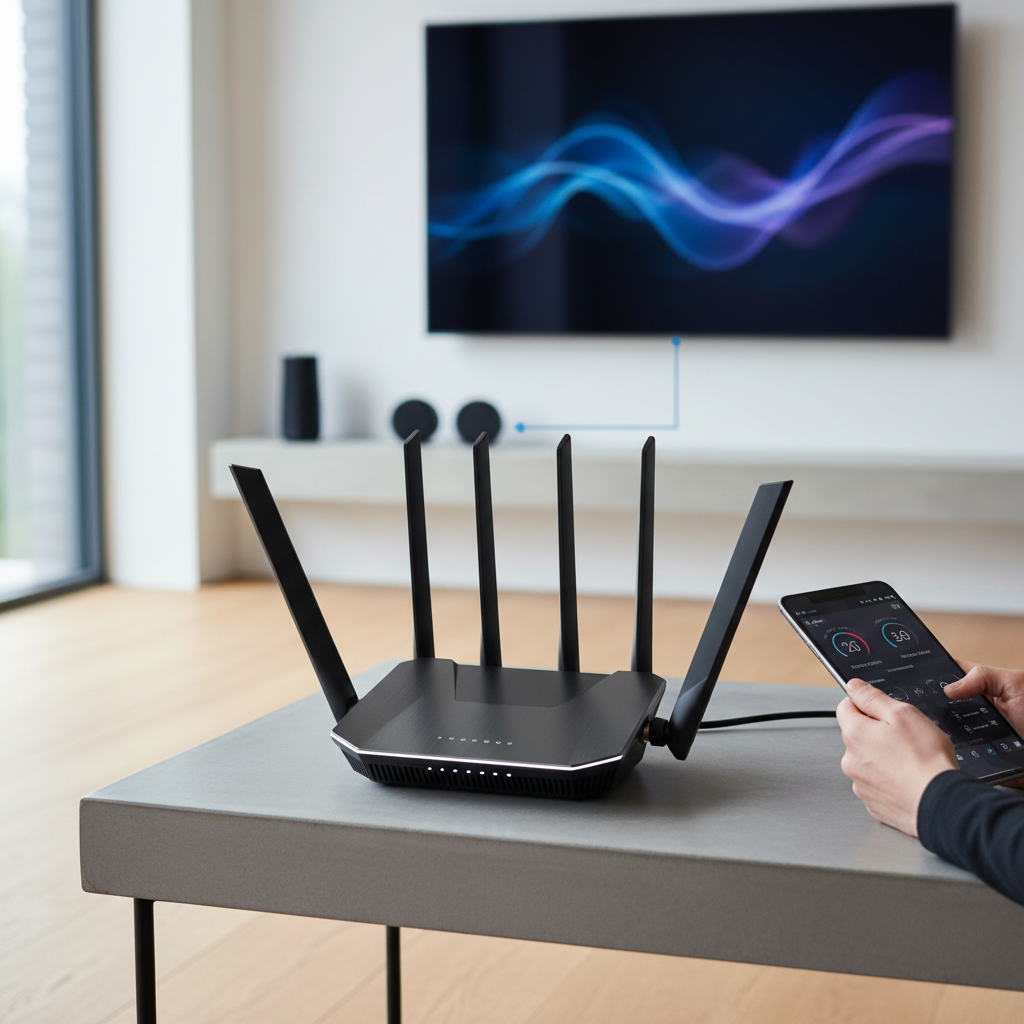
Understanding WiFi 6 Router Technology
WiFi 6, officially known as 802.11ax, represents a significant leap forward in wireless networking standards, building upon its predecessor, WiFi 5 (802.11ac). While it does offer raw speed improvements, its primary focus is on enhancing network efficiency and capacity, particularly in environments with many connected devices. This makes it ideal for modern homes brimming with smartphones, laptops, smart TVs, and IoT gadgets.
At the heart of WiFi 6 are several key technologies that enable its superior performance. Orthogonal Frequency-Division Multiple Access (OFDMA) allows a router to communicate with multiple devices simultaneously on a single channel, dramatically reducing latency and improving efficiency compared to older standards. Think of it like a multi-lane highway for data. Multi-User Multiple Input Multiple Output (MU-MIMO) also sees an upgrade, now supporting eight concurrent data streams for both uplink and downlink, ensuring that multiple devices can transmit and receive data at the same time without waiting in line. Furthermore, Target Wake Time (TWT) helps devices conserve battery life by scheduling when they need to wake up to send or receive data, a boon for mobile phones and battery-powered smart home devices.
The introduction of WiFi 6E takes this a step further by utilizing the 6 GHz frequency band in addition to the existing 2.4 GHz and 5 GHz bands. This new band offers significantly more bandwidth, less interference, and wider channels, providing a “cleaner” superhighway for compatible devices, especially beneficial for high-bandwidth activities like 8K streaming and VR gaming.
Popular WiFi 6 Router Types
WiFi 6 routers come in various configurations, each designed to cater to specific user needs and environments. Understanding these categories is crucial for making an informed decision, ensuring your router aligns perfectly with your connectivity demands. From compact units for small apartments to powerful mesh systems for sprawling homes, there’s a WiFi 6 solution for almost every scenario.
Classification by Usage Needs
Different households and offices have distinct networking requirements, influencing the type of WiFi 6 router that would be most suitable.
- Routers for Small Homes/Apartments: For compact living spaces with fewer devices and standard internet usage (browsing, streaming, light gaming), entry-level dual-band WiFi 6 routers are often sufficient. They offer improved efficiency over older standards without an excessive price tag, providing stable and fast connectivity for everyday tasks.
- Routers for Large Homes/Multi-story Houses: Expansive properties often suffer from dead zones. Here, a single router may not provide adequate coverage. Mesh WiFi 6 systems are the ideal solution, employing multiple nodes placed strategically to create a seamless, whole-home network. These systems ensure consistent speeds and coverage even in the furthest corners.
- Routers for Gaming: Gamers prioritize low latency, high speeds, and stable connections. Dedicated gaming WiFi 6 routers often feature powerful processors, advanced QoS (Quality of Service) settings to prioritize gaming traffic, and sometimes multi-gigabit Ethernet ports. Tri-band models or those with the 6 GHz band (WiFi 6E) can offer a dedicated, congestion-free lane for gaming devices.
- Routers for Small Offices: Small offices with multiple users, cloud-based applications, and frequent data transfers require robust and secure networks. Business-grade WiFi 6 routers or mesh systems with strong security features, guest network capabilities, and easy management tools are recommended to ensure productivity and data protection.
|
Our Picks for the Best Wifi 6 router in 2026
As an Amazon Associate I earn from qualifying purchases.
|
||
| Num | Product | Action |
|---|---|---|
| 1 | TP-Link Deco X55 AX3000 WiFi 6 Mesh System - Covers up to 2500 Sq.Ft., Replaces Wireless Router and Extender, 3 Gigabit Ports, Supports Ethernet Backhaul, Deco X55(1-Pack) |

|
| 2 | TP-Link Archer AX1450 WiFi 6 Dual-Band Wireless Router | up to 1.45 Gbps Speeds (Renewed) |
|
| 3 | TP-Link Dual-Band AX3000 Wi-Fi 6 Router Archer AX55 | Wireless Gigabit Internet Router for Home | EasyMesh Compatible | VPN Clients & Server | HomeShield, OFDMA, MU-MIMO | USB 3.0 | Secure by Design |
|
| 4 | TP-Link AX1800 WiFi 6 Router (Archer AX21 V5) – Dual Band Wireless Internet, Gigabit, Easy Mesh, Works with Alexa - A Certified for Humans Device, Free Expert Support |
|
| 5 | TP-Link Dual-Band BE3600 Wi-Fi 7 Router Archer BE230 | 4-Stream | 2×2.5G + 3×1G Ports, USB 3.0, 2.0 GHz Quad Core, 4 Antennas | VPN, EasyMesh, HomeShield, MLO, Private IOT | Free Expert Support |
|
| 6 | TP-Link AXE5400 Tri-Band WiFi 6E Router (Archer AXE75), 2025 PCMag Editors' Choice, Gigabit Internet for Gaming & Streaming, New 6GHz Band, 160MHz, OneMesh, Quad-Core CPU, VPN & WPA3 Security |
|
| 7 | NETGEAR Nighthawk WiFi 6 Router (RAX36) – Router Only, AX3000 3 Gbps Wireless Speed – Dual-Band Gigabit Internet – Covers 2,000 sq. ft., 25 Devices – Built-in VPN, USB 3.0, Gaming |
|
| 8 | ASUS RT-AX1800S Dual Band WiFi 6 Extendable Router, Subscription-Free Network Security, Parental Control, Built-in VPN, AiMesh Compatible, Gaming & Streaming, Smart Home |
|
| 9 | TP-Link AX5400 WiFi 6 Router (Archer AX73)- Dual Band Gigabit Wireless Internet Router for Streaming, Long Range Coverage |
|
| 10 | TP-Link Smart WiFi 6 Router (Archer AX10) – 4 Gigabit LAN Ports, Dual Band 802.11AX Router, Beamforming, OFDMA, MU-MIMO, Parental Controls, Dual-Core 900MHz Processor, Works with Alexa |
|
Classification by Brand
Many leading networking brands offer a wide array of WiFi 6 routers, each with its unique ecosystem, features, and price points.
- TP-Link: Known for offering a broad range of routers from budget-friendly options to high-performance gaming models. Their Archer series (e.g., Archer AX55, AX73, AX11000) is popular for balancing features and value. They also offer Deco mesh systems for whole-home coverage.
- ASUS: Often praised for powerful hardware, extensive features, and gamer-centric designs (like the ROG Rapture series). ASUS routers typically provide robust customization options and often support third-party firmware like ASUSWRT-Merlin for advanced users. The RT-AX86U is a frequently recommended model.
- Netgear: A long-standing player in the networking market, Netgear’s Nighthawk series is synonymous with high performance and strong features, particularly for demanding users and gamers. They also offer Orbi mesh systems, which are well-regarded for their coverage and ease of use.
- Xiaomi: Offers more budget-friendly WiFi 6 options, often with a minimalist design and good basic performance, appealing to users seeking cost-effective upgrades.
- Synology and GL.iNet: These brands cater to users looking for more control and advanced networking features. Synology’s routers are known for their robust software, including strong parental controls and network security. GL.iNet routers, often running OpenWRT, are favored by enthusiasts for their customizability and flexibility.
Detailed Comparison of Top WiFi 6 Router Models
Choosing the best WiFi 6 router involves weighing various criteria against your specific needs. This comparison highlights key specifications and features across several popular models, providing a clear overview to help you make an informed decision.
Comparison Criteria
When evaluating WiFi 6 routers, several factors are paramount:
- WiFi Speed: Measured in Mbps or Gbps, this indicates the maximum theoretical data transfer rate. Look for higher speeds if you have a multi-gigabit internet connection or frequently transfer large files locally.
- Coverage Range: The physical area a router can effectively cover with a strong signal. This is critical for larger homes or those with many walls, and mesh systems are often superior here.
- Simultaneous Device Capacity: How many devices the router can handle efficiently without experiencing slowdowns. WiFi 6 excels at this due to OFDMA and MU-MIMO.
- Security Features: Essential for protecting your network from threats. Look for WPA3 encryption, built-in antivirus, parental controls, and robust firewall capabilities.
- Price: Routers range from budget-friendly options to premium models. Determine your budget while considering the long-term value and performance benefits.
Comparison Table (Example Models)
| Model | WiFi Speed (AX Rating) | Bands | Range (Coverage) | Devices | Security Features | Price Segment | Key Highlight |
|---|---|---|---|---|---|---|---|
| TP-Link Archer AX55 (AX3000) | Up to 3.0 Gbps | Dual | Medium-Large | Good | WPA3, HomeShield (parental control, QoS) | Mid-range | Excellent value, good all-rounder for most homes. |
| ASUS RT-AX86U Pro (AX5700) | Up to 5.7 Gbps | Dual | Large | Very Good | AiProtection Pro (lifetime), VPN, Gaming QoS | High-end | Top-tier gaming performance, robust software. |
| Netgear Nighthawk RAXE300 (AXE7800) | Up to 7.8 Gbps | Tri (6E) | Large | Excellent | WPA3, Armor (trial), VPN | Premium | WiFi 6E support for dedicated 6GHz band. |
| TP-Link Deco XE75 (AXE5400) | Up to 5.4 Gbps | Tri (6E) | Whole Home (Mesh) | Excellent | WPA3, HomeShield, IoT Security | Mid-High (Mesh) | Seamless mesh WiFi 6E for large homes. |
| GL.iNet Flint 2 (GL-MT6000) | Up to 6.0 Gbps | Dual | Large | Very Good | OpenVPN/WireGuard, AdGuard Home | Mid-range | Highly customizable with OpenWRT, Multi-gig ports. |
| TP-Link Archer AX10 (AX1500) | Up to 1.5 Gbps | Dual | Small-Medium | Basic | WPA3 | Budget | Affordable entry into WiFi 6. |
This table offers a snapshot, but deeper dives into reviews and specific features are recommended for a truly tailored choice. For instance, the ASUS RT-AX86U Pro is a fan-favorite among gamers for its dedicated gaming port and powerful processor, delivering exceptional low-latency experiences. Alternatively, “For those prioritizing advanced network security and extensive parental control features without a recurring subscription, Synology’s WiFi 6 routers offer a comprehensive and user-friendly solution, often exceeding what many mainstream brands provide.”
Your Essential WiFi 6 Router Buying Guide
Navigating the market for a new WiFi 6 router can feel overwhelming with the myriad of options available. To simplify your decision, consider these crucial factors and tips, ensuring you invest in a router that truly meets your specific networking demands and budget. An informed purchase prevents future frustration and maximizes your internet experience.
Key Factors to Consider Before Buying
- Usage Needs (Number of Devices, Area Size): Begin by assessing your current and future needs. How many devices (smartphones, laptops, smart home gadgets) will connect simultaneously? What is the size of your home or office? For apartments or small homes, a single dual-band router may suffice. Larger, multi-story homes or dense environments often benefit significantly from mesh WiFi 6 systems. Gamers or professionals handling large data transfers will prioritize higher speeds and lower latency features.
- Budget: WiFi 6 routers span a wide price range. Entry-level models offer basic WiFi 6 benefits at an affordable price, while high-end routers provide superior performance, more features, and advanced capabilities. Determine a realistic budget, remembering that a slightly higher initial investment can lead to a much better long-term experience.
- Essential Features (Security, Parental Control, QoS): Beyond raw speed, consider crucial features. Robust security (like WPA3, built-in antivirus, or network protection suites) is vital. Parental controls allow you to manage internet access for children. Quality of Service (QoS) enables you to prioritize certain types of traffic (e.g., streaming or gaming) over others, ensuring critical applications run smoothly. Look for features that enhance your specific user experience.
- Reputable Brand: Sticking with well-known brands like ASUS, TP-Link, Netgear, or Linksys often ensures better support, more reliable firmware updates, and a proven track record of performance. While smaller brands can offer value, they might lack the same level of long-term support.
Tips for Choosing Your WiFi 6 Router
- Read Specifications Carefully: Don’t just look at the headline speed. Check the AX rating (e.g., AX1800, AX5400), the number of bands (dual-band vs. tri-band), and the Ethernet port speeds (gigabit vs. multi-gig).
- Consult User Reviews: Real-world experiences from other users can provide invaluable insights into a router’s actual performance, reliability, and ease of use. Look for consistent feedback regarding speed, range, and customer support.
- Compare Prices Across Retailers: Prices can vary, so shop around online and in physical stores. Also, consider ongoing costs, such as subscription fees for advanced security features offered by some manufacturers.
- Verify Warranty and Support: A good warranty and responsive customer support can be crucial if you encounter any issues with your new router.
Common Issues and Solutions
Even with a top-tier WiFi 6 router, you might encounter occasional issues.
- Lost Connection: Often resolved by simply restarting your router and modem. Check all cable connections to ensure they are secure. If it persists, there might be ISP issues or signal interference.
- Slow Speeds: First, check your internet plan speed with your ISP. If speeds are still slow on WiFi 6, ensure your client devices also support WiFi 6. Optimize router placement (central, clear of obstructions). Adjust QoS settings to prioritize important traffic.
- Cannot Connect to Device: Verify the WiFi network name (SSID) and password. Ensure the device is WiFi 6 compatible if you expect full benefits. Sometimes, outdated device drivers or network settings can prevent connection.
- Security Vulnerabilities: Keep your router’s firmware updated to the latest version, as updates often include security patches. Use strong, unique passwords for your WiFi network and router admin interface. Enable guest networks for visitors to isolate your main network.
Top Picks: WiFi 6 Routers by Price Segment
Choosing the right WiFi 6 router depends heavily on your budget and what you expect from your home network. Here, we break down top recommendations across different price tiers, highlighting their strengths and ideal use cases. This segmentation helps you find a router that delivers the best performance and features without overspending or underspending on your actual needs.
Budget-Friendly Segment (Under $100)
- Advantages: This segment offers an affordable entry point into WiFi 6 technology, providing notable improvements in efficiency and basic speed over older WiFi 5 routers. They are perfect for users upgrading from older ISP-provided equipment.
- Disadvantages: Features might be limited compared to higher-end models, such as fewer Ethernet ports, less powerful processors, or basic software capabilities. They are generally suited for smaller homes or apartments with standard internet plans (up to 500 Mbps) and a moderate number of devices.
- Recommended Product: TP-Link Archer AX10 (AX1500). This model delivers sufficient speed and range for everyday internet use, streaming, and light gaming in smaller environments. It represents excellent value for money, making the benefits of WiFi 6 accessible to a wider audience.
Mid-Range Segment ($100 – $300)
- Advantages: This segment strikes an excellent balance between cost and performance. Routers here typically offer significantly faster speeds, wider coverage, more robust processors, and a richer feature set including advanced security, parental controls, and better QoS options. They are well-suited for gigabit internet connections and medium to large homes with numerous connected devices.
- Disadvantages: While powerful, they might still lack some of the bleeding-edge features or multi-gigabit WAN/LAN ports found in premium models, and often stick to dual-band rather than tri-band configurations (unless it’s a specific mesh kit).
- Recommended Products:
- TP-Link Archer AX55 (AX3000): An outstanding all-rounder for most households, offering reliable speeds (up to 3 Gbps), good coverage, and TP-Link’s HomeShield security suite. It handles multiple 4K streams and high-speed downloads with ease.
- Synology WRX560 (AX3000): Praised for its robust software, excellent throughput, and strong signal performance. It’s a fantastic choice for users who value comprehensive network management, parental controls, and built-in security features.
- GL.iNet Flint 2 (GL-MT6000): A highly configurable option with OpenWRT firmware, offering great range and top speeds, plus two 2.5Gbps WAN/LAN ports. Ideal for tech-savvy users seeking maximum flexibility and performance.
Premium Segment (Above $300)
- Advantages: Routers in this category deliver powerful performance, extensive features, and often include WiFi 6E (6 GHz band) support for even less congestion and faster speeds on compatible devices. They boast multi-gigabit Ethernet ports, advanced gaming features, comprehensive security suites, and superior processors capable of handling the most demanding network loads in large, device-heavy environments.
- Disadvantages: The primary drawback is the higher cost. While they offer peak performance, it’s an investment that only truly pays off if you have a multi-gigabit internet plan and numerous WiFi 6/6E compatible devices to leverage their full capabilities.
- Recommended Products:
- ASUS RT-AX86U Pro (AX5700): A dual-band powerhouse renowned for its exceptional gaming performance, robust wired connectivity, and the comprehensive AiProtection Pro suite. It delivers blazing fast speeds and low latency, making it a favorite for competitive gamers.
- Netgear Nighthawk RAXE300 (AXE7800): Offers fast tri-band performance with the added benefit of the 6 GHz band, ensuring reduced interference and increased capacity. This router is built for high-demand users and future-proofing your network.
- ASUS ROG Rapture GT-AXE11000: A top-tier WiFi 6E gaming router, featuring a tri-band setup with the 6GHz band, multi-gig ports, and a wealth of gamer-centric features for the ultimate, lag-free online experience.
Conclusion
Upgrading to a WiFi 6 router is a strategic decision that promises not just faster internet, but a more resilient and efficient home network, capable of handling the ever-growing number of connected devices. By understanding the core technologies, distinguishing between different router types, and carefully evaluating models based on key criteria like speed, range, security, and price, you can confidently select the perfect device. Whether you’re a casual browser, a dedicated gamer, or managing a smart home ecosystem, a well-chosen WiFi 6 router will significantly enhance your digital life, ensuring smooth streaming, lag-free gaming, and reliable connectivity for years to come.
Ready to experience a truly optimized home network? What aspect of WiFi 6 technology excites you the most, and what challenges do you hope a new router will solve for you?
Frequently Asked Questions
What is the main difference between WiFi 6 and WiFi 6E?
The primary difference is the addition of the 6 GHz band in WiFi 6E. While WiFi 6 uses the 2.4 GHz and 5 GHz bands, WiFi 6E unlocks the virtually untouched 6 GHz band, providing more bandwidth, less interference, and faster speeds for compatible devices, particularly in congested environments.
Do I need to upgrade all my devices to WiFi 6 to benefit from a WiFi 6 router?
No, WiFi 6 routers are backward compatible with older WiFi standards (WiFi 5, WiFi 4). However, to fully experience the benefits of WiFi 6, such as increased speed, lower latency, and improved efficiency, your client devices must also support WiFi 6. Older devices will still connect, but at their respective maximum speeds.
Will a WiFi 6 router improve my internet speed if I don’t have a very fast internet plan?
A WiFi 6 router primarily improves the efficiency and speed of your local network and how it handles multiple devices. If your internet service provider (ISP) plan is slower than your router’s maximum theoretical speed, your internet speed will still be capped by your ISP. However, a WiFi 6 router can still improve network stability and reduce latency within your home network, even if raw internet speed isn’t drastically faster.
Is WiFi 6 worth the investment with WiFi 7 now emerging?
WiFi 6 remains an excellent and relevant standard, offering significant performance advantages over WiFi 5, often at a more accessible price point than the very latest WiFi 7. While WiFi 7 offers even more advanced features, WiFi 6 (and 6E) provides a sweet spot of performance, device compatibility, and value for most households, and will remain viable for many years.
How does OFDMA benefit my home network?
OFDMA (Orthogonal Frequency-Division Multiple Access) allows a WiFi 6 router to communicate with multiple devices simultaneously on a single channel. This dramatically improves network efficiency, especially when many devices are sending and receiving small packets of data, leading to reduced latency and smoother performance across all connected devices.