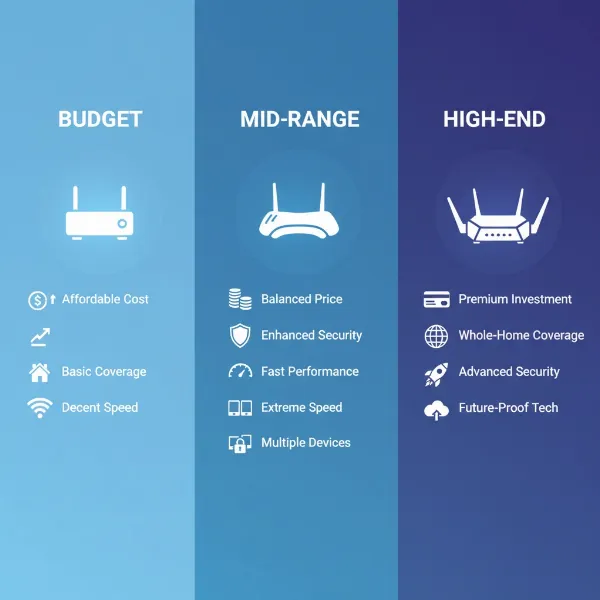
The demand for robust, high-speed home networks has never been greater, with smart devices, 4K streaming, and online gaming becoming the norm. If your current Wi-Fi struggles to keep up, causing frustrating lag and dead zones, it’s time to consider an upgrade to a Wi-Fi 6 router. Designed to handle multiple devices simultaneously with greater efficiency and faster speeds, Wi-Fi 6 technology offers a significant leap forward in wireless connectivity. This comprehensive review will guide you through the intricacies of Wi-Fi 6 routers, examining their features, performance in real-world scenarios, and helping you identify the perfect model to transform your everyday internet experience.
Types of Wifi 6 Routers for Modern Homes
Understanding the diverse landscape of Wi-Fi 6 routers begins with recognizing how different models cater to varying needs and preferences. Whether you live in a cozy apartment or a sprawling multi-story house, or you’re a casual browser or a hardcore gamer, there’s a Wi-Fi 6 router designed specifically for you. These devices are generally categorized by their intended use and the brands that produce them, each offering a unique set of features and performance capabilities.
Classification by Usage Needs
The ideal Wi-Fi 6 router largely depends on your specific household or office environment and how you utilize your internet connection. Routers are engineered with different capacities for coverage, speed, and device management to suit various demands.
- Routers for Small Homes (Apartments): For smaller living spaces, compact and budget-friendly Wi-Fi 6 routers are often sufficient. They provide adequate speed and coverage for common activities like streaming, browsing, and casual gaming without unnecessary overkill. Models like the TP-Link Archer AX10 or ASUS RT-AX1800S offer excellent value, delivering solid performance for typical apartment dwellers. These routers focus on core Wi-Fi 6 benefits, ensuring a stable connection for a handful of devices across a modest area.
- Routers for Large Homes (Multi-story Houses): Extensive homes with multiple floors and numerous rooms often suffer from Wi-Fi dead zones with a single router. For these environments, powerful standalone routers with wider signal range or, more commonly, mesh Wi-Fi 6 systems are recommended. Mesh systems, such as the Eero 6+, use multiple units to create a unified network that blankets your entire home, ensuring consistent speeds and seamless roaming as you move from room to room.
- Routers for Gaming: Gamers require routers that prioritize low latency, high bandwidth, and stable connections to prevent in-game lag and dropped frames. Gaming-specific Wi-Fi 6 routers often include features like Quality of Service (QoS) to prioritize gaming traffic, multi-gig Ethernet ports for wired connections, and sometimes even dedicated gaming modes. The ASUS RT-AX86U or ASUS ROG Rapture GT-AX6000 are prime examples, delivering exceptional speed and responsiveness critical for competitive online play.
- Routers for Small Offices: Small offices need reliable and secure networks that can handle multiple users, file transfers, and video conferencing without interruption. Routers for this segment often offer robust security features, guest network capabilities, and strong throughput for productivity. While similar to large home routers in some aspects, they may emphasize management features and data privacy.
|
Our Picks for the Best Wifi 6 router in 2026
As an Amazon Associate I earn from qualifying purchases.
|
||
| Num | Product | Action |
|---|---|---|
| 1 | ASUS RT-AX1800S Dual Band WiFi 6 Extendable Router, Subscription-Free Network Security, Parental Control, Built-in VPN, AiMesh Compatible, Gaming & Streaming, Smart Home |

|
| 2 | TP-Link AX5400 WiFi 6 Router (Archer AX73)- Dual Band Gigabit Wireless Internet Router for Streaming, Long Range Coverage |
|
| 3 | TP-Link Archer AX1450 WiFi 6 Dual-Band Wireless Router | up to 1.45 Gbps Speeds (Renewed) |
|
| 4 | TP-Link Dual-Band AX3000 Wi-Fi 6 Router Archer AX55 | Wireless Gigabit Internet Router for Home | EasyMesh Compatible | VPN Clients & Server | HomeShield, OFDMA, MU-MIMO | USB 3.0 | Secure by Design |
|
| 5 | TP-Link AX1800 WiFi 6 Router (Archer AX21 V5) – Dual Band Wireless Internet, Gigabit, Easy Mesh, Works with Alexa - A Certified for Humans Device, Free Expert Support |
|
| 6 | TP-Link AXE5400 Tri-Band WiFi 6E Router (Archer AXE75), 2025 PCMag Editors' Choice, Gigabit Internet for Gaming & Streaming, New 6GHz Band, 160MHz, OneMesh, Quad-Core CPU, VPN & WPA3 Security |
|
| 7 | TP-Link Dual-Band BE3600 Wi-Fi 7 Router Archer BE230 | 4-Stream | 2×2.5G + 3×1G Ports, USB 3.0, 2.0 GHz Quad Core, 4 Antennas | VPN, EasyMesh, HomeShield, MLO, Private IOT | Free Expert Support |
|
| 8 | NETGEAR Nighthawk WiFi 6 Router (RAX36) – Router Only, AX3000 3 Gbps Wireless Speed – Dual-Band Gigabit Internet – Covers 2,000 sq. ft., 25 Devices – Built-in VPN, USB 3.0, Gaming |
|
| 9 | TP-Link Deco X55 AX3000 WiFi 6 Mesh System - Covers up to 2500 Sq.Ft., Replaces Wireless Router and Extender, 3 Gigabit Ports, Supports Ethernet Backhaul, Deco X55(1-Pack) |
|
| 10 | TP-Link Smart WiFi 6 Router (Archer AX10) – 4 Gigabit LAN Ports, Dual Band 802.11AX Router, Beamforming, OFDMA, MU-MIMO, Parental Controls, Dual-Core 900MHz Processor, Works with Alexa |
|
Classification by Brand
Several manufacturers dominate the Wi-Fi 6 router market, each with its own strengths, design philosophies, and ecosystem. Familiarizing yourself with these brands can help you narrow down your choices.
- TP-Link: Known for offering a wide range of affordable yet high-performing routers, TP-Link is a popular choice for many users. Their Archer series, such as the TP-Link Archer AX55, frequently appears in “best budget” or “best value” lists, providing excellent speeds and coverage for their price point. They also offer mesh solutions under their Deco line and OneMesh compatibility for extenders.
- ASUS: ASUS is highly regarded for its powerful, feature-rich routers, particularly in the gaming segment. Models like the RT-AX86U Pro are celebrated for their impressive speeds, advanced customization options, and robust security features like AiProtection. ASUS routers often cater to users who demand top-tier performance and extensive control over their network.
- Netgear: Netgear’s Nighthawk series has long been synonymous with high-performance routers, especially for gaming and streaming. While the specific models mentioned in recent reviews might lean towards Wi-Fi 7, their Wi-Fi 6 offerings continue to deliver strong performance and advanced features, often at the higher end of the price spectrum.
- Xiaomi: While not explicitly highlighted in the provided snippets for specific models, Xiaomi often offers cost-effective smart home devices, including routers. Their products typically focus on sleek design and integration within their smart home ecosystem, appealing to users looking for budget-friendly options with modern aesthetics.
Detailed Comparison Table of the Best Wifi 6 Router Models
Choosing the best Wi-Fi 6 router requires a systematic comparison of various models based on critical performance indicators and features. This table provides an overview of some top contenders, allowing you to quickly assess their strengths and decide which aligns best with your needs. Keep in mind that real-world performance can vary based on your environment and internet service provider.
Comparison Criteria:
When evaluating Wi-Fi 6 routers, several key criteria stand out as crucial for everyday use:
- Wifi Speed: This refers to the maximum theoretical throughput the router can achieve, usually broken down by frequency band (2.4 GHz, 5 GHz). Higher speeds are vital for bandwidth-intensive activities like 4K streaming, large file downloads, and online gaming.
- Coverage Range: The physical distance over which the router can maintain a strong, stable Wi-Fi signal. This is particularly important for larger homes or those with many walls and obstacles.
- Simultaneous Device Connection: Wi-Fi 6 excels at handling multiple devices concurrently without sacrificing performance, thanks to technologies like OFDMA and MU-MIMO. This criterion indicates how well the router performs under a heavy load of connected gadgets.
- Security Features: Beyond basic password protection, modern routers offer advanced security protocols (WPA3), built-in firewalls, and parental controls to protect your network and family from online threats.
- Price: Routers span a wide price range, from budget-friendly options to premium models. Assessing the price-to-performance ratio is essential to ensure you get the best value for your investment.
Comparison Table:
| Model | Wifi Speed (AX Rating) | Coverage Range (ft) | Est. Max Devices | Security Features | Price Segment | Notes |
|---|---|---|---|---|---|---|
| TP-Link Archer AX10 | AX1500 | ~100 | 20-30 | WPA3, Basic Firewall | Budget | Great value for small homes/apartments; decent speeds. |
| TP-Link Archer AX55 | AX3000 | ~100+ | 30-40 | WPA3, HomeShield (free) | Mid-range | Strong all-around performance; flexible setup. |
| ASUS RT-AX1800S | AX1800 | ~165 | 25-35 | WPA3, AiProtection Free | Budget | Impressive range for its price; solid for everyday tasks. |
| ASUS RT-AX86U | AX5700 | ~100+ | 50+ | WPA3, AiProtection Free, Gaming-specific | High-end | Excellent for gaming/power users; multi-gig port, mobile game mode. |
| GL.iNet Flint 2 (GL-MT6000) | AX6000 | ~100+ | 60+ | OpenWRT, VPN, AdGuard | Mid-range/High-end | Highly configurable, great for tech enthusiasts and VPN users. |
| Eero 6+ (Mesh System) | AX3000 | ~2000 sq ft (2 units) | 75+ | WPA3, Eero Secure (paid) | Mid-range/High-end | Ideal for large/multi-story homes; easy setup, expandable. |
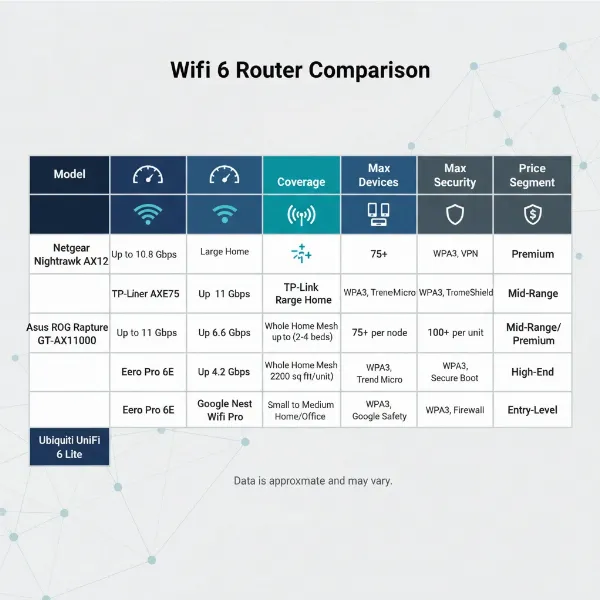 An illustrative graphic showing a comparison table of different Wifi 6 router models and their key specifications
Wifi 6 Router Buying Guide
Navigating the world of Wi-Fi 6 routers can feel overwhelming, but a structured approach can simplify your decision-making process. By considering your specific needs, budget, and desired features, you can confidently select a router that provides reliable and fast internet for years to come.
Factors to Consider When Buying
Before making a purchase, take a moment to evaluate these crucial aspects that will influence your router choice.
- Usage Needs (Number of Devices, Area): How many people and devices will connect to the Wi-Fi simultaneously? Do you live in a small apartment or a sprawling house? A larger area or a higher device count demands a more powerful router, potentially a mesh system, to ensure comprehensive coverage and stable connections. For instance, a home with 50+ smart devices, multiple 4K streamers, and online gamers will require a robust AX5700 or higher router, or a mesh system like the Eero 6+, to prevent slowdowns.
- Budget: Wi-Fi 6 routers range from under $100 to over $300. Determine how much you’re willing to spend, keeping in mind that higher prices often correlate with enhanced speed, range, and advanced features. You can find excellent budget options like the TP-Link Archer AX10, or invest in premium models like the ASUS RT-AX86U for superior performance.
- Essential Features (Security, Parental Control, QoS): What specific functionalities are non-negotiable for you?
- Security: Look for WPA3 encryption and built-in security suites (e.g., ASUS AiProtection, TP-Link HomeShield) to protect your network from cyber threats.
- Parental Control: If you have children, robust parental controls are vital for managing screen time and filtering inappropriate content.
- Quality of Service (QoS): For gamers or those who frequently use video conferencing, QoS allows you to prioritize specific types of traffic, ensuring smooth performance for critical applications.
- Reputable Brand: Sticking with well-known brands like TP-Link, ASUS, or Netgear often guarantees better product quality, reliable firmware updates, and stronger customer support. These brands have established reputations for manufacturing durable and high-performing networking equipment.
Tips for Choosing a Wifi 6 Router
Once you have a clear understanding of your needs and budget, these tips can help you make an informed decision.
- Read the Technical Specifications Carefully: Don’t just look at the big “AX” number. Examine details like the number of antennas, CPU type, RAM, and the specific Wi-Fi standards supported (e.g., Wi-Fi 6, Wi-Fi 6E). Pay attention to the number of Ethernet ports, especially if you have many wired devices.
- Consult User Reviews and Expert Ratings: Real-world experiences from other users and in-depth reviews from tech publications (like RTINGS.com or Tom’s Guide) can offer valuable insights into a router’s actual performance, reliability, and ease of use. This can reveal practical strengths and weaknesses that marketing materials might not highlight.
- Compare Prices Across Different Retailers: Prices can vary significantly between online stores and physical retailers. Use price comparison websites to find the best deals and look out for sales or promotions.
- Check Warranty and Support Policies: A good warranty provides peace of mind, and readily available customer support can be a lifesaver if you encounter any setup or performance issues. Verify the return policy as well, in case the router doesn’t meet your expectations.
“Many users mistakenly believe that a higher AX number automatically means a better router for their specific needs. It’s crucial to look beyond the marketing and evaluate the router’s features and performance metrics in the context of your unique home environment and usage patterns.” – Dr. Elena Petrova, Network Architect and Lead Tester at ConnectTech Lab
Common Issues and Solutions
Even the best Wi-Fi 6 routers can encounter issues. Knowing how to troubleshoot common problems can save you a lot of frustration.
- Dropped Connections: If your devices frequently disconnect, try updating your router’s firmware, repositioning the router to a more central location, or checking for interference from other electronics (microwaves, cordless phones). A factory reset can also resolve persistent software glitches.
- Slow Speeds: First, verify your internet service provider’s speed by connecting a computer directly to the modem. If the speeds are as expected, try optimizing your Wi-Fi channels, ensuring your devices support Wi-Fi 6, and checking for network congestion from too many connected devices. Router placement is also critical; obstructions like thick walls can significantly degrade signal strength and speed.
- Inability to Connect Devices: Ensure you’re using the correct Wi-Fi password and that your router’s security settings (e.g., MAC filtering) aren’t inadvertently blocking new devices. Restarting both the router and the device often resolves simple connectivity hiccups.
- Security Vulnerabilities: Regularly update your router’s firmware to patch security flaws. Use a strong, unique password for your Wi-Fi network and router administration page. Enable WPA3 encryption if supported, and consider using guest networks for visitors to isolate your main network.
Top Picks Wifi 6 Router by Price Segment
Finding the right balance between cost and performance is key for many consumers. Here, we highlight top Wi-Fi 6 router recommendations across various price segments, ensuring there’s an option for every budget.
Budget Segment (Under $100)
Routers in this segment offer an excellent entry point into Wi-Fi 6 technology, providing noticeable improvements over older Wi-Fi 5 models without breaking the bank. They are ideal for smaller households with moderate internet usage.
- Advantages: These routers are highly affordable, making Wi-Fi 6 accessible to a broad audience. They provide sufficient speed and coverage for common activities like browsing, email, social media, and 1080p streaming.
- Disadvantages: Expect fewer advanced features compared to mid-range or high-end models. Their coverage might be limited in larger homes, and they may struggle under heavy loads with many simultaneous devices or demanding applications like 4K streaming to multiple screens.
- Suggested Products:
- TP-Link Archer AX10: Often lauded as the “best cheap Wi-Fi 6 router,” it delivers more than adequate speed and range for its price, capable of speeds up to 600Mbps at close range and solid performance up to 100 feet.
- ASUS RT-AX1800S Dual Band WiFi 6: This model offers impressive 165 ft. signal range and above-average 5 GHz throughput for a budget option, along with built-in AiProtection security.
 A modern, compact Wifi 6 router in a small, cozy apartment living room, with a laptop and smartphone connected to it
Mid-range Segment ($100 – $300)
This segment represents the sweet spot for many users, offering a strong balance between performance, features, and price. Mid-range Wi-Fi 6 routers are well-suited for most average-sized homes and handle a wider array of internet activities.
- Advantages: These routers strike a great balance, providing significantly better speeds, broader coverage, and more advanced features (e.g., better QoS, stronger security, more Ethernet ports) than budget options. They can comfortably support multiple users, 4K streaming, and online gaming.
- Disadvantages: While powerful, they might still lack some of the extreme performance or specialized features found in premium models, such as multi-gig WAN/LAN ports on all ports or the absolute widest coverage for very large, complex homes.
- Suggested Products:
- TP-Link Archer AX55: A wallet-friendly option that delivers fast speeds and wide coverage, praised for its great user flexibility with both app and browser-based setup. It’s ideal for smaller homes or apartments without multi-gig internet plans.
- GL.iNet Flint 2 (GL-MT6000): This dual-band router with two 2.5Gbps WAN/LAN ports and four 1Gbps LAN ports offers impressive range and speeds up to 1,400Mbps, highly configurable for those who enjoy open-source firmware.
- Eero 6+ (Mesh System – 2-pack): Designed for mesh systems, it delivers solid coverage and speeds for internet connections up to around 700Mbps, easily handling multiple 4K streams and high-speed downloads. Its compact design is ideal for larger homes needing expandable coverage.
High-end Segment (Over $300)
For power users, large households with many demanding devices, or anyone who simply wants the absolute best performance and features, high-end Wi-Fi 6 routers are the ultimate choice.
- Advantages: These routers offer peak performance, robust processing power, the widest coverage, and a comprehensive suite of advanced features including multi-gig Ethernet ports, advanced QoS, extensive parental controls, and often enhanced security. They are built to handle the most intensive network loads with ease.
- Disadvantages: The primary drawback is the higher price point, which may be an overkill for users with simpler needs. While they offer many features, some might require a level of technical understanding to fully utilize.
- Suggested Products:
- ASUS RT-AX86U / RT-AX86U Pro: This router is a top recommendation for its powerful dual-purpose capability, excelling at both general connectivity and dedicated gaming. It delivers great wireless speeds and exceptional wired performance thanks to its multi-gig input port, even though it’s an older Wi-Fi 6 model.
- ASUS ROG Rapture GT-AX6000: Considered by some to be among the best Wi-Fi 6 routers overall, it delivers exceptional data throughput on both 2.4 GHz and 5 GHz bands and impressive signal strength, making it ideal for large homes and intensive applications.
Conclusion
Upgrading to a Wi-Fi 6 router is a transformative step for anyone looking to enhance their home or office network. From eliminating frustrating dead zones to supporting a multitude of connected devices with blazing-fast speeds, Wi-Fi 6 technology is designed for the demands of modern digital life. By carefully considering your specific usage needs, budget, and desired features, you can confidently select a router that not only meets but exceeds your expectations for everyday connectivity. Whether you choose a budget-friendly option for a small apartment or a high-end gaming beast for a multi-story mansion, the right Wi-Fi 6 router will provide a reliable, efficient, and secure foundation for your digital world.
What new possibilities will a faster, more reliable Wi-Fi 6 connection unlock for your daily activities?
Câu Hỏi Thường Gặp
What is the main advantage of Wifi 6 over Wifi 5 for everyday use?
The primary advantage of Wifi 6 is its enhanced efficiency in handling multiple devices simultaneously. While it offers higher peak speeds, its real-world benefit for everyday users comes from better performance in congested network environments, lower latency, and improved battery life for connected devices through OFDMA and Target Wake Time (TWT) technologies.
Do I need to upgrade all my devices to Wifi 6 to benefit from a Wifi 6 router?
No, a Wifi 6 router is backward compatible with older Wifi standards (Wifi 5, Wifi 4, etc.). While you won’t get the full Wifi 6 benefits on older devices, they will still connect and may experience improved performance simply due to the router’s overall efficiency and advanced processing capabilities, especially in busy networks.
What’s the difference between Wifi 6 and Wifi 6E?
Wifi 6E extends the capabilities of Wifi 6 by adding support for the 6 GHz frequency band, in addition to the 2.4 GHz and 5 GHz bands. This new band offers significantly wider channels and less interference, leading to even faster speeds and lower latency, particularly in crowded areas. However, only Wifi 6E compatible devices can utilize the 6 GHz band.
How much coverage can I expect from a single Wifi 6 router?
Coverage varies significantly depending on the router’s power, antenna design, and environmental factors like walls and furniture. A single Wi-Fi 6 router typically provides good coverage for a small to medium-sized home (1,500-2,500 sq ft). For larger homes or those with many obstacles, a mesh Wi-Fi 6 system is often recommended to ensure comprehensive coverage and eliminate dead zones.
Is a gaming Wifi 6 router necessary for casual gamers?
For casual gamers who play occasionally or are not highly competitive, a standard mid-range Wifi 6 router will likely provide sufficient performance. Gaming routers primarily benefit hardcore gamers by offering advanced QoS features, multi-gig ports, and dedicated gaming modes that prioritize traffic and minimize latency, which might be overkill for casual play.
Should I consider Wifi 7 routers instead?
While Wi-Fi 7 is the latest standard, it is still very new, and compatible devices are scarce and expensive. Wi-Fi 6 and Wi-Fi 6E routers offer tremendous value and will be a significant upgrade for most users, providing excellent speed and performance for current and near-future needs. Upgrading to Wi-Fi 7 is best reserved for early adopters and those with very specific, extremely high-bandwidth requirements.