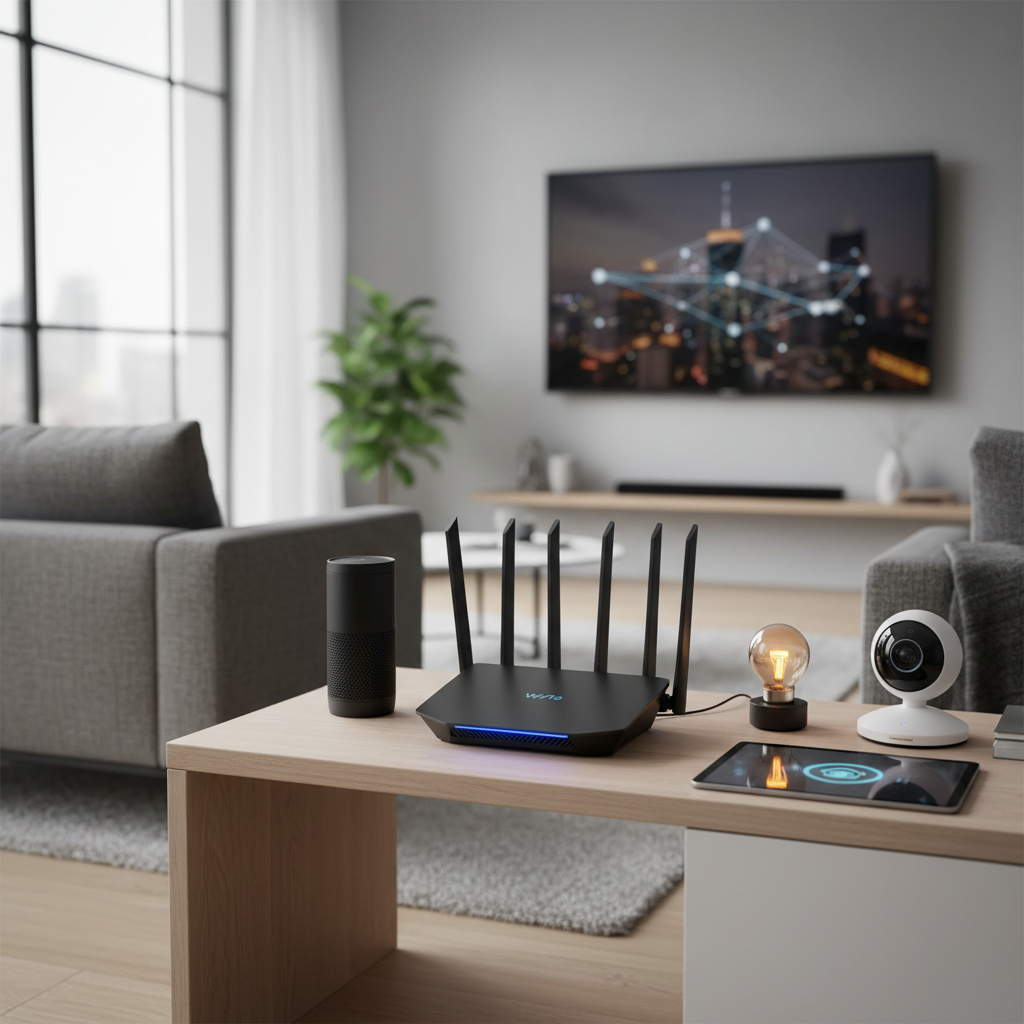
In today’s hyper-connected world, where smart devices from light bulbs to security cameras constantly vie for network attention, your home’s Wi-Fi router is no longer just a simple internet gateway; it’s the central nervous system of your digital lifestyle. If you’re experiencing frustrating lag, dropped connections, or a sluggish smart home, it might be time to upgrade to a Wi-Fi 6 router. This guide will walk you through the essential features, top recommendations, and crucial buying advice to ensure your modern smart home enjoys seamless, high-speed, and reliable connectivity.
Wi-Fi 6, also known as 802.11ax, is specifically engineered to address the challenges of dense network environments, making it an ideal foundation for any smart home. Unlike its predecessors, Wi-Fi 6 excels at managing numerous connected devices simultaneously, significantly reducing latency, and extending coverage to every corner of your living space.
Types of Popular Wi-Fi 6 Routers
Choosing the right Wi-Fi 6 router depends heavily on your specific needs and the unique characteristics of your home. Different models are optimized for various scenarios, ensuring you can find a solution that fits perfectly.
Classification by Usage Needs
- Routers for Small Homes (Apartments): For smaller living spaces or apartments, a single, powerful Wi-Fi 6 router can often provide ample coverage and handle a moderate number of devices. These typically prioritize speed and stability in a concentrated area, often without the need for complex mesh systems. Look for models offering strong dual-band performance and efficient handling of multiple connections.
- Routers for Large Homes (Multi-Story Houses): Larger homes, especially those with multiple floors, often benefit most from a Wi-Fi 6 mesh system. Mesh networks use several interconnected nodes to blanket your entire home with a consistent, strong signal, eliminating dead zones that a single router might struggle to reach. This is particularly crucial for smart devices spread across different levels or outdoor areas.
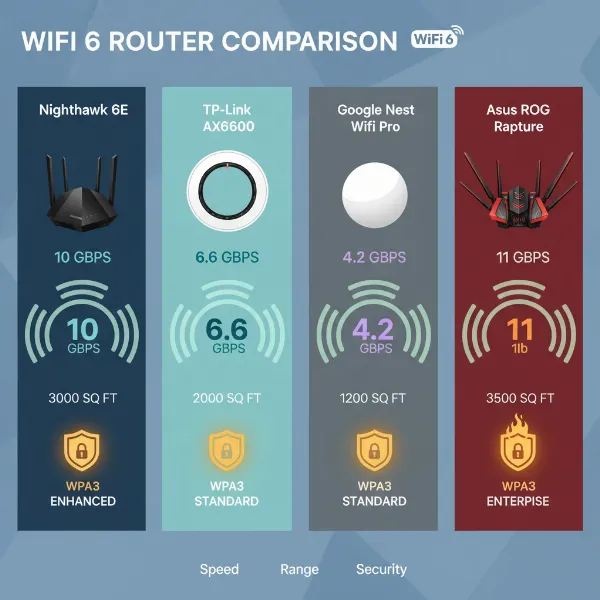
- Routers for Gaming: Gamers require ultra-low latency and stable connections, even under heavy network load. Wi-Fi 6 gaming routers often feature dedicated gaming ports, advanced Quality of Service (QoS) settings to prioritize gaming traffic, and robust processors to handle intense online sessions without interruption. Models like the ASUS ROG Rapture series are designed with these demands in mind.
- Routers for Small Offices/High-Demand Environments: For a small home office or environments with a very high number of bandwidth-intensive devices (think 4K streaming, large file transfers, video conferencing, and dozens of smart gadgets), routers with multi-gig Ethernet ports, powerful processors, and advanced features for network management become essential. Wi-Fi 6E routers, with their additional 6GHz band, can also provide a less congested pathway for compatible high-bandwidth devices.
|
Our Picks for the Best Wifi 6 router in 2026
As an Amazon Associate I earn from qualifying purchases.
|
||
| Num | Product | Action |
|---|---|---|
| 1 | NETGEAR Nighthawk WiFi 6 Router (RAX36) – Router Only, AX3000 3 Gbps Wireless Speed – Dual-Band Gigabit Internet – Covers 2,000 sq. ft., 25 Devices – Built-in VPN, USB 3.0, Gaming |

|
| 2 | ASUS RT-AX1800S Dual Band WiFi 6 Extendable Router, Subscription-Free Network Security, Parental Control, Built-in VPN, AiMesh Compatible, Gaming & Streaming, Smart Home |
|
| 3 | TP-Link Archer AX1450 WiFi 6 Dual-Band Wireless Router | up to 1.45 Gbps Speeds (Renewed) |
|
| 4 | TP-Link Deco X55 AX3000 WiFi 6 Mesh System - Covers up to 2500 Sq.Ft., Replaces Wireless Router and Extender, 3 Gigabit Ports, Supports Ethernet Backhaul, Deco X55(1-Pack) |
|
| 5 | TP-Link AXE5400 Tri-Band WiFi 6E Router (Archer AXE75), 2025 PCMag Editors' Choice, Gigabit Internet for Gaming & Streaming, New 6GHz Band, 160MHz, OneMesh, Quad-Core CPU, VPN & WPA3 Security |
|
| 6 | TP-Link Dual-Band AX3000 Wi-Fi 6 Router Archer AX55 | Wireless Gigabit Internet Router for Home | EasyMesh Compatible | VPN Clients & Server | HomeShield, OFDMA, MU-MIMO | USB 3.0 | Secure by Design |
|
| 7 | TP-Link Smart WiFi 6 Router (Archer AX10) – 4 Gigabit LAN Ports, Dual Band 802.11AX Router, Beamforming, OFDMA, MU-MIMO, Parental Controls, Dual-Core 900MHz Processor, Works with Alexa |
|
| 8 | TP-Link Dual-Band BE3600 Wi-Fi 7 Router Archer BE230 | 4-Stream | 2×2.5G + 3×1G Ports, USB 3.0, 2.0 GHz Quad Core, 4 Antennas | VPN, EasyMesh, HomeShield, MLO, Private IOT | Free Expert Support |
|
| 9 | TP-Link AX5400 WiFi 6 Router (Archer AX73)- Dual Band Gigabit Wireless Internet Router for Streaming, Long Range Coverage |
|
| 10 | TP-Link AX1800 WiFi 6 Router (Archer AX21 V5) – Dual Band Wireless Internet, Gigabit, Easy Mesh, Works with Alexa - A Certified for Humans Device, Free Expert Support |
|
Classification by Brand
Several leading brands dominate the Wi-Fi 6 router market, each offering a range of products tailored to different users and budgets.
- TP-Link: Known for offering excellent value, TP-Link provides a wide array of Wi-Fi 6 and 6E routers and mesh systems. Their Deco series is particularly popular for straightforward mesh setup and reliable everyday performance, while the Archer series offers strong standalone router options, often with competitive pricing. The TP-Link Archer AXE75 is highlighted as a great value Wi-Fi 6E option.
- ASUS: ASUS routers are frequently praised for their robust feature sets, strong performance, and advanced customization options. Their ROG Rapture line targets gamers with specialized features, while the ZenWiFi mesh systems offer comprehensive coverage and granular control for advanced smart home setups.
- Netgear: Netgear’s Nighthawk series is synonymous with high-performance routers, often boasting powerful hardware and speedy throughput. Their Orbi mesh systems are highly regarded for expansive coverage in large homes and handling heavy streaming alongside numerous smart devices, though some advanced features may require subscriptions.
- eero (Amazon): While not exclusively Wi-Fi 6, eero systems are frequently recommended for their user-friendly setup, consistent coverage, and strong performance in mixed-device smart homes, especially the eero Pro 6E model. They excel at delivering a “set it and forget it” mesh experience.
Detailed Comparison Table of Best Wi-Fi 6 Router Models
To help you navigate the options, here’s a comparison of some highly-rated Wi-Fi 6 and Wi-Fi 6E routers, keeping modern smart home needs in mind.
| Model | Speed Rating (AX/AXE) | Coverage Range (Approx.) | Typical Devices | Smart Home Features | Security Features | Price Segment (Approx. USD) |
|---|---|---|---|---|---|---|
| Synology WRX560 | AX3000 | Medium-Large | 60-80 | Mesh-ready, QoS, guest networking | Built-in parental control & network security software | Mid-range ($200-$250) |
| TP-Link Archer AXE75 | AXE5400 | Medium-Large | 80-100+ | Mesh-ready, 6GHz band for less congestion, QoS | HomeShield (basic free, advanced subscription) | Budget/Mid-range ($100-$150) |
| eero Pro 6E (Mesh) | AXE5400 | Large (up to 6,000 sq ft for 3-pack) | 100-120+ | Built-in Matter/Thread, seamless roaming, easy app, IoT network option | Basic security included, advanced subscription | Mid-range/High-end ($200-$400 for packs) |
| ASUS ZenWiFi XT9 (Mesh) | AXE7800 | Large | 100-120+ | Excellent device handling, strong 2.4GHz, advanced settings, separate SSIDs | Robust security, built-in parental controls | High-end ($400-$600 for packs) |
| Netgear Nighthawk RAXE500 | AXE11000 | Large | 100-120+ | 6GHz band, 160MHz channels, multi-gig LAN/WAN | Netgear Armor (subscription), limited parental controls | High-end ($300-$600) |
| TP-Link Deco XE75 (Mesh) | AXE5400 | Large | 80-100+ | Easy setup, reliable for smart devices, good value | Basic security included, advanced subscription | Mid-range ($250-$350 for packs) |
| GL.iNet Flint 2 (GL-MT6000) | AX6000 | Medium-Large | 60-80 | OpenWRT for customization, dual 2.5Gbps ports | VPN speeds, flexible software | Mid-range ($150-$200) |
Note: Prices are approximate and subject to change.
Comparison Criteria:
When evaluating Wi-Fi 6 routers for your smart home, several criteria are paramount to ensure optimal performance and a smooth user experience.
- Wi-Fi Speed: While advertised speeds are theoretical, higher AX/AXE ratings generally indicate more robust hardware capable of handling faster internet plans and heavy network traffic. Wi-Fi 6 offers theoretical throughput up to 9.6 Gbps, significantly faster than Wi-Fi 5’s 3.5 Gbps.
- Coverage Range: A router’s ability to provide a strong signal across your entire home is critical, especially for smart devices often located at the network’s periphery. Features like beamforming and OFDMA in Wi-Fi 6 enhance range and signal stability.
- Number of Concurrent Connected Devices: Modern smart homes can easily have dozens or even hundreds of devices. Wi-Fi 6 is designed to manage 120-160 devices efficiently, reducing congestion and ensuring each device gets the bandwidth it needs.
- Security Features: Robust security, including WPA3 encryption, built-in firewalls, parental controls, and anti-malware software, protects your network and smart devices from threats. Many routers offer these features, sometimes with premium subscription tiers for advanced functionality.
- Price: Wi-Fi 6 routers span a wide price range. Budget-friendly options offer core Wi-Fi 6 benefits, while high-end models provide advanced features, faster speeds, and premium hardware.
Wi-Fi 6 Router Buying Guide
Navigating the multitude of Wi-Fi 6 routers can be daunting, but a clear understanding of your needs and key features will simplify the process.
Factors to Consider When Buying
- Usage Needs (Number of Devices, Area Size): Assess how many devices you currently have and anticipate adding. Consider your home’s square footage and layout (single-story vs. multi-story, presence of thick walls). For many homes, a mesh Wi-Fi system will offer more reliable and extensive coverage than a single router.
- Budget: Determine how much you’re willing to spend. While high-end routers offer cutting-edge features, excellent mid-range options provide a strong balance of performance and value for most smart homes.
- Essential Features (Security, Parental Control, QoS): Prioritize features that align with your household’s requirements. If you have children, robust parental controls are a must. For gamers or remote workers, Quality of Service (QoS) settings to prioritize specific traffic can be invaluable. A dedicated guest network is also crucial for security.
- Reputable Brand: Stick with well-known brands like TP-Link, ASUS, Netgear, or eero, which generally offer reliable products, good customer support, and regular firmware updates.
Tips for Choosing a Wi-Fi 6 Router
- Read Technical Specifications Carefully: Understand what “AX” or “AXE” ratings mean for combined speeds, the number of bands (dual-band vs. tri-band), and whether it supports 160MHz channels.
- Consult User Reviews: Real-world experiences from other users can provide valuable insights into a router’s actual performance, stability, and ease of use in diverse home environments.
- Compare Prices Across Retailers: Prices can vary significantly, so shop around to find the best deal.
- Verify Warranty and Support Policies: Ensure the manufacturer offers a good warranty and accessible customer support in case you encounter issues.
Common Problems and Solutions
Even the best Wi-Fi 6 router can encounter issues. Here’s how to troubleshoot common problems:
- Loss of Connection: If your devices frequently disconnect, try restarting your router. Check physical cable connections to ensure they are snug. Outdated firmware can also cause instability, so check for and install updates.
- Slow Speeds: First, run a speed test directly connected to your modem to rule out ISP issues. If speeds are still slow on Wi-Fi, consider if your router is placed optimally (central, open location, away from interference). Network congestion from too many devices or an old router can also be a culprit.
- Devices Not Connecting: Ensure you’re using the correct Wi-Fi password. If only one device struggles, the issue might be with the device itself. For smart home devices, particularly older ones, try creating a dedicated 2.4 GHz network if your router supports splitting SSIDs, as some struggle with band steering.
- Security Vulnerabilities: Keep your router’s firmware updated regularly to patch security flaws. Use WPA3 encryption if supported by your devices. Always enable a strong, unique password and consider a guest network for visitors.
“Most ‘smart’ problems are really Wi-Fi problems. Doorbells that miss motion events, cameras that buffer, smart bulbs that randomly go ‘unresponsive’ – these often stem from an inadequate or poorly configured network, not the smart device itself.” – Lewis Henry, Networking Tech Expert
Top Picks Wi-Fi 6 Router by Price Segment
Here are some recommended Wi-Fi 6 routers across different budget categories, offering a good balance of performance and features for a modern smart home.
Budget Segment (Under $150 USD)
- Advantages: These routers offer the fundamental benefits of Wi-Fi 6 at an accessible price point, including improved efficiency for multiple devices and better overall speed than older Wi-Fi 5 models. They are suitable for smaller homes or apartments with moderate internet speeds.
- Disadvantages: May have fewer advanced features like multi-gig ports, extensive parental controls without subscription, or support for the 6GHz Wi-Fi 6E band.
- Suggested Products:
- TP-Link Archer AXE75: A strong contender, offering Wi-Fi 6E (tri-band) at a surprisingly low price. Great for future-proofing on a budget.
- Linksys Hydra Pro 6E: Another affordable Wi-Fi 6E option, ideal for small homes or apartments due to its strong performance at shorter distances.
[image-1|wifi-6-router-budget-segment|Budget-friendly Wi-Fi 6 router in a small, modern apartment setting, indicating efficient and reliable connectivity for essential smart home devices and daily internet use. Editorial style, natural light.|
A sleek, compact Wi-Fi 6 router, perhaps a TP-Link Archer AXE75 or Linksys Hydra Pro 6E, sitting discreetly on a small side table in a minimalist apartment living room. A smartphone and a smart speaker are visible nearby, connected to the network. The lighting is soft and natural, emphasizing ease of integration into a modern home. The style is clean and editorial.]
Mid-Range Segment ($150-$400 USD)
- Advantages: This segment offers a great balance between price and performance, typically including more robust hardware, wider coverage, and a richer set of features like mesh compatibility, better parental controls, and multi-gig ports. They are suitable for medium to large homes with multiple users and a growing ecosystem of smart devices.
- Disadvantages: While powerful, they might still lack some of the extreme speeds or enterprise-grade features found in premium models.
- Suggested Products:
- Synology WRX560: PCMag’s top pick for most users, offering excellent throughput, strong signal, and built-in network security/parental control software, plus mesh readiness.
- eero Pro 6E (Mesh System): A highly recommended mesh system for smart homes, known for its seamless setup, reliable coverage, and built-in smart home support (Matter and Thread).
- TP-Link Deco XE75 (Mesh System): An excellent value mesh system for larger homes, providing tri-band Wi-Fi 6E connectivity with easy setup and dependable performance for smart devices.
High-End Segment (Above $400 USD)
- Advantages: These routers represent the pinnacle of Wi-Fi 6 technology, offering maximum performance, widest coverage, advanced processing power, and a full suite of features including multiple multi-gig ports, sophisticated QoS, and often subscription-free advanced security/parental controls. Ideal for large, demanding smart homes, serious gamers, and prosumers.
- Disadvantages: The primary drawback is the higher cost, which may be overkill for smaller homes or less demanding users.
- Suggested Products:
- ASUS ZenWiFi XT9 or ET8 (Mesh System): Best for customization and advanced smart home setups, offering excellent device handling, strong range, and powerful problem-solving settings.
- Netgear Nighthawk RAXE500: A premium Wi-Fi 6E router with speedy throughput, file transfer performance, and extensive 6GHz band utilization, though it comes with a premium price and subscription for some features.
- ASUS ROG Rapture GT-AX11000 Pro: An absolute powerhouse for hardcore gamers and users needing multiple high-speed wired connections, featuring blazing speeds and a 10Gbps LAN/WAN port.
Conclusion
Upgrading to a Wi-Fi 6 router is a transformative step for any modern smart home, offering the speed, capacity, and reliability needed to power your ever-growing ecosystem of connected devices. By understanding your specific needs—whether it’s widespread mesh coverage for a large home, robust features for gaming, or seamless integration with dozens of smart gadgets—you can select a router that truly enhances your digital life. Remember to consider factors like coverage, device capacity, security features, and budget, and don’t shy away from mesh systems for optimal whole-home performance.
Investing in the right Wi-Fi 6 router means more than just faster internet; it means a more responsive smart home, smoother streaming, lag-free gaming, and reliable connectivity for every device, every time. What improvements are you most looking forward to in your smart home with a new Wi-Fi 6 router?
Frequently Asked Questions
Do smart home devices need Wi-Fi 6 or Wi-Fi 6E?
Most smart home devices typically operate on the 2.4 GHz band and do not inherently require Wi-Fi 6 or 6E. The main benefit of upgrading is the overall network efficiency, which allows your phones, laptops, and streaming devices to perform better, freeing up bandwidth and reducing congestion for your smart home gadgets.
What is the difference between Wi-Fi 6 and Wi-Fi 6E?
The primary distinction is that Wi-Fi 6E extends Wi-Fi 6 by adding support for the 6 GHz radio band, in addition to the 2.4 GHz and 5 GHz bands. This new band offers more bandwidth, lower latency, and less interference, making it ideal for newer, compatible devices but not directly impacting most existing smart home devices.
Is a single powerful Wi-Fi 6 router better than a mesh system for a smart home?
For smaller apartments or single-story homes, a single powerful Wi-Fi 6 router might suffice. However, for most larger or multi-story homes, a Wi-Fi 6 mesh system is generally more reliable. Mesh networks provide consistent signal strength and wider coverage, crucial for smart devices spread across different rooms, garages, or outdoor areas.
How can I improve Wi-Fi signal for outdoor smart cameras or doorbells?
Outdoor smart devices often suffer from weak signals due to physical obstructions like brick walls or insulation. The best solution is typically to place a mesh node or an access point inside your home, as close as possible to the exterior wall where the outdoor device is located, rather than relying solely on a more powerful router in the center of your house.
Should I create a separate network for my smart home devices?
Yes, it is highly recommended to create a dedicated IoT (Internet of Things) network or use your router’s guest network feature for your smart home devices if possible. This enhances security by isolating your smart gadgets from your main network and can also help prevent device discovery issues.