The landscape of education has dramatically shifted, with online learning becoming a staple, even for first graders. For these young learners, a stable, fast, and secure internet connection is not just a convenience, but a fundamental requirement for uninterrupted engagement and effective learning. A sluggish or unreliable network can quickly turn a virtual classroom into a frustrating experience, hindering focus and participation. This comprehensive guide is designed to navigate the complexities of modern home networking, helping parents select the optimal Wifi 6 router to ensure their child’s first steps into online education are smooth, seamless, and successful. We’ll explore essential features, compare top models, and provide practical advice to equip your home with the connectivity needed for today’s digital classrooms.
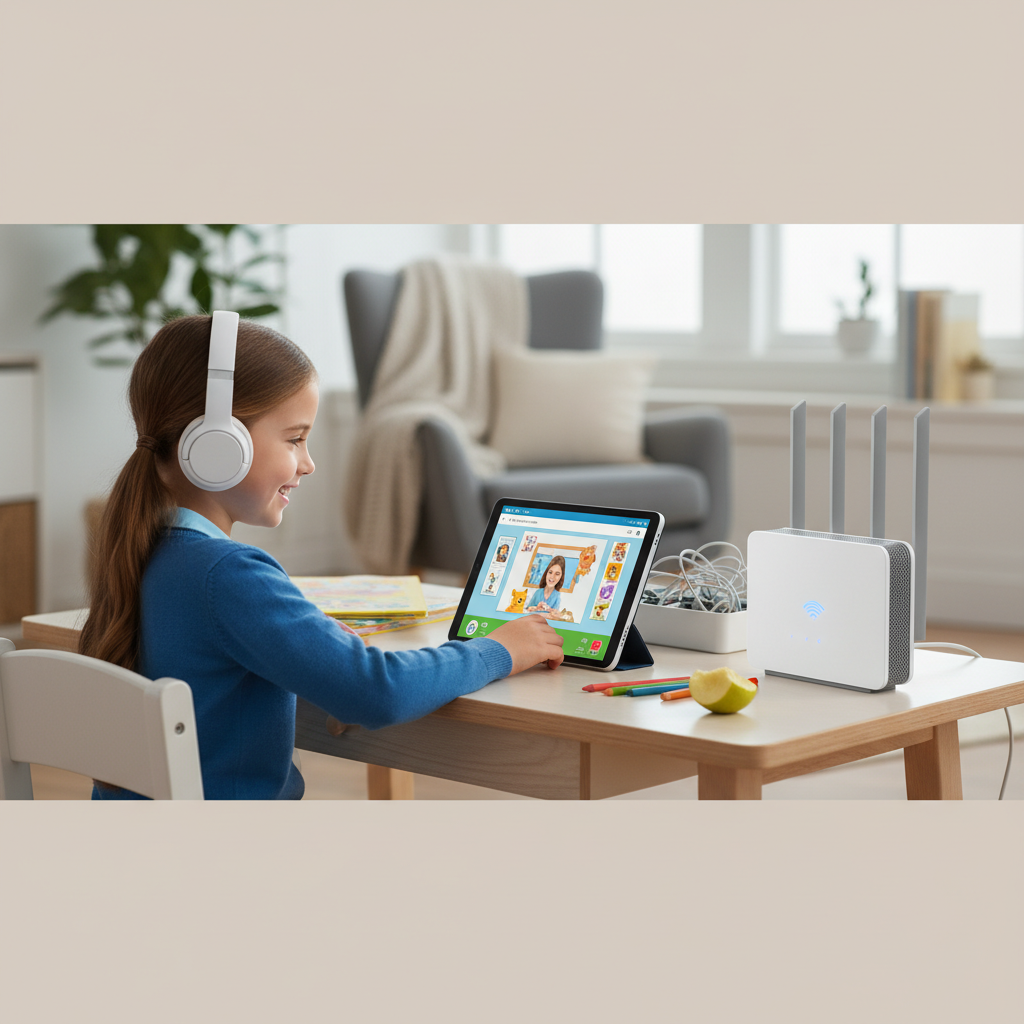
Types of Wifi 6 Routers for Online Learning
Choosing the right Wifi 6 router means understanding the various options available and how they align with your specific home and online learning environment. From basic setups to advanced mesh systems, each type offers distinct advantages.
Classification by Usage Needs
Different households have varying demands, and Wifi 6 routers are designed to cater to these diverse requirements. For first-grade online classes, reliability and stability are paramount.
- Routers for Small Homes and Apartments: For compact living spaces, a single, reliable dual-band Wifi 6 router can provide ample coverage and speed. The focus here is on consistent performance for a moderate number of devices, ensuring clear video calls and quick access to learning platforms without overspending on features you don’t need. These models often prioritize ease of setup and a strong signal within a limited area.
- Routers for Larger Homes and Multi-story Houses: In bigger homes, a single router might struggle to cover all areas, leading to “dead zones” where the Wifi signal is weak or non-existent. For these scenarios, a mesh Wifi 6 system is ideal. Mesh systems use multiple units (a main router and several satellites) that work together to create a single, unified network, providing seamless and extensive coverage. This ensures your child can learn effectively from any room, whether it’s their bedroom, a study nook, or the living room.
- Routers for Gaming and High-Demand Households: If your household also includes gamers, streamers, or multiple users with bandwidth-intensive activities, you’ll need a router that can handle high traffic without compromising the online class. These performance-focused Wifi 6 routers often feature more powerful processors, advanced Quality of Service (QoS) settings to prioritize certain activities (like video conferencing), and potentially multi-gig Ethernet ports for ultra-fast wired connections. They are built for high device capacity and maintaining peak performance under heavy load.
|
Our Picks for the Best Wifi 6 router in 2026
As an Amazon Associate I earn from qualifying purchases.
|
||
| Num | Product | Action |
|---|---|---|
| 1 | TP-Link Dual-Band AX3000 Wi-Fi 6 Router Archer AX55 | Wireless Gigabit Internet Router for Home | EasyMesh Compatible | VPN Clients & Server | HomeShield, OFDMA, MU-MIMO | USB 3.0 | Secure by Design |

|
| 2 | TP-Link Deco X55 AX3000 WiFi 6 Mesh System - Covers up to 2500 Sq.Ft., Replaces Wireless Router and Extender, 3 Gigabit Ports, Supports Ethernet Backhaul, Deco X55(1-Pack) |
|
| 3 | TP-Link AX5400 WiFi 6 Router (Archer AX73)- Dual Band Gigabit Wireless Internet Router for Streaming, Long Range Coverage |
|
| 4 | TP-Link Dual-Band BE3600 Wi-Fi 7 Router Archer BE230 | 4-Stream | 2×2.5G + 3×1G Ports, USB 3.0, 2.0 GHz Quad Core, 4 Antennas | VPN, EasyMesh, HomeShield, MLO, Private IOT | Free Expert Support |
|
| 5 | ASUS RT-AX1800S Dual Band WiFi 6 Extendable Router, Subscription-Free Network Security, Parental Control, Built-in VPN, AiMesh Compatible, Gaming & Streaming, Smart Home |
|
| 6 | NETGEAR Nighthawk WiFi 6 Router (RAX36) – Router Only, AX3000 3 Gbps Wireless Speed – Dual-Band Gigabit Internet – Covers 2,000 sq. ft., 25 Devices – Built-in VPN, USB 3.0, Gaming |
|
| 7 | TP-Link AXE5400 Tri-Band WiFi 6E Router (Archer AXE75), 2025 PCMag Editors' Choice, Gigabit Internet for Gaming & Streaming, New 6GHz Band, 160MHz, OneMesh, Quad-Core CPU, VPN & WPA3 Security |
|
| 8 | TP-Link Archer AX1450 WiFi 6 Dual-Band Wireless Router | up to 1.45 Gbps Speeds (Renewed) |
|
| 9 | TP-Link Smart WiFi 6 Router (Archer AX10) – 4 Gigabit LAN Ports, Dual Band 802.11AX Router, Beamforming, OFDMA, MU-MIMO, Parental Controls, Dual-Core 900MHz Processor, Works with Alexa |
|
| 10 | TP-Link AX1800 WiFi 6 Router (Archer AX21 V5) – Dual Band Wireless Internet, Gigabit, Easy Mesh, Works with Alexa - A Certified for Humans Device, Free Expert Support |
|
Classification by Brand
Several leading brands offer excellent Wifi 6 routers, each with its own strengths and user ecosystem.
- TP-Link: Known for offering a wide range of routers that balance performance and affordability. Their Archer series consistently receives high ratings for value, providing solid Wifi 6 speeds and often including robust parental controls. The Deco series offers easy-to-use mesh systems.
- ASUS: Often recognized for high-performance routers, particularly their ROG (Republic of Gamers) line, which delivers top-tier speeds and advanced features. ASUS also offers excellent security suites (AiProtection) and comprehensive parental controls, making them a strong contender for families seeking premium features.
- Netgear: A veteran in the networking space, Netgear offers powerful Nighthawk routers for high-performance needs and their award-winning Orbi mesh systems for extensive home coverage. These are often chosen for their reliability and ability to handle numerous connected devices.
- Other Notable Brands: GL.iNet is favored by those who appreciate open-source firmware and extensive configurability. Synology provides routers with strong network attached storage (NAS) integration and robust software features. Eero (an Amazon company) and Google Nest Wifi specialize in user-friendly mesh systems, prioritizing simplicity and smart home integration.
Detailed Comparison Table of Top Wifi 6 Routers
Selecting the right router requires a closer look at key specifications. Here’s a comparison of some highly recommended Wifi 6 routers suitable for online learning, considering various needs and budgets.
Comparison Criteria:
- Wifi Speed: The maximum theoretical speed the router can deliver, crucial for smooth video streams and quick downloads.
- Coverage Range: How well the router distributes its signal throughout a home, often improved by mesh systems.
- Device Capacity: The number of devices the router can efficiently support simultaneously without performance degradation.
- Security & Parental Controls: Built-in features to protect children online, block unwanted content, and manage screen time.
- Ease of Use: How straightforward the setup and management processes are, particularly important for non-technical users.
- Price: The approximate cost, categorizing routers into budget, mid-range, and premium segments.
Comparison Table:
| Model | Wifi Speed (Theoretical Max) | Coverage Range (Typical) | Device Capacity | Security/Parental Controls | Ease of Use | Price Segment |
|---|---|---|---|---|---|---|
| TP-Link Archer AX10 | AX1500 | Small to Medium Home | Good | Basic (Time limits, Website blocks) | High | Budget |
| TP-Link Archer AX55 | AX3000 | Medium to Large Home | Very Good | Robust (App blocking, filtering) | High | Mid-Range |
| eero 6 (2-pack Mesh) | AX1800 | Large Home (Mesh) | Very Good | Basic (Profiles, schedules) | Very High | Mid-Range |
| ASUS RT-AX86U | AX5700 | Large Home | Excellent | Advanced (AiProtection, QoS) | Medium | Premium |
| GL.iNet Flint 2 (GL-MT6000) | AX6000 | Large Home | Excellent | VPN, OpenWRT flexibility | Medium | Premium |
| Netgear Orbi RBK752 (2-pack) | AX4200 (Tri-Band) | Very Large Home (Mesh) | Excellent | Basic (Subscription for advanced) | High | Premium |
| Synology WRX560 | AX6600 | Large Home | Excellent | Comprehensive (Traffic control) | Medium | Mid-Range |
Buying Guide for Wifi 6 Routers for Online Classes
Choosing a Wifi 6 router for your child’s online education goes beyond just speed numbers. Several practical considerations will ensure you make the best investment for your family’s needs.
Factors to Consider When Buying
Before making a purchase, take stock of your home environment and specific requirements.
- Internet Service Provider (ISP) Speed and Requirements: Your router can only be as fast as your internet plan. Ensure your chosen router can handle or exceed the speeds provided by your ISP. If you have a gigabit internet plan, look for routers with multi-gig WAN/LAN ports to fully utilize that speed.
- Home Size and Layout: For smaller apartments (under 1,000 sq ft), a single router usually suffices. For medium to large homes (1,500-3,000 sq ft), a powerful standalone router might work, but multi-story homes or those with many walls often benefit greatly from a mesh Wifi 6 system to eliminate dead zones.
- Number of Connected Devices: Consider all devices that will connect to the Wifi, not just those for online learning. Smartphones, smart TVs, gaming consoles, smart home devices, and other laptops all consume bandwidth. Wifi 6 is designed to handle more simultaneous connections efficiently.
- Budget: Wifi 6 routers range from under $100 to over $500. Define your budget early, but remember that investing a bit more can offer significant improvements in reliability, range, and longevity.
- Essential Features (Parental Controls, QoS, Security):
- Parental Controls: Crucial for online learning. Look for features like website filtering, time limits for internet access, bedtime schedules, and content blocking by age group or category. Many routers offer these features for free, while some advanced options require a subscription.
- Quality of Service (QoS): Allows you to prioritize internet traffic for specific devices or applications. This can ensure your child’s online class gets priority bandwidth, preventing lag even if others are streaming or gaming.
- Security (WPA3, built-in antivirus): WPA3 is the latest Wifi security standard, offering stronger encryption. Some routers also include built-in network security software (e.g., ASUS AiProtection, TP-Link HomeShield) to protect against malware and cyber threats.
- Ease of Setup and Management: For many parents, a straightforward setup process via a mobile app is a major advantage. Look for intuitive interfaces for managing settings and parental controls.
Tips for Choosing a Wifi 6 Router
Making an informed decision involves a bit of research.
- Read Technical Specifications Carefully: Understand terms like AX (for Wifi 6), dual-band vs. tri-band, and processor speeds. Tri-band routers offer a dedicated 5GHz or 6GHz band for backhaul in mesh systems or for high-demand devices, which can significantly improve performance.
- Consult User Reviews and Expert Assessments: Real-world experiences from other parents and in-depth reviews from tech websites can provide valuable insights into a router’s actual performance, reliability, and ease of use in a home setting. Pay attention to comments regarding online learning or video conferencing stability.
- Compare Prices and Warranty Policies: Prices can vary between retailers. Also, check the warranty period and customer support options offered by the manufacturer. A good warranty provides peace of mind.
Common Issues and How to Troubleshoot Them
Even with a great router, issues can arise. Knowing how to quickly address them can save valuable learning time.
- Frequent Disconnections or “Lost Connection”:
- Cause: Signal interference, overcrowded channels, outdated firmware, or device conflicts.
- Fix: Try moving the router to a central, open location. Check for firmware updates. Change the Wifi channel in the router settings (some apps can help find the least congested channel). Consider a mesh system for better coverage.
- Slow Speeds Despite a Fast Internet Plan:
- Cause: Network congestion, too many devices, router limitations, or ISP issues.
- Fix: Implement QoS to prioritize the child’s learning device. Ensure no large downloads are running during class time. Reboot the router and modem. If problems persist, contact your ISP.
- Devices Unable to Connect to Wifi:
- Cause: Incorrect password, router security settings, or a faulty device Wifi adapter.
- Fix: Double-check the Wifi password. Temporarily disable MAC filtering if enabled. Reboot both the router and the device.
- Security Concerns (e.g., Unwanted Content Access):
- Cause: Insufficient parental controls or children finding workarounds.
- Fix: Regularly review and update parental control settings. Use strong, unique passwords for administrator access. Consider advanced parental control routers or third-party solutions for more granular control.
Top Picks Wifi 6 Router by Price Segment
Finding the sweet spot between features, performance, and cost is key. Here are some recommended Wifi 6 routers categorized by price, keeping online learning for first graders in mind.
Budget-Friendly Segment (Under $150)
This segment focuses on essential performance and reliability without breaking the bank. These routers are excellent for smaller homes or those with moderate internet needs.
- Advantages:
- Cost-Effective: Offers a significant upgrade from older Wifi standards without a hefty investment.
- Sufficient for Basic Needs: Capable of handling typical online class requirements, including video calls and educational platforms, for a few devices.
- Ease of Use: Many budget models are designed for straightforward setup and management.
- Disadvantages:
- Limited Advanced Features: May lack comprehensive parental controls, multi-gig ports, or advanced QoS.
- Coverage Limitations: Best suited for smaller areas; larger homes might experience dead zones.
- Suggested Products:
- TP-Link Archer AX10 (AX1500): A solid entry-level Wifi 6 router offering adequate speed and range for small to medium homes. It includes basic parental controls for time limits and website blocking. It’s often praised for its value and reliability for everyday internet use.
- TP-Link Archer AX20 (AX1800): A step up from the AX10, providing slightly faster speeds and better capacity. It also includes free parental controls and a user-friendly app, making it a great budget-conscious choice for families.
Mid-Range Segment ($150-$300)
Routers in this category offer a better balance of performance, features, and value, suitable for most family homes with growing online demands.
- Advantages:
- Improved Performance: Faster speeds, better range, and higher device capacity compared to budget options.
- Enhanced Features: Often includes more robust parental controls, better QoS, and potentially tri-band support for reduced congestion.
- Good Value: Provides a significant performance boost for a reasonable price.
- Disadvantages:
- Still Not for Extreme Needs: May not fully satisfy pro-gamers or homes with dozens of concurrent high-bandwidth users.
- Suggested Products:
- TP-Link Archer AX55 (AX3000): A popular choice for its strong performance and robust parental controls. It delivers excellent speeds for gigabit internet plans and is praised for its reliability and ease of setup via the TP-Link Tether app. It’s a great all-rounder for a family home.
- eero 6 (Mesh System): For larger homes or those needing seamless coverage, a 2-pack eero 6 mesh system offers excellent value. It’s renowned for its incredibly easy setup and reliable whole-home Wifi, perfect for ensuring your first grader has a stable connection no matter where they are.
- Synology WRX560 (AX6600): This router offers speedy throughput, strong signal transmissions, and comprehensive network management tools, including excellent parental controls and traffic management, making it a reliable choice for tech-savvy parents.
Premium Segment (Over $300)
For families demanding the absolute best in speed, coverage, and advanced features, these routers deliver top-tier performance for the most demanding online environments.
- Advantages:
- Unrivaled Performance: Highest speeds, broadest coverage (especially mesh systems), and exceptional capacity for numerous devices.
- Advanced Features: Often includes multi-gig ports, advanced security suites, extensive parental controls, and gaming-specific optimizations.
- Future-Proofing: Many models support Wi-Fi 6E (adding the 6GHz band) or Wi-Fi 7, providing access to less congested airwaves for compatible devices.
- Disadvantages:
- High Cost: A significant investment, potentially overkill for basic online learning needs.
- Complex Settings: Some advanced features might require a steeper learning curve for configuration.
- Suggested Products:
- ASUS RT-AX86U (AX5700): A powerhouse dual-band router excellent for both general use and dedicated gaming. It offers superb speeds, strong range, and includes ASUS’s robust AiProtection for security and parental controls. Its vertical design helps with heat dissipation and signal strength.
- Netgear Orbi WiFi 6 (RBK752 or similar): If whole-home coverage and ultimate reliability are priorities for a large house, an Orbi Wifi 6 mesh system is hard to beat. Its tri-band technology provides a dedicated backhaul for communication between units, ensuring consistent high speeds across your entire property.
- GL.iNet Flint 2 (GL-MT6000) (AX6000): While not a household name for everyone, this router is lauded by enthusiasts for its impressive range, excellent top speeds, and the flexibility offered by its OpenWRT firmware, including robust VPN and advanced networking capabilities, making it highly customizable for security-conscious users.
Conclusion
Ensuring a smooth and uninterrupted online learning experience for a first grader requires a robust and reliable home network, and a Wifi 6 router is the cornerstone of this setup. By prioritizing stability, adequate coverage, and essential features like parental controls, parents can create an optimal digital environment for their children. Whether you opt for a budget-friendly option like the TP-Link Archer AX10 for a small apartment or invest in a premium mesh system like the Netgear Orbi for a sprawling home, the right Wifi 6 router will provide the necessary bandwidth and security for focused learning. Investing in a quality router today is an investment in your child’s educational journey, preventing frustrating technical glitches and fostering a positive relationship with online education.
What kind of online learning environment are you currently trying to support, and what are your biggest network challenges?
Câu Hỏi Thường Gặp
What makes Wifi 6 routers better for online classes than older models?
Wifi 6 offers significant improvements like faster speeds, lower latency, and increased capacity to handle multiple devices simultaneously. This means smoother video calls, quicker loading of educational content, and a more stable connection even when other family members are online, reducing interruptions for your first grader.
Do I really need a Wifi 6 router for a first grader’s online class?
While older routers might work, a Wifi 6 router provides a much more stable and efficient connection, which is crucial for video conferencing platforms used in online classes. It minimizes lag and disconnections, ensuring a frustration-free learning experience, especially in homes with many connected devices.
What are the most important features to look for in a Wifi 6 router for a family with young children?
Key features include robust parental controls for content filtering and screen time management, Quality of Service (QoS) to prioritize learning devices, wide coverage to avoid dead zones, and strong WPA3 security protocols to protect your network. Ease of setup via a mobile app is also a significant plus for parents.
Is a mesh Wifi 6 system necessary for online learning?
A mesh Wifi 6 system is highly recommended for larger homes or those with multiple stories, as it provides seamless, whole-home coverage, eliminating signal dead zones. This ensures your child can have a strong, consistent connection from any room, which is vital for uninterrupted online classes. For smaller apartments, a single, powerful Wifi 6 router might suffice.
How much should I expect to spend on a good Wifi 6 router for online classes?
You can find capable Wifi 6 routers in the budget-friendly range (under $150) that are suitable for basic online learning needs in smaller homes. Mid-range options ($150-$300) offer enhanced features and better performance for most family homes. Premium models (over $300) provide top-tier speed, coverage, and advanced features for the most demanding environments.