The quest for seamless internet connectivity throughout your home is a universal challenge. With the increasing number of connected devices, from smartphones and smart TVs to security cameras and gaming consoles, a robust and reliable Wi-Fi signal is more critical than ever. When faced with dead zones or sluggish speeds, two common solutions often come to mind: upgrading to a Wi-Fi 6 router or deploying a Wi-Fi repeater. But which option truly addresses your needs, and which offers the best long-term value?
This article will meticulously compare Wi-Fi 6 routers and Wi-Fi repeaters, delving into their core functionalities, advantages, and limitations. By understanding the distinct characteristics of each, you will be equipped to make an informed decision and build a home network that flawlessly supports your digital lifestyle. We’ll explore everything from raw speed and coverage to network efficiency and advanced features, ensuring you select the optimal solution for a consistently fast and stable internet experience.
Understanding Wi-Fi 6 Routers
Wi-Fi 6, also known as 802.11ax, represents the latest generation of Wi-Fi technology, engineered to meet the demands of modern, device-heavy homes and offices. It’s not just about raw speed; it’s a fundamental overhaul designed for efficiency, capacity, and performance in congested network environments. This standard ushers in a new era of wireless connectivity, enabling routers to handle multiple devices simultaneously without sacrificing speed or stability.
A Wi-Fi 6 router excels in managing network traffic through innovative technologies like Orthogonal Frequency Division Multiple Access (OFDMA) and Multi-User, Multiple-Input, Multiple-Output (MU-MIMO). OFDMA allows the router to serve multiple devices within a single channel transmission, similar to how a delivery truck can carry multiple packages to different addresses on one trip. MU-MIMO, on the other hand, enables the router to communicate with several devices at once, rather than sequentially, significantly boosting network throughput and reducing latency.
Key Advantages of Wi-Fi 6 Routers
Wi-Fi 6 routers offer a suite of benefits that make them a compelling upgrade for almost any household. Their design prioritizes a superior user experience, especially in environments with numerous connected devices.
- Higher Speeds: Wi-Fi 6 can theoretically reach speeds up to 9.6 Gbps, a substantial leap from Wi-Fi 5’s 3.46 Gbps. This means faster downloads, smoother 4K and even 8K video streaming, and quicker data transfers across your local network.
- Enhanced Efficiency: Technologies like OFDMA and MU-MIMO allow Wi-Fi 6 routers to communicate more efficiently with multiple devices simultaneously. This dramatically reduces network congestion and latency, especially in households with many active users or smart home devices.
- Increased Capacity for Multiple Devices: With the proliferation of smart home gadgets, the average home now hosts dozens of Wi-Fi-connected devices. Wi-Fi 6 is built to handle this increased load without performance degradation, supporting up to 8 simultaneous data streams.
- Better Range and Coverage: While not solely about extending range, the improved signal processing and multi-band operation of Wi-Fi 6 can lead to more robust and consistent coverage across larger homes and offices, minimizing dead zones more effectively than older standards.
- Improved Security (WPA3): Wi-Fi 6 routers typically come with WPA3, the latest security protocol, offering stronger encryption and enhanced protection against cyber threats compared to previous standards.
- Reduced Latency for Gaming/Streaming: The efficiency improvements of Wi-Fi 6 result in significantly lower latency, making it ideal for competitive online gaming, real-time video conferencing, and buffer-free streaming of high-definition content. This can lead to up to 75% less latency compared to older Wi-Fi versions.
|
Our Picks for the Best Wifi 6 router in 2026
As an Amazon Associate I earn from qualifying purchases.
|
||
| Num | Product | Action |
|---|---|---|
| 1 | TP-Link Deco X55 AX3000 WiFi 6 Mesh System - Covers up to 2500 Sq.Ft., Replaces Wireless Router and Extender, 3 Gigabit Ports, Supports Ethernet Backhaul, Deco X55(1-Pack) |

|
| 2 | TP-Link AXE5400 Tri-Band WiFi 6E Router (Archer AXE75), 2025 PCMag Editors' Choice, Gigabit Internet for Gaming & Streaming, New 6GHz Band, 160MHz, OneMesh, Quad-Core CPU, VPN & WPA3 Security |
|
| 3 | ASUS RT-AX1800S Dual Band WiFi 6 Extendable Router, Subscription-Free Network Security, Parental Control, Built-in VPN, AiMesh Compatible, Gaming & Streaming, Smart Home |
|
| 4 | TP-Link AX5400 WiFi 6 Router (Archer AX73)- Dual Band Gigabit Wireless Internet Router for Streaming, Long Range Coverage |
|
| 5 | TP-Link AX1800 WiFi 6 Router (Archer AX21 V5) – Dual Band Wireless Internet, Gigabit, Easy Mesh, Works with Alexa - A Certified for Humans Device, Free Expert Support |
|
| 6 | NETGEAR Nighthawk WiFi 6 Router (RAX36) – Router Only, AX3000 3 Gbps Wireless Speed – Dual-Band Gigabit Internet – Covers 2,000 sq. ft., 25 Devices – Built-in VPN, USB 3.0, Gaming |
|
| 7 | TP-Link Archer AX1450 WiFi 6 Dual-Band Wireless Router | up to 1.45 Gbps Speeds (Renewed) |
|
| 8 | TP-Link Dual-Band BE3600 Wi-Fi 7 Router Archer BE230 | 4-Stream | 2×2.5G + 3×1G Ports, USB 3.0, 2.0 GHz Quad Core, 4 Antennas | VPN, EasyMesh, HomeShield, MLO, Private IOT | Free Expert Support |
|
| 9 | TP-Link Dual-Band AX3000 Wi-Fi 6 Router Archer AX55 | Wireless Gigabit Internet Router for Home | EasyMesh Compatible | VPN Clients & Server | HomeShield, OFDMA, MU-MIMO | USB 3.0 | Secure by Design |
|
| 10 | TP-Link Smart WiFi 6 Router (Archer AX10) – 4 Gigabit LAN Ports, Dual Band 802.11AX Router, Beamforming, OFDMA, MU-MIMO, Parental Controls, Dual-Core 900MHz Processor, Works with Alexa |
|
Wi-Fi 6 routers are the ideal choice for modern homes, smart homes, and users who engage in bandwidth-intensive activities like 4K/8K streaming, online gaming, and video calls. They lay a solid foundation for a fast, reliable, and future-proof home network.
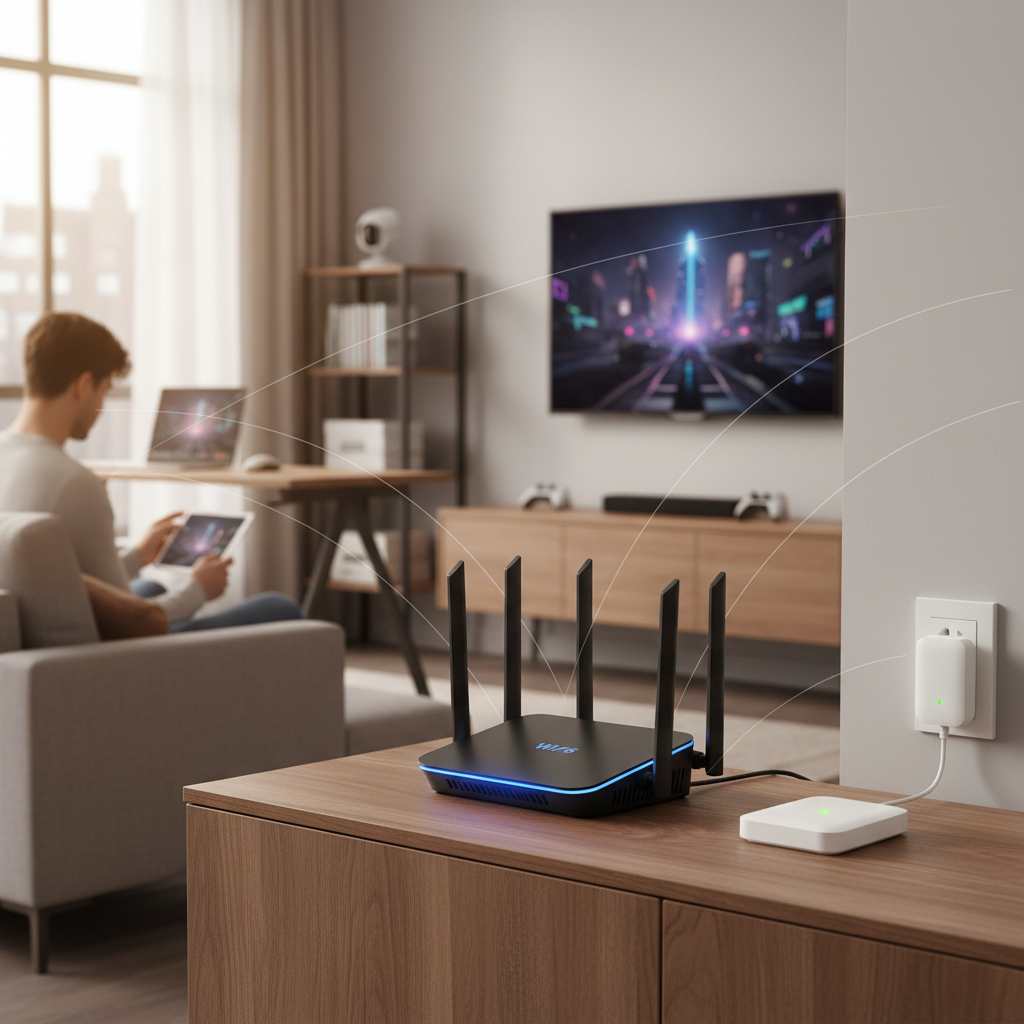
[image-1|wifi-6-router-illustration|An illustrative diagram showing a modern Wi-Fi 6 router with multiple antennas, emitting strong, organized signals to various connected devices in a home setting, emphasizing speed and efficiency.|
An illustrative diagram featuring a sleek, modern Wi-Fi 6 router with multiple prominent antennas. The router is depicted in a central living room setting, emitting strong, organized wireless signals (represented by distinct, flowing lines) reaching various devices like a laptop, a smart TV streaming 4K content, and a smartphone. The signals are shown to be efficient and high-bandwidth, with a clean, bright aesthetic to highlight speed and reliability.]
Understanding Wi-Fi Repeaters
A Wi-Fi repeater, often interchangeably called a Wi-Fi extender or booster, is a device designed to expand the coverage of an existing wireless network. Its primary function is to pick up the Wi-Fi signal from your main router and rebroadcast it, theoretically extending the signal into areas of your home where coverage is weak or nonexistent, often referred to as “dead zones.”
The repeater acts as a bridge, relaying the wireless signal. It receives data from your router and then sends it on to your devices, and vice-versa. While simple in concept, this method of signal extension comes with inherent limitations that significantly impact network performance. A key point to remember is that a repeater “repeats” the signal; it doesn’t create a new, independent network with its own robust connection to the internet.
Advantages of Wi-Fi Repeaters
Despite their limitations, Wi-Fi repeaters do offer a few practical advantages, particularly for users with very specific, low-demand needs.
- Low Cost: Wi-Fi repeaters are generally much more affordable than new Wi-Fi 6 routers or mesh systems, making them an attractive budget-friendly option for a quick fix.
- Easy Setup: Most repeaters are designed for simple plug-and-play installation. You typically plug them into an electrical outlet, press a WPS button on both the repeater and your router, or follow a quick web-based setup wizard.
- Simple Dead Zone Fix: For small, isolated areas with a weak signal and minimal usage, a repeater can provide just enough connectivity for basic tasks like checking emails or light browsing.
Key Disadvantages of Wi-Fi Repeaters
The cost-effectiveness and ease of setup often mask significant drawbacks that can lead to a frustrating internet experience for many users. It’s crucial to understand these limitations before investing in a repeater.
- Halved Bandwidth/Speed Reduction: This is the most critical disadvantage. A Wi-Fi repeater uses the same wireless channel to communicate with both your main router and your connected devices. This means it has to transmit and receive data twice for every piece of information, effectively cutting the available bandwidth in half. This leads to noticeably slower speeds, especially when multiple devices are connected or when performing bandwidth-intensive activities like streaming or online gaming.
- Signal Degradation: A repeater can only rebroadcast the signal it receives. If the signal from your main router is already weak or noisy where the repeater is placed, the extended signal will also be weak, unreliable, and potentially prone to interference. It doesn’t “amplify” a poor signal into a strong one; it simply extends what’s already there.
- Increased Latency: Due to the double transmission process (router to repeater, then repeater to device), repeaters inherently introduce additional latency into the network. This can be detrimental for applications requiring quick response times, such as online gaming or video conferencing.
- Network Congestion: By operating on the same frequency bands as the main router, repeaters can contribute to wireless channel congestion, especially in densely populated areas with many overlapping Wi-Fi networks.
- Potential for Multiple SSIDs: While some modern repeaters can operate under the same network name (SSID) as your main router, many older or cheaper models create a separate SSID. This forces your devices to manually switch between networks as you move around your home, leading to connection drops.
- Dependency on Router Quality: The effectiveness of a Wi-Fi repeater is ultimately limited by the quality and signal strength of your primary router. An outdated or underpowered router will hinder the repeater’s capabilities.
Wi-Fi repeaters are best suited for very small, specific dead zones where usage is minimal, such as an isolated corner for occasional email checking. They should be considered a temporary or last-resort solution rather than a comprehensive network upgrade.
Wi-Fi 6 Router vs. Wi-Fi Repeater: A Detailed Comparison
Deciding between a Wi-Fi 6 router and a Wi-Fi repeater requires a close look at their performance, cost, and overall network management capabilities. Understanding these distinctions is key to building a network that meets your specific needs without compromise.
Performance
When it comes to network performance, the differences between a Wi-Fi 6 router and a repeater are stark. A Wi-Fi 6 router delivers significantly higher theoretical and real-world speeds thanks to its advanced technologies and increased bandwidth. It efficiently handles multiple devices and demanding applications with lower latency. In contrast, a repeater inherently halves the available bandwidth, leading to slower speeds and higher latency for all connected devices. This performance hit is particularly noticeable during activities like 4K streaming, online gaming, or large file transfers.
Regarding coverage, a well-placed Wi-Fi 6 router can offer superior native range and more consistent signal quality across a broader area due to its advanced signal processing. While a repeater extends reach, it does so by rebroadcasting an existing signal, which can lead to degraded signal quality and less reliable connections further from the main router. A Wi-Fi 6 router also boasts a much higher device capacity, efficiently managing dozens of connected smart home devices, smartphones, and computers. Repeaters, due to their bandwidth limitations and increased congestion, struggle to maintain performance when multiple devices are connected.
Cost & Installation
The initial cost is where repeaters often seem more appealing. They are generally much cheaper than a new Wi-Fi 6 router, offering a low upfront investment for a quick signal boost. Installation for repeaters is also typically straightforward, often involving a simple plug-and-play setup or a guided wizard.
However, a Wi-Fi 6 router represents a higher upfront cost. This investment, though, brings substantial long-term value in terms of superior performance, advanced features, enhanced security, and greater longevity. While setting up a new router might involve a bit more configuration, the improved experience and reliability it offers far outweigh the initial effort. Consider the long-term benefits and the potential need for future upgrades when evaluating the true cost.
Network Management & Features
A Wi-Fi 6 router provides a comprehensive suite of advanced features and robust network management capabilities. These often include Quality of Service (QoS) settings to prioritize traffic for critical applications (like gaming or video calls), parental controls for managing internet access, advanced security settings with WPA3 encryption, and the ability to create guest networks. When paired with a mesh system, Wi-Fi 6 technology also enables seamless roaming, allowing your devices to automatically connect to the strongest signal as you move around your home without drops.
Wi-Fi repeaters, on the other hand, offer very basic functionality: signal extension. They typically lack advanced features and offer limited control over network settings. Furthermore, they may create a separate network name (SSID), which can complicate network management and force manual switching between networks. Their primary function is to simply rebroadcast the signal, without the intelligent traffic management or security enhancements found in modern Wi-Fi 6 routers.
When to Choose a Wi-Fi 6 Router
Upgrading to a Wi-Fi 6 router is a strategic decision that provides a robust foundation for your home network, especially as technology advances. It’s often the best solution for those seeking a comprehensive and reliable internet experience.
- Upgrading an Old Router: If your current router is several years old (e.g., Wi-Fi 4 or 5), a Wi-Fi 6 upgrade will provide a dramatic improvement in speed, efficiency, and overall performance. It’s a fundamental network enhancement.
- Large Home, Many Devices: For multi-story homes or properties with a significant number of connected devices, Wi-Fi 6’s ability to handle high device density and manage traffic efficiently is invaluable, ensuring everyone and everything stays connected without slowdowns.
- High-Bandwidth Activities: If your household engages in 4K/8K streaming, competitive online gaming, virtual reality, or frequent large file transfers, the increased speeds and reduced latency of a Wi-Fi 6 router are essential for a smooth experience.
- Building a Smart Home: With an ever-growing ecosystem of smart devices, a Wi-Fi 6 router can easily accommodate these connections, ensuring smart lights, thermostats, cameras, and assistants respond instantly without bogging down your network.
- Desire for Future-Proofing and Advanced Features: Investing in Wi-Fi 6 ensures your network is ready for upcoming technologies and higher internet speeds. It also provides access to advanced features like WPA3 security, parental controls, and robust Quality of Service settings.
When to Consider a Wi-Fi Repeater (with Caution)
While generally not recommended as a primary solution, a Wi-Fi repeater might be a temporary or last-resort option in very specific, limited scenarios. However, it’s crucial to approach this with tempered expectations due to the inherent performance drawbacks.
- Very Small, Isolated Dead Zone: If you have just one tiny corner of your home, like a seldom-used guest bedroom or a patio area, where the signal barely reaches and you only need it for light browsing or checking email, a repeater could provide basic connectivity.
- Budget is Extremely Tight: When financial constraints prevent investing in a new router or mesh system, a repeater offers the cheapest way to extend a signal, albeit with significant compromises in speed and reliability.
- Usage in the Extended Area is Minimal: If the devices connected to the repeater will only be used for low-bandwidth activities, such as sending emails, basic web surfing, or occasionally listening to music, the halved bandwidth might be tolerable.
- As a Temporary Solution: A repeater could serve as a short-term fix if you’re waiting for a permanent upgrade or if you’re in a rental property with limited options for network changes.
It is vital to reiterate that a Wi-Fi repeater will likely decrease your overall network speed and reliability in the extended area. For any serious internet usage, its limitations will quickly become apparent.
Better Alternatives for Extending Wi-Fi (Beyond Repeaters)
For those looking to extend Wi-Fi coverage without the significant performance compromises of a repeater, several superior alternatives offer more robust and reliable solutions. These options provide a truly seamless and high-performance network experience across your entire home.
Mesh Wi-Fi Systems
Mesh Wi-Fi systems are often touted as the ultimate solution for whole-home Wi-Fi coverage, especially for larger homes or those with complex layouts. A mesh system consists of multiple access points (nodes) that work together as a single, unified network. Instead of simply repeating a signal, mesh nodes communicate with each other, often via a dedicated wireless backhaul, to create a strong, consistent, and seamless Wi-Fi network.
- Seamless Coverage: Devices automatically switch to the strongest signal as you move around, without connection drops or the need to manually change networks.
- Single Network Name: The entire home operates under one SSID, simplifying network management.
- Dedicated Backhaul: Many mesh systems use a dedicated wireless band or even wired Ethernet connections for communication between nodes, preventing the bandwidth-halving issue of repeaters.
- Easy Scalability: You can easily add more nodes to expand coverage as needed.
- Advanced Features: Mesh systems often include parental controls, robust security, and intelligent traffic management.
Access Points (APs) with Ethernet Backhaul
For the absolute best performance and stability in extending a network, especially for power users or in environments where cabling is feasible, dedicated Access Points connected via Ethernet cables are unmatched. An access point is essentially a device that creates a wireless local area network (WLAN) but connects to your main router via a physical Ethernet cable (the “backhaul”).
- Optimal Speed and Reliability: Since the connection between the AP and the router is wired, there is no signal degradation or bandwidth reduction. The AP broadcasts a full-speed Wi-Fi signal.
- Independent Network Nodes: Each AP acts as a robust, independent Wi-Fi source, effectively expanding your network with full performance.
- Scalability: You can strategically place multiple APs throughout your home for comprehensive coverage.
- Ideal for Demanding Tasks: Perfect for gaming rooms, home offices, or media centers where absolute speed and stability are critical.
While running Ethernet cables might require more effort during installation, the performance benefits of APs with wired backhaul are substantial and make them a superior choice over repeaters for critical areas.
Choosing Your Ideal Wi-Fi Solution: A Buying Guide
Navigating the world of Wi-Fi solutions can be daunting, but by considering a few key factors, you can confidently select the best option for your home. Your ideal choice will hinge on a balance of performance, budget, and future readiness.
Factors to Consider When Buying
- Home Size & Layout: For small apartments, a single Wi-Fi 6 router might suffice. For larger multi-story homes or those with thick walls and complex layouts, a mesh Wi-Fi system or a combination of a Wi-Fi 6 router and wired access points will provide superior coverage. Repeaters are only for very small, localized dead zones.
- Number of Devices: Modern households can have dozens of Wi-Fi-connected devices. If you have many smartphones, tablets, smart home gadgets, streaming devices, and computers, a Wi-Fi 6 router or mesh system is essential to handle the traffic efficiently without slowdowns.
- Internet Usage Habits: Are you a casual browser, a dedicated online gamer, a frequent 4K/8K streamer, or do you work from home with heavy video conferencing? High-bandwidth activities demand the speed and low latency of a Wi-Fi 6 router or mesh system. For minimal usage in a specific spot, a repeater might suffice but expect performance trade-offs.
- Budget: Your budget will play a role, but it’s important to consider long-term value. While repeaters are inexpensive upfront, their performance limitations often lead to frustration. A Wi-Fi 6 router or a mesh system is a larger initial investment but offers a superior, more reliable, and future-proof experience.
- Future Needs: Are you planning to upgrade your internet service to fiber optics? Are you expanding your smart home ecosystem? Investing in Wi-Fi 6 technology now will ensure your network can keep pace with future demands and new technologies.
Tips for Making the Right Choice
- Assess Your Current Network Performance: Before buying anything, identify your pain points. Use online speed tests and signal strength apps to pinpoint actual dead zones and measure current speeds. This data will inform your decision.
- Invest in Quality (Especially for Routers): For your primary Wi-Fi source, don’t compromise on quality. A good Wi-Fi 6 router from a reputable brand will offer better performance, reliability, and security than a cheaper, older model.
- Read Reviews and Expert Opinions: Consult reviews from tech publications and user feedback for specific models. This can provide real-world insights into performance and reliability.
- Compare Features: Look beyond just speed. Consider advanced features like QoS, parental controls, WPA3 security, and ease of management, as these significantly enhance your daily Wi-Fi experience.
Conclusion
The choice between a Wi-Fi 6 router and a Wi-Fi repeater comes down to your priorities: a fundamental network upgrade for superior performance and future readiness, or a basic, budget-friendly signal extension with notable compromises. While Wi-Fi repeaters offer a low-cost, easy-to-install solution for minor dead zones, they come with significant drawbacks, primarily the halving of bandwidth and increased latency, making them ill-suited for modern, demanding internet usage.
In contrast, a Wi-Fi 6 router provides a comprehensive solution for contemporary homes, delivering faster speeds, enhanced efficiency, greater capacity for multiple devices, and improved security. For those seeking a reliable, high-performance network that supports 4K/8K streaming, online gaming, and a growing smart home ecosystem, upgrading to Wi-Fi 6 is the clear winner. For larger homes or more complex layouts, a mesh Wi-Fi system or wired access points offer even more robust and seamless coverage, far surpassing the capabilities of a simple repeater. Evaluate your home’s unique needs, prioritize performance and reliability, and invest wisely in a Wi-Fi solution that truly empowers your connected life.
What aspect of your home network do you find most challenging to optimize?
Frequently Asked Questions
What is the main difference between Wi-Fi 6 and older Wi-Fi standards?
Wi-Fi 6 primarily enhances network efficiency and capacity, allowing routers to handle many connected devices simultaneously without slowing down. It also offers higher theoretical speeds and incorporates advanced technologies like OFDMA and MU-MIMO to improve data transfer and reduce latency, providing a more robust experience compared to older standards.
Can a Wi-Fi repeater improve my internet speed?
A Wi-Fi repeater does not improve your internet speed; it actually reduces it. By rebroadcasting the signal on the same channel, a repeater effectively halves the available bandwidth, leading to slower speeds for devices connected to it. Its purpose is to extend coverage, not to increase your connection speed.
Is a Mesh Wi-Fi system better than a Wi-Fi repeater?
Yes, a Mesh Wi-Fi system is significantly better than a Wi-Fi repeater for extending coverage. Mesh systems use multiple nodes that communicate intelligently to create a single, seamless network with consistent speeds and lower latency, often with dedicated backhaul for communication between nodes, avoiding the bandwidth reduction inherent in repeaters.
Do I need Wi-Fi 6 if I only have a few devices?
While a Wi-Fi 6 router offers benefits even with few devices, its primary advantages in efficiency and capacity are most apparent in device-dense environments. If you have few devices and don’t engage in high-bandwidth activities, an older Wi-Fi 5 router might still suffice, but Wi-Fi 6 offers future-proofing.
How important is WPA3 security in a Wi-Fi 6 router?
WPA3 security is highly important as it is the latest and most secure encryption protocol for Wi-Fi networks. It offers stronger protection against brute-force attacks and provides enhanced privacy, especially on public Wi-Fi networks. Choosing a Wi-Fi 6 router with WPA3 ensures your home network has the most robust available security.