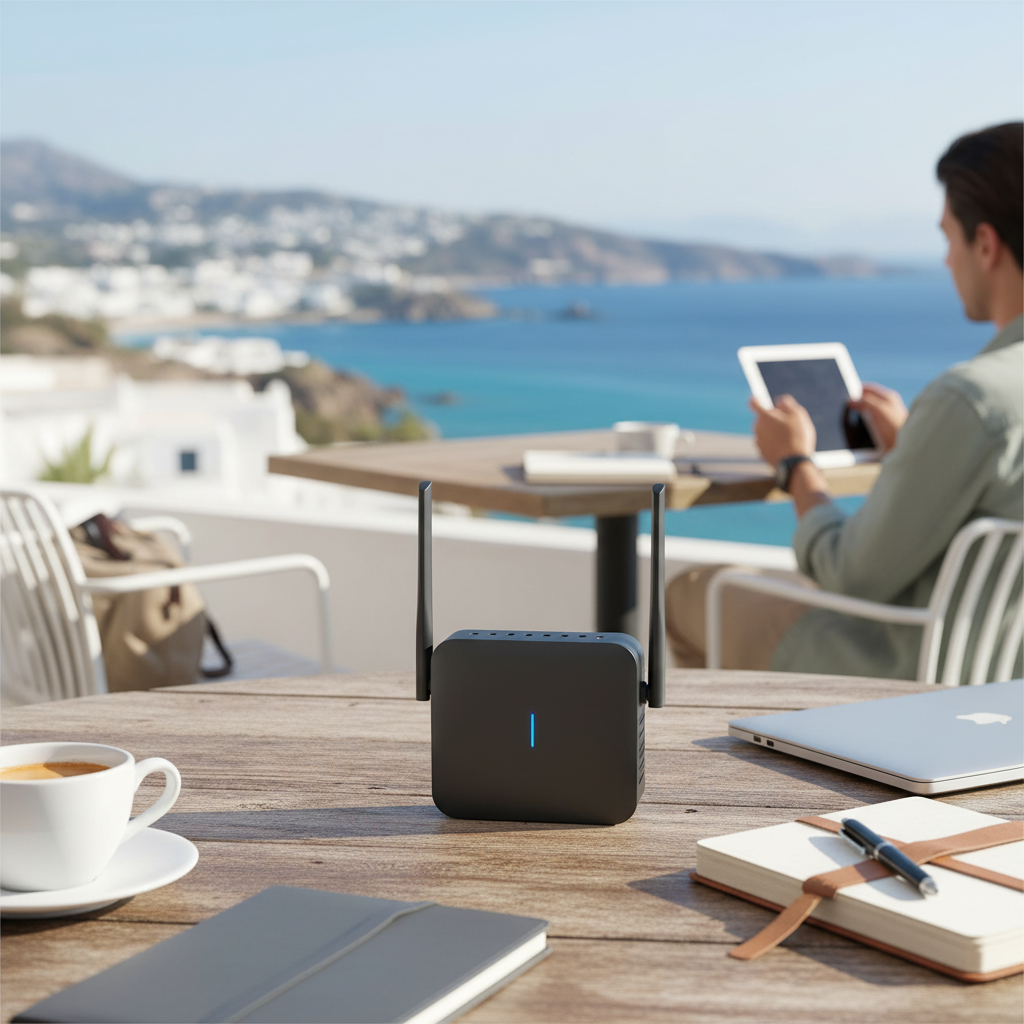
In today’s interconnected world, reliable internet access is no longer a luxury but a necessity, whether you are streaming 4K movies at home, gaming with friends, or working remotely from a cafe. The demand for seamless and fast connectivity has led to the evolution of various solutions, with Wifi 6 routers and mobile hotspots emerging as two prominent options. Understanding the distinct advantages and limitations of each is crucial for making an informed decision that perfectly aligns with your specific needs. This guide delves into a comprehensive comparison to help you choose the best connectivity solution for your lifestyle.
Types of Wifi 6 Routers
Wifi 6 (802.11ax) represents a significant leap in wireless technology, offering faster speeds, increased capacity, and improved efficiency compared to older standards. These routers are designed to handle the growing number of devices in modern homes and offices, delivering a more robust and responsive network experience.
Classification by Usage Needs
Wifi 6 routers come in various configurations, catering to different environments and user demands. Selecting the right type ensures optimal performance and coverage for your specific space.
- Routers for Small Homes and Apartments: These models are typically more affordable and designed for smaller areas with fewer connected devices. They offer sufficient speed and coverage for everyday browsing, streaming, and light gaming within a compact living space. Examples include the TP-Link Archer AX55 or NETGEAR WAX204.
- Routers for Large Homes and Multi-story Houses: For expansive properties or homes with multiple levels, routers with wider coverage and stronger signal penetration are essential. Many premium Wifi 6 routers offer advanced antenna designs and powerful processors to eliminate dead zones. Mesh Wifi 6 systems, like the TP-Link Deco X50-PoE, are particularly effective for large areas, creating a unified network across the entire property.
- Routers for Gaming: Gamers require ultra-low latency and high bandwidth to ensure a smooth, uninterrupted experience. Gaming-specific Wifi 6 routers often feature dedicated gaming ports, advanced Quality of Service (QoS) settings to prioritize game traffic, and powerful hardware for peak performance. The ASUS ROG Rapture GT-AX11000 Pro is a prime example, known for its extreme speeds and gamer-centric features.
- Routers for Small Offices: Small offices need reliable connectivity for multiple users and devices, often with an emphasis on security and management features. These routers typically offer robust firewalls, VPN support, guest networks, and capabilities to handle concurrent data-heavy tasks, making them a solid backbone for business operations.
|
Our Picks for the Best Wifi 6 router in 2026
As an Amazon Associate I earn from qualifying purchases.
|
||
| Num | Product | Action |
|---|---|---|
| 1 | TP-Link AXE5400 Tri-Band WiFi 6E Router (Archer AXE75), 2025 PCMag Editors' Choice, Gigabit Internet for Gaming & Streaming, New 6GHz Band, 160MHz, OneMesh, Quad-Core CPU, VPN & WPA3 Security |

|
| 2 | TP-Link Dual-Band BE3600 Wi-Fi 7 Router Archer BE230 | 4-Stream | 2×2.5G + 3×1G Ports, USB 3.0, 2.0 GHz Quad Core, 4 Antennas | VPN, EasyMesh, HomeShield, MLO, Private IOT | Free Expert Support |
|
| 3 | TP-Link Deco X55 AX3000 WiFi 6 Mesh System - Covers up to 2500 Sq.Ft., Replaces Wireless Router and Extender, 3 Gigabit Ports, Supports Ethernet Backhaul, Deco X55(1-Pack) |
|
| 4 | TP-Link Dual-Band AX3000 Wi-Fi 6 Router Archer AX55 | Wireless Gigabit Internet Router for Home | EasyMesh Compatible | VPN Clients & Server | HomeShield, OFDMA, MU-MIMO | USB 3.0 | Secure by Design |
|
| 5 | TP-Link Smart WiFi 6 Router (Archer AX10) – 4 Gigabit LAN Ports, Dual Band 802.11AX Router, Beamforming, OFDMA, MU-MIMO, Parental Controls, Dual-Core 900MHz Processor, Works with Alexa |
|
| 6 | TP-Link AX1800 WiFi 6 Router (Archer AX21 V5) – Dual Band Wireless Internet, Gigabit, Easy Mesh, Works with Alexa - A Certified for Humans Device, Free Expert Support |
|
| 7 | TP-Link AX5400 WiFi 6 Router (Archer AX73)- Dual Band Gigabit Wireless Internet Router for Streaming, Long Range Coverage |
|
| 8 | ASUS RT-AX1800S Dual Band WiFi 6 Extendable Router, Subscription-Free Network Security, Parental Control, Built-in VPN, AiMesh Compatible, Gaming & Streaming, Smart Home |
|
| 9 | NETGEAR Nighthawk WiFi 6 Router (RAX36) – Router Only, AX3000 3 Gbps Wireless Speed – Dual-Band Gigabit Internet – Covers 2,000 sq. ft., 25 Devices – Built-in VPN, USB 3.0, Gaming |
|
| 10 | TP-Link Archer AX1450 WiFi 6 Dual-Band Wireless Router | up to 1.45 Gbps Speeds (Renewed) |
|
Classification by Brand
The Wifi 6 router market is dominated by several reputable brands, each offering a range of products with unique strengths.
- TP-Link: Known for offering a wide array of routers across all price points, TP-Link’s Archer series provides excellent value and performance for various home users. Their Deco mesh systems are also popular for seamless whole-home coverage.
- ASUS: ASUS excels in both general-purpose and high-performance gaming routers. Their RT-AX series, such as the ASUS RT-AX86U, is highly regarded for its reliability and speed, while the ROG Rapture line targets serious gamers with cutting-edge features.
- Netgear: Netgear’s Nighthawk series is synonymous with powerful performance and advanced features, often including multi-gigabit Ethernet ports for high-speed wired connections. Their WAX series also provides solid Wifi 6 capabilities at more accessible price points.
- Other Notable Brands: Linksys, Ubiquiti, Synology, and eero also offer competitive Wifi 6 solutions, with eero particularly popular for its user-friendly mesh systems and integration with smart home ecosystems.
“Wifi 6 technology is not just about raw speed; it’s fundamentally about efficiency, allowing more devices to communicate simultaneously without compromising performance. This makes it a foundational upgrade for any modern connected household.”
Wifi 6 Router vs Mobile Hotspot: Detailed Comparison
While both Wifi 6 routers and mobile hotspots provide internet access, they cater to fundamentally different use cases and offer distinct benefits and drawbacks. Understanding these differences is key to choosing the optimal solution.
| Feature | Wifi 6 Router (Home/Office) | Mobile Hotspot (Dedicated Device/Phone) |
|---|---|---|
| Connection Type | Fixed-line broadband (cable, fiber, DSL) | Cellular data (4G LTE, 5G) |
| Portability | Generally stationary; designed for fixed locations | Highly portable; designed for on-the-go use |
| Coverage & Range | Wide coverage (up to several thousand sq ft); strong signal penetration | Limited range (typically 10-30 ft); line-of-sight dependent |
| Number of Devices | Supports many (30-100+ devices) without significant slowdown | Supports fewer (5-32 devices); performance degrades with more |
| Speed & Consistency | Often faster and more consistent (depends on ISP plan) | Varies greatly with cellular signal; 5G can be very fast but inconsistent |
| Data Plans | Typically unlimited data via ISP | Often comes with data caps; overage fees or throttling possible |
| Security Features | Advanced (firewall, VPN, guest networks, parental controls) | Basic (password protection); less granular control |
| Ethernet Ports | Common for wired connections | Rare or limited (some high-end models have one) |
| Power Source | AC power (wall outlet) | Rechargeable battery (USB-C charging) |
| Cost | Upfront hardware cost + monthly broadband subscription | Upfront device cost + separate monthly data plan |
Connection Performance and Capacity
A Wifi 6 router, connected to your home’s fixed broadband internet, is engineered for superior performance within a defined area. It typically features more powerful antennas, providing a stronger, more stable signal and wider coverage that can easily handle multiple simultaneous device connections without degradation. Mobile hotspots, on the other hand, derive their internet from cellular networks. While dedicated mobile hotspot devices (often called MiFi devices) offer better performance than using a smartphone as a hotspot, their range is more limited, and performance can significantly degrade if too many devices are connected.
Portability
This is where mobile hotspots truly shine. Built for convenience and personal use, they are compact, battery-powered devices that can create a personal Wi-Fi network wherever there is cellular coverage. Wifi 6 routers are generally stationary, designed to be plugged into a power outlet and a broadband connection in a fixed location like a home or office. While there are some “travel routers,” they typically rely on an existing Ethernet or Wi-Fi source to create a local network, rather than cellular data directly.
Features and Security
Wifi 6 routers come equipped with advanced features essential for managing a home or office network. These include robust firewalls, VPN passthrough, guest networks, Quality of Service (QoS) settings for prioritizing specific traffic (like gaming or streaming), and comprehensive parental controls. Many also feature multiple Ethernet ports for reliable wired connections. Mobile hotspots offer basic password protection for their Wi-Fi signal but generally lack the granular security and management tools found in a dedicated router. For critical tasks or sensitive data, a Wifi 6 router offers a more secure and controlled environment.
Speed
Typically, fixed-line Wifi 6 offers faster and more consistent speeds, directly dependent on your internet service provider’s (ISP) broadband plan. However, advanced mobile hotspots leveraging 5G technology can, in areas with strong cellular coverage, compete with or even surpass traditional Wi-Fi speeds. The consistency of a mobile hotspot’s speed is directly tied to the strength and quality of the cellular network signal.
Cost
The cost structure for these solutions also differs significantly. A Wifi 6 router involves an initial hardware purchase and a recurring monthly fee for broadband internet, which typically comes with unlimited data. Mobile hotspots require an upfront device purchase (unless using a smartphone’s built-in hotspot feature) and a separate monthly data plan, which often includes data caps. Exceeding these caps can lead to additional fees or significantly throttled speeds, making them potentially more expensive for heavy data users.
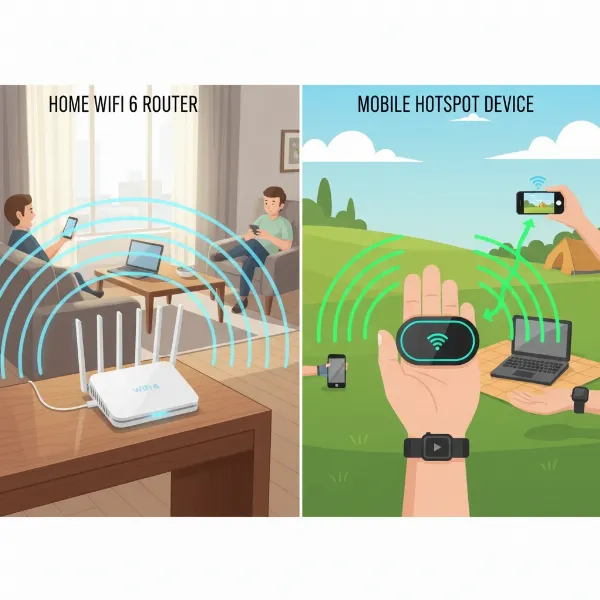 Illustration showing a Wifi 6 router connecting to a home network and a mobile hotspot connecting devices on the go
Buying Guide: Choosing Your Ideal Connectivity Solution
Selecting between a Wifi 6 router and a mobile hotspot, or even combining their benefits, requires careful consideration of your unique connectivity habits and environment.
Factors to Consider When Buying
Before making a purchase, assess these key aspects to ensure your choice aligns with your needs:
- Usage Needs (Number of Devices, Area, Mobility):
- Fixed Location, Many Devices, High Bandwidth: A Wifi 6 router is the clear choice for homes or offices requiring a stable connection for numerous devices, streaming, gaming, and large file transfers.
- On-the-Go, Few Devices, Occasional Use: A mobile hotspot provides unmatched flexibility for travel, commutes, or temporary internet access for a handful of devices.
- Large Area Coverage: For bigger homes, consider a mesh Wifi 6 system to ensure consistent signal throughout.
- Budget:
- Factor in both the upfront device cost and ongoing data/broadband plan expenses. Mobile hotspot data plans, especially for heavy usage, can quickly become costly.
- Key Features:
- Security: If you handle sensitive information, the advanced security features of a Wifi 6 router are paramount. For hotspots, use strong passwords and consider a VPN.
- Parental Controls: Wifi 6 routers often include robust parental controls to manage internet access for children.
- QoS (Quality of Service): Essential for prioritizing specific applications (like gaming or video conferencing) on a busy network, a feature more common in routers.
- Ethernet Ports: If you have devices that benefit from a wired connection (e.g., gaming consoles, desktop PCs), a router with multiple Ethernet ports is necessary.
- 5G Support: For mobile hotspots, 5G capability offers significantly faster speeds where available.
- Brand Reputation and ISP Compatibility:
- Research reliable brands for both routers and hotspots. For mobile hotspots, ensure compatibility with your preferred cellular carrier and check their coverage in your frequent locations.
Tips for Selecting Your Connectivity Solution
- Read Specifications Carefully: Pay close attention to advertised speeds (AX numbers for Wifi 6 routers), coverage area, battery life (for hotspots), and the number of supported devices.
- Consult User Reviews: Real-world experiences from other users can provide valuable insights into a device’s performance, reliability, and ease of use.
- Compare Prices Across Retailers: Prices can vary, so shop around to find the best deal. Also, consider any promotional offers from ISPs or cellular carriers.
- Verify Warranty and Support: Good customer support and a solid warranty can save you headaches down the line.
Common Issues and How to Troubleshoot Them
Even with the best devices, you might encounter connectivity issues. Here are some common problems and solutions:
- Slow Speeds:
- Wifi 6 Router: Check your broadband plan speed, reposition the router for better signal, update firmware, and ensure no bandwidth-heavy applications are running. Consider a mesh system for larger homes.
- Mobile Hotspot: Move to an area with better cellular signal, check your data plan for throttling or data caps, and limit the number of connected devices.
- Dropped Connections:
- Both: Restart the device. Check for physical obstructions or interference from other electronic devices. Ensure firmware is up to date. For hotspots, check cellular network status.
- Device Won’t Connect:
- Both: Verify Wi-Fi password. Check if the device is within range. Try restarting both the router/hotspot and the client device.
- Security Vulnerabilities:
- Both: Always use strong, unique passwords for your Wi-Fi networks. Regularly update firmware. Consider using a Virtual Private Network (VPN) for added security, especially when using mobile hotspots or public Wi-Fi.
Top Picks: Wifi 6 Router and Mobile Hotspot by Price Segment
To help you narrow down your options, here are some highly-rated devices in different price categories.
Wifi 6 Router Top Picks
- Budget-Friendly (Under $150):
- Pros: Cost-effective entry into Wifi 6 benefits, suitable for basic home use.
- Cons: Limited advanced features, may not cover very large homes or handle extreme bandwidth demands.
- Suggestion: TP-Link Archer AX55. This router offers excellent close-range speeds and 160MHz channel support, providing solid performance for its price.
- Mid-Range ($150-$300):
- Pros: Good balance of performance and features, capable of handling gigabit internet plans and multiple devices.
- Cons: May lack multi-gig Ethernet ports or specialized gaming accelerations found in premium models.
- Suggestion: ASUS RT-AX86U. An older but highly reliable dual-band Wifi 6 router, known for its strong wireless speeds and exceptional wired performance, including a multi-gig input port, making it a favorite for many users and even gamers.
- Premium (Above $300):
- Pros: Top-tier performance, extensive features (multi-gig ports, advanced QoS, gaming acceleration), wider coverage, often future-proof with Wifi 6E or Wifi 7 support.
- Cons: High price point, potentially overkill for basic needs.
- Suggestion: ASUS ROG Rapture GT-AX11000 Pro. This “absolute beast” offers mind-blowing speeds and features like a 10G port, triple-level game acceleration, making it ideal for hardcore gamers and power users. Another excellent choice is the TP-Link Archer AX11000, praised for its numerous Ethernet ports and impressive tri-band speeds.
Mobile Hotspot Top Picks
- Entry/Mid-Range (4G LTE):
- Pros: More affordable device costs, reliable 4G LTE connectivity, good battery life for travel.
- Cons: Slower speeds compared to 5G, typically lower device connection limits, data caps.
- Suggestion: Verizon Jetpack MiFi 8800L. A great budget option if 5G is not a priority, offering solid 4G LTE performance and good battery life. The TP-Link M7350 V4 is also a reliable choice with dual-band Wi-Fi support.
- High-End (5G/Wifi 6):
- Pros: Blazing-fast 5G speeds where available, Wifi 6 support for efficient connections, higher number of supported devices, often with larger batteries.
- Cons: Higher device cost, premium data plans can be expensive, speed highly dependent on 5G coverage.
- Suggestion: NETGEAR Nighthawk M6 Pro 5G. This device offers Wi-Fi 6 and mmWave 5G speeds, supporting up to 32 devices simultaneously with a 2.5G Ethernet port, making it a robust option for power users on the go. The Inseego 5G MiFi M2000 is another top contender, providing broad 5G connectivity for T-Mobile users.
Conclusion
Choosing between a Wifi 6 router and a mobile hotspot ultimately hinges on your unique connectivity requirements and usage patterns. If you need a robust, high-performance, and secure network for a fixed location with many devices and heavy data usage, a Wifi 6 router is the superior choice. It provides the stability, speed, and advanced features necessary for a modern home or office. Conversely, for unparalleled portability, occasional internet access on the move, or as a reliable backup, a dedicated mobile hotspot offers flexibility and convenience.
Many users find that a combination of both provides the most comprehensive connectivity solution—a powerful Wifi 6 router for home and a reliable mobile hotspot for travel. By carefully evaluating factors like your budget, the number of devices you use, your mobility needs, and the importance of advanced security features, you can confidently select the perfect solution to keep you connected. What does your daily routine demand from your internet connection?
Câu Hỏi Thường Gặp
Is a mobile hotspot faster than a Wifi 6 router?
Typically, a Wifi 6 router connected to fixed broadband offers faster and more consistent speeds. However, a 5G mobile hotspot can match or even exceed these speeds in areas with strong 5G cellular coverage, though its performance can be less consistent and subject to data caps.
Can I replace my home internet with a mobile hotspot?
While possible, it’s generally not ideal for primary home internet. Mobile hotspots often have data limits, can incur overage fees, and their speeds are dependent on cellular signal strength, which can be less reliable than fixed-line broadband for heavy, continuous use by multiple devices.
What are the security risks of using a mobile hotspot?
Mobile hotspots are generally more secure than public Wi-Fi but less so than a well-secured home router. Risks include unauthorized access if a strong password isn’t used. Always use a robust password and consider a VPN to encrypt your data, especially if handling sensitive information.
Do mobile hotspots support Wifi 6?
Yes, many newer high-end mobile hotspots, especially those supporting 5G, now incorporate Wifi 6 technology. This allows for more efficient connections and faster local Wi-Fi sharing from the hotspot device to your connected devices.
How many devices can a Wifi 6 router typically handle?
A good Wifi 6 router can typically handle a large number of devices, often ranging from 30 to over 100 simultaneous connections without significant performance degradation. This is a key advantage over mobile hotspots, which usually support fewer devices effectively.