In today’s hyper-connected world, where our homes are filled with smart devices, high-bandwidth streaming, and remote work demands, a robust and reliable Wi-Fi router is no longer a luxury but a fundamental necessity. Many users invest in a new router hoping for long-term stability, but how do these advanced Wi-Fi 6 models truly stand up to the test of time and continuous use? This review dives deep into the durability of Wi-Fi 6 routers, exploring factors like build quality, heat management, and software stability to help you choose a device that not only performs well today but continues to deliver reliable connectivity for years to come. We’ll examine what makes a Wi-Fi 6 router a lasting investment, addressing common concerns and offering practical advice for ensuring your network remains steadfast.
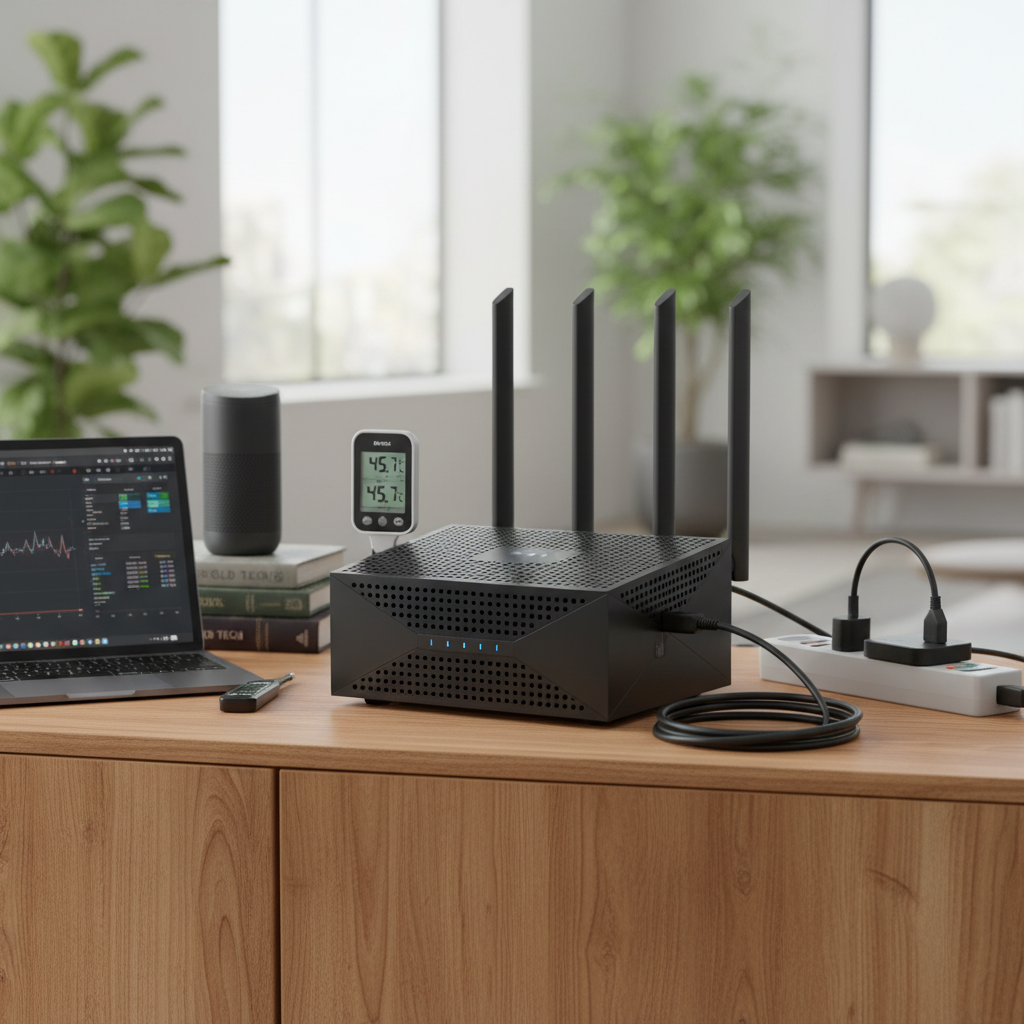
Popular Wifi 6 Router Types and Their Durability Aspects
Understanding the diverse landscape of Wi-Fi 6 routers is crucial before evaluating their long-term endurance. Different categories cater to specific needs, and often, their design and features subtly influence their durability.
Classification by Usage Needs
When selecting a Wi-Fi 6 router, your specific usage scenario significantly impacts which model is best suited for long-term reliability.
- Routers for Small Homes (Apartments): For smaller living spaces, entry-level dual-band Wi-Fi 6 routers (AX1500-AX3000) typically suffice. While these might be more budget-friendly, reputable brands ensure their “build quality” doesn’t feel cheap, offering decent performance and signal range. Durability here often comes from simpler designs with fewer complex features, potentially leading to fewer points of failure.
- Routers for Large Homes (Multi-story Houses): Larger homes often require more powerful routers or mesh systems to ensure consistent coverage. Tri-band routers or mesh systems are ideal, as they can “extend coverage to every corner”. Durability in these setups relies on the stability of individual nodes and their ability to maintain a strong backhaul connection, even through obstacles like “interior walls, building materials, and floor separation”. Models designed for mesh often feature integrated heat management to cope with continuous operation across multiple units.
- Routers for Gaming: Gaming routers like the ASUS ROG Rapture series are engineered for high performance and low latency. These devices often boast “top-shelf hardware” and “bold-looking design, no fan, runs cool,” suggesting a focus on robust internal components and efficient cooling to prevent overheating during intense, prolonged gaming sessions. This emphasis on thermal management is a direct contributor to their long-term durability.
- Routers for Small Offices: Small office environments demand consistent uptime and reliable connections for multiple users and devices. Routers designed for this segment prioritize stability and often come with advanced features like VLAN support and robust VPN options. Their durability is paramount, as network downtime can significantly impact productivity. Models like the ASUS ExpertWiFi EBR63, despite its compact size, offers “excellent performance for the hardware specs with reliable and extensive Wi-Fi coverage,” indicating a design focused on continuous operation.
|
Our Picks for the Best Wifi 6 router in 2026
As an Amazon Associate I earn from qualifying purchases.
|
||
| Num | Product | Action |
|---|---|---|
| 1 | TP-Link Archer AX1450 WiFi 6 Dual-Band Wireless Router | up to 1.45 Gbps Speeds (Renewed) |

|
| 2 | TP-Link Dual-Band AX3000 Wi-Fi 6 Router Archer AX55 | Wireless Gigabit Internet Router for Home | EasyMesh Compatible | VPN Clients & Server | HomeShield, OFDMA, MU-MIMO | USB 3.0 | Secure by Design |
|
| 3 | TP-Link Deco X55 AX3000 WiFi 6 Mesh System - Covers up to 2500 Sq.Ft., Replaces Wireless Router and Extender, 3 Gigabit Ports, Supports Ethernet Backhaul, Deco X55(1-Pack) |
|
| 4 | NETGEAR Nighthawk WiFi 6 Router (RAX36) – Router Only, AX3000 3 Gbps Wireless Speed – Dual-Band Gigabit Internet – Covers 2,000 sq. ft., 25 Devices – Built-in VPN, USB 3.0, Gaming |
|
| 5 | TP-Link Dual-Band BE3600 Wi-Fi 7 Router Archer BE230 | 4-Stream | 2×2.5G + 3×1G Ports, USB 3.0, 2.0 GHz Quad Core, 4 Antennas | VPN, EasyMesh, HomeShield, MLO, Private IOT | Free Expert Support |
|
| 6 | ASUS RT-AX1800S Dual Band WiFi 6 Extendable Router, Subscription-Free Network Security, Parental Control, Built-in VPN, AiMesh Compatible, Gaming & Streaming, Smart Home |
|
| 7 | TP-Link AX5400 WiFi 6 Router (Archer AX73)- Dual Band Gigabit Wireless Internet Router for Streaming, Long Range Coverage |
|
| 8 | TP-Link AX1800 WiFi 6 Router (Archer AX21 V5) – Dual Band Wireless Internet, Gigabit, Easy Mesh, Works with Alexa - A Certified for Humans Device, Free Expert Support |
|
| 9 | TP-Link AXE5400 Tri-Band WiFi 6E Router (Archer AXE75), 2025 PCMag Editors' Choice, Gigabit Internet for Gaming & Streaming, New 6GHz Band, 160MHz, OneMesh, Quad-Core CPU, VPN & WPA3 Security |
|
| 10 | TP-Link Smart WiFi 6 Router (Archer AX10) – 4 Gigabit LAN Ports, Dual Band 802.11AX Router, Beamforming, OFDMA, MU-MIMO, Parental Controls, Dual-Core 900MHz Processor, Works with Alexa |
|
Classification by Brand
Leading Wi-Fi 6 router manufacturers have distinct approaches to design and build, which can influence device longevity.
- TP-Link: Known for offering “great value for the price” and striking a balance between performance and affordability. The TP-Link Archer AXE75, for instance, is recognized for its “reliable tri-band performance” and user-friendly setup, making it a compelling option for those seeking a balance of cost and forward-looking technology. Their products generally aim for broad appeal, and consistency in performance over time is a key aspect of their durability.
- ASUS: ASUS routers frequently appear in top recommendations, often praised for “excellent performance,” extensive features, and “robust web UI”. Their gaming-focused “ROG Rapture” series, such as the GT-AX6000, highlights “top-shelf hardware” designed to handle heavy loads without issue. The brand also focuses on software stability, with the option for Merlin firmware on some models, which “can change a lot, especially in Asus routers,” positively impacting user experience and potentially router lifespan through optimized performance.
- Netgear: Netgear offers a range from mid-tier to high-end Nighthawk routers. They are often noted for “fast, reliable Wi-Fi performance” and comprehensive web interfaces. Models like the RAX50 balance performance with affordability, while premium options like the RAXE500 deliver cutting-edge Wi-Fi 6E capabilities. Durability considerations for Netgear often revolve around consistent performance under heavy network traffic and robust hardware.
- Xiaomi: While not as prominently featured in performance-centric reviews for the high-end market, Xiaomi provides budget-friendly Wi-Fi 6 options. Their products aim to offer core Wi-Fi 6 benefits at an accessible price point, making them a consideration for users where initial cost and basic functionality take precedence over extreme performance or specialized durability features.
Detailed Comparison Table of Top Wi-Fi 6 Router Models
Selecting a durable Wi-Fi 6 router involves weighing various factors beyond just raw speed. Here’s a comparative look at how key models stack up, with an emphasis on aspects contributing to their longevity and reliability.
Comparison Criteria
When evaluating the long-term viability and performance of Wi-Fi 6 routers, several criteria come into play:
- Wi-Fi Speed: While often a primary focus, consistent speed is more indicative of durability than peak theoretical speeds. Routers that maintain high throughput under load and at range are generally more robust.
- Coverage Range: A router’s ability to maintain strong signal transmissions across different distances and through obstacles speaks to the quality of its antennas and radio design, which impacts long-term reliability.
- Simultaneous Devices: Wi-Fi 6 excels at handling multiple devices concurrently through technologies like OFDMA and MU-MIMO. A router’s capacity to manage a growing number of connected gadgets without degradation is a key durability indicator.
- Security Features: Robust, regularly updated security (like WPA3 encryption and built-in network protection software) is crucial for a router’s longevity. Features that receive consistent updates from the manufacturer contribute to the router’s relevance and safety over time.
- Build Quality & Heat Management: This is paramount for physical durability. Devices with efficient heat dissipation and quality internal components are less prone to failure over extended periods of operation.
- Firmware Stability: Routers with stable, well-optimized firmware that receive regular updates tend to offer a more reliable and durable experience, minimizing the need for reboots or troubleshooting.
- Price: While not directly a durability factor, the price-to-durability ratio is essential for value. Investing slightly more in a router with better build quality and support can prevent premature replacement.
Comparison Table
| Model | Speed Rating | Range (General) | Max Devices (Est.) | Security Features | Build Notes / Durability Focus | Price (Approx. USD) |
|---|---|---|---|---|---|---|
| TP-Link Archer AXE75 | AXE5400 | Medium-Large | High | HomeShield (Basic) | Good value, reliable tri-band | $115 |
| ASUS RT-AX86U Pro | AX5700 | Large | Very High | AiProtection (Lifetime) | Top-shelf hardware, runs cool | $250 |
| Google Nest Wifi Pro | AXE5400 | Whole-Home Mesh | Very High | Built-in Matter/Thread | Seamless setup, reliable mesh | $280 (3-pack) |
| Linksys Hydra Pro 6E | AXE6600 | Small-Medium | High | Basic | Easy setup, solid performance | $105 |
| Synology WRX560 | AX3000 | Medium | High | Parental/Network Security | Excellent throughput, mesh-ready | $230 |
| ASUS ROG Rapture GT-AX6000 | AX6000 | Large | Very High | AiProtection (Lifetime) | Gaming-focused, robust cooling | $235 |
Note: “Max Devices” and “Range” are approximate and depend heavily on environmental factors and network configuration. Prices are subject to change.
Wi-Fi 6 Router Buying Guide
Choosing a Wi-Fi 6 router that stands the test of time requires careful consideration of your specific needs and the router’s intrinsic qualities.
Factors to Consider When Buying
Making an informed decision about your Wi-Fi 6 router means looking beyond the initial speed ratings and focusing on long-term performance and reliability.
- Usage Needs (Number of Devices, Area Size): Your home’s footprint and the density of your devices are paramount. For large, multi-story homes or those with “multiple people streaming, gaming, or video conferencing simultaneously,” a tri-band router or a mesh system will offer better long-term stability and congestion management. Smaller apartments might find a single, robust router sufficient. Consider if you need features like MU-MIMO and OFDMA to handle “multiple connected devices,” as these are fundamental to Wi-Fi 6’s efficiency and longevity in busy networks.
- Budget: While budget matters, remember that “electronics represent major investments, and we recognize that upgrading every year isn’t practical”. Investing in a router designed to “remain relevant for 4-5 years, with sufficient processing power and band support” can be more economical in the long run than frequently replacing cheaper, less durable models.
- Essential Features (Security, Parental Control, QoS): For a router to be durable in a holistic sense, it must also be secure and manageable. Look for “automatic firmware updates, WPA3 encryption, built-in firewalls and parental control tools”. These features protect your network and ensure the router remains a safe and reliable component of your home infrastructure for years. Quality of Service (QoS) allows you to prioritize traffic, which can prevent slowdowns and maintain a smooth experience, extending the perceived “durability” of your network’s performance.
- Reputable Brand: Brands like ASUS, TP-Link, and Synology have established reputations for reliable hardware and consistent firmware support. These brands often explicitly state “longevity” as a testing criterion, targeting models that will last for 4-5 years. Opting for established names often translates to better post-purchase support and more reliable devices.
Tips for Choosing a Wi-Fi 6 Router
Beyond the core features, these tips can help you uncover potential durability insights before making a purchase.
- Read Technical Specifications Carefully: Pay attention to not just speed ratings (like AX11000) but also processor (CPU) type, RAM, and flash memory. “Beefier specs mean faster speeds,” and robust internal hardware can contribute to longer lifespan and better handling of continuous heavy loads. Also, look for mentions of heat dissipation or cooling solutions, as overheating is a common cause of premature failure in electronics.
- Consult User Reviews and Long-Term Feedback: Real-world user experiences are invaluable. Look for comments on “long-term reliability,” “build quality,” and whether the device requires “weekly reboots and other workarounds”. Users often highlight issues like “inadequate cooling and/or poorly written software” that can impact a router’s longevity. Pay attention to feedback regarding consistent performance and stability over extended periods.
- Compare Prices Across Retailers and Check Warranty: While a higher price doesn’t guarantee durability, significantly cheaper “exclusive” models might cut corners on components. Always check the manufacturer’s warranty and return policies. A longer warranty period can be an indicator of a manufacturer’s confidence in their product’s durability.
- Evaluate Firmware Update History: Regular firmware updates address security vulnerabilities, fix bugs, and often improve performance and stability. A router from a manufacturer with a history of consistent, timely updates is more likely to remain “relevant for years to come” and offer a more “reliable experience”.
Common Issues and Solutions Affecting Durability
Even the most robust routers can encounter issues. Understanding these and their solutions can extend your router’s perceived and actual lifespan.
- Loss of Connection: Intermittent disconnections can stem from various sources, including firmware bugs, overheating, or external interference. Ensure your router’s firmware is up to date, and place it in a well-ventilated area away from other electronics to “minimize network interference”. If problems persist, a factory reset might resolve software glitches.
- Slow Speed: If your Wi-Fi speeds degrade over time, it could indicate congestion, channel interference, or an aging router struggling with increased demands. Utilize your router’s settings to analyze channels and switch to less congested ones, especially in “densely populated areas with network interference”. For older routers, slow speeds might signal it’s time for an upgrade, particularly if it’s “more than three years old”.
- Device Connection Issues: When specific devices struggle to connect or maintain a stable link, it could be a compatibility issue, a misconfigured setting, or a sign of an overburdened router. Ensure your devices’ drivers are updated and check your router’s client list for any unusual activity. For smart home devices, “Target Wake Time (TWT)” in Wi-Fi 6 can improve power efficiency and connection stability.
- Security Flaws: An outdated router with unpatched vulnerabilities is not durable from a security standpoint. Always enable “automatic firmware updates” and ensure WPA3 encryption is active for compatible devices. Consider routers with “built-in firewalls and parental control tools” for added layers of protection that remain current with evolving threats.
Top Picks Wi-Fi 6 Routers by Price Segment
Investing in a durable Wi-Fi 6 router means finding the sweet spot where performance, features, and build quality align with your budget.
Budget Segment (Under $100-$150)
- Advantages: This segment offers an affordable entry into Wi-Fi 6 technology, providing notable upgrades over older Wi-Fi 5 routers without a significant financial outlay. They are typically easy to set up and manage, ideal for users with basic internet needs and smaller homes.
- Disadvantages: Features are often limited, with fewer advanced options like multi-gig ports or extensive customization. While their “build quality” can be surprisingly decent for the price, their “longevity” might be slightly less robust under heavy, continuous loads compared to higher-end models.
- Suggested Product:
- TP-Link Archer AX50/AXE75: The Archer AXE75 is a standout in this category, offering “reliable tri-band performance” and “great value for the price,” making it a strong contender for those seeking an affordable yet future-ready option. It provides a solid foundation for most small to medium households.
Mid-Range Segment ($150-$300)
- Advantages: This segment offers a strong balance between price and performance. You get enhanced speeds, better coverage, and a more comprehensive feature set, including stronger security and more robust processing power. These routers are designed to handle more devices and more demanding tasks, making them suitable for most modern homes.
- Disadvantages: While significantly better than budget options, they might still lack some of the extreme features or raw processing power of premium models, like dedicated 10Gbps ports or highly advanced gaming-centric functions.
- Suggested Products:
- ASUS RT-AX86U Pro (AX5700): Often praised for its “excellent performance” and “top-shelf hardware,” the RT-AX86U Pro offers a great combination of speed, features, and “reliable” operation for its price point. Its ability to handle multiple devices and its robust firmware contribute to its long-term durability.
- Synology WRX560 (AX3000): This router offers “superior throughput performance, wide signal coverage, and a slick menu system,” making it an excellent choice for a dual-band Wi-Fi 6 router. Its mesh-ready capability also adds to its versatility and longevity.
- Google Nest Wifi Pro (AXE5400): If whole-home coverage and ease of use are priorities, the Nest Wifi Pro (as a mesh system) offers “seamless, ultra-simple setup” and “reliable gigabit performance in everyday use”. Its smart home integration adds a layer of future-proofing and utility.
High-End Segment (Above $300)
- Advantages: Routers in this segment are built for maximum performance, extensive features, and often include cutting-edge technologies like multi-gig WAN/LAN ports and sophisticated QoS settings. They are designed for demanding users, large homes, and heavy network traffic, prioritizing raw power and longevity under extreme conditions.
- Disadvantages: The primary drawback is the high price point. Some models might also have larger footprints or more aggressive designs that don’t blend into every home aesthetic.
- Suggested Products:
- ASUS ROG Rapture GT-AX6000 (AX6000): An “outstanding” gaming router, it provides “excellent performance, easy to install and manage, multi-gig connectivity” along with “free network security and parental control software”. Its robust design and effective cooling ensure durability under high gaming loads.
- Netgear Nighthawk Tri-Band Wi-Fi 6E Router (RAXE500): This premium router “utilizes the latest Wi-Fi 6E technology,” offering speedy throughput and file transfer performance with “multi-gig LAN/WAN” capabilities. Designed for heavy network traffic and 8K video streaming, it represents a significant investment in long-term, cutting-edge performance.
- ASUS ROG Rapture GT-AX11000 Pro (AX11000): This model offers “blazing throughput speeds,” “wide signal coverage,” and “10Gbps LAN/WAN,” alongside lifetime parental control and network security software. Its powerful hardware is built for sustained, top-tier performance, making it a highly durable choice for power users and gamers.
Conclusion
Choosing a Wi-Fi 6 router that truly stands up to the demands of modern connectivity and lasts for years requires a holistic approach, moving beyond simple speed metrics to evaluate overall “durability”. Key factors such as robust “build quality,” efficient “heat management,” and stable, regularly updated “software/firmware” are critical for ensuring your investment remains relevant and reliable over time. By considering how a router is designed to handle continuous load, manage heat, and receive ongoing support, you can make a choice that promises a smooth, consistent online experience.
As technology evolves, the foundational elements of a durable Wi-Fi 6 router remain constant: a solid physical build, intelligent thermal design, and a commitment from the manufacturer to deliver continuous software improvements. Prioritizing these aspects means you’re not just buying a router for today, but investing in the future stability of your home network.
What features do you value most in a Wi-Fi 6 router for long-term satisfaction?
Frequently Asked Questions
What factors impact a Wi-Fi 6 router’s longevity?
A Wi-Fi 6 router’s longevity is primarily influenced by its “build quality,” including internal components and heat dissipation systems, and the stability of its firmware. Effective thermal management prevents component degradation, while consistent firmware updates from the manufacturer ensure ongoing security and performance optimization, reducing the need for frequent reboots and extending operational life.
Do more expensive Wi-Fi 6 routers last longer?
Generally, more expensive Wi-Fi 6 routers tend to have “top-shelf hardware” and better cooling solutions, which can contribute to a longer lifespan and more stable performance under heavy loads. While not a guarantee, manufacturers often design premium models to “remain relevant for 4-5 years” or more, offering better value in terms of long-term reliability and support.
How often should I update my Wi-Fi 6 router’s firmware?
It is highly recommended to enable “automatic firmware updates” or check for them regularly, typically monthly or quarterly, as updates often include critical security patches, bug fixes, and performance enhancements. Keeping your firmware current is crucial for maintaining optimal performance, “security,” and extending the router’s overall “durability”.
Can overheating reduce a Wi-Fi 6 router’s lifespan?
Yes, “inadequate cooling” can significantly reduce a Wi-Fi 6 router’s lifespan by causing internal components to degrade faster, leading to performance issues and eventual failure. Routers designed with efficient thermal management, like some gaming models noted for running cool without a fan, generally exhibit better “longevity” and stability.
Is Wi-Fi 6 router “durability” just about physical build?
No, Wi-Fi 6 router “durability” encompasses more than just physical build quality; it also includes “software stability,” consistent performance over time, and the ability to maintain reliable connections under various network conditions. A router with well-written firmware and robust security features is essential for long-term satisfaction, as software issues can render even physically durable hardware unreliable.