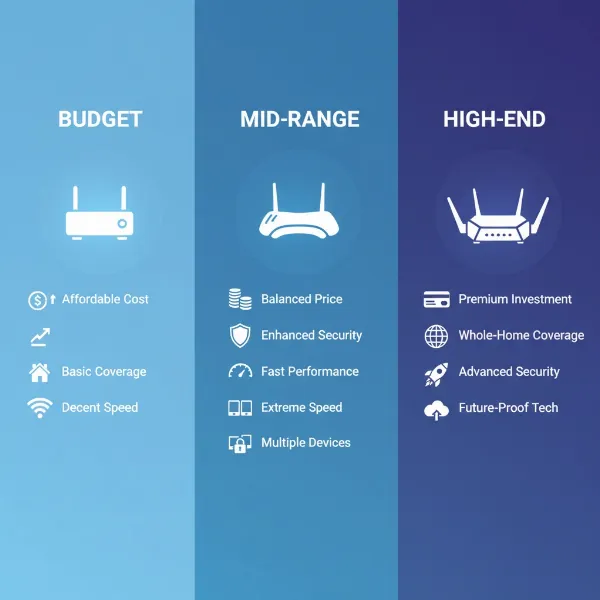
Navigating the complexities of modern home and office networking can be challenging, especially with the rapid evolution of wireless technologies. With the advent of Wifi 6, understanding the core components that power your network is more critical than ever. Two fundamental devices, the Wifi 6 router and the Wifi 6 access point, both play crucial roles in delivering wireless connectivity, yet they serve distinct purposes. This article will delve into the functionalities, advantages, and disadvantages of each, guiding you to make the most informed decision for your specific networking needs.
Understanding Wifi 6 Technology
Wifi 6, also known as 802.11ax, represents the latest generation of Wi-Fi technology, engineered to deliver significant improvements over its predecessors. It’s designed to handle a greater number of connected devices simultaneously, making it ideal for today’s smart homes and bustling offices. Key benefits include faster theoretical speeds, enhanced efficiency, reduced latency, and improved performance in congested network environments. This means smoother streaming, quicker downloads, and more responsive online gaming, even when multiple users are active on the network.
What is a Wifi 6 Router?
A Wifi 6 router is essentially the nerve center of your home or small office network. It’s an all-in-one device that performs several critical functions to establish and manage your local network and connect it to the internet. This includes routing traffic between connected devices and the internet, assigning unique IP addresses to each device (via DHCP), acting as a firewall for security, and broadcasting a wireless signal to enable Wi-Fi connectivity.
The primary advantage of a Wifi 6 router lies in its simplicity and integrated design. For most homes and smaller spaces, a single router can provide sufficient Wi-Fi coverage and all necessary networking functions without additional hardware. However, a router’s coverage can be limited by its signal strength and the physical layout of a building, potentially leading to dead zones in larger or multi-story environments. It also represents a single point of failure; if the router goes down, the entire network is affected.
What is a Wifi 6 Access Point (AP)?
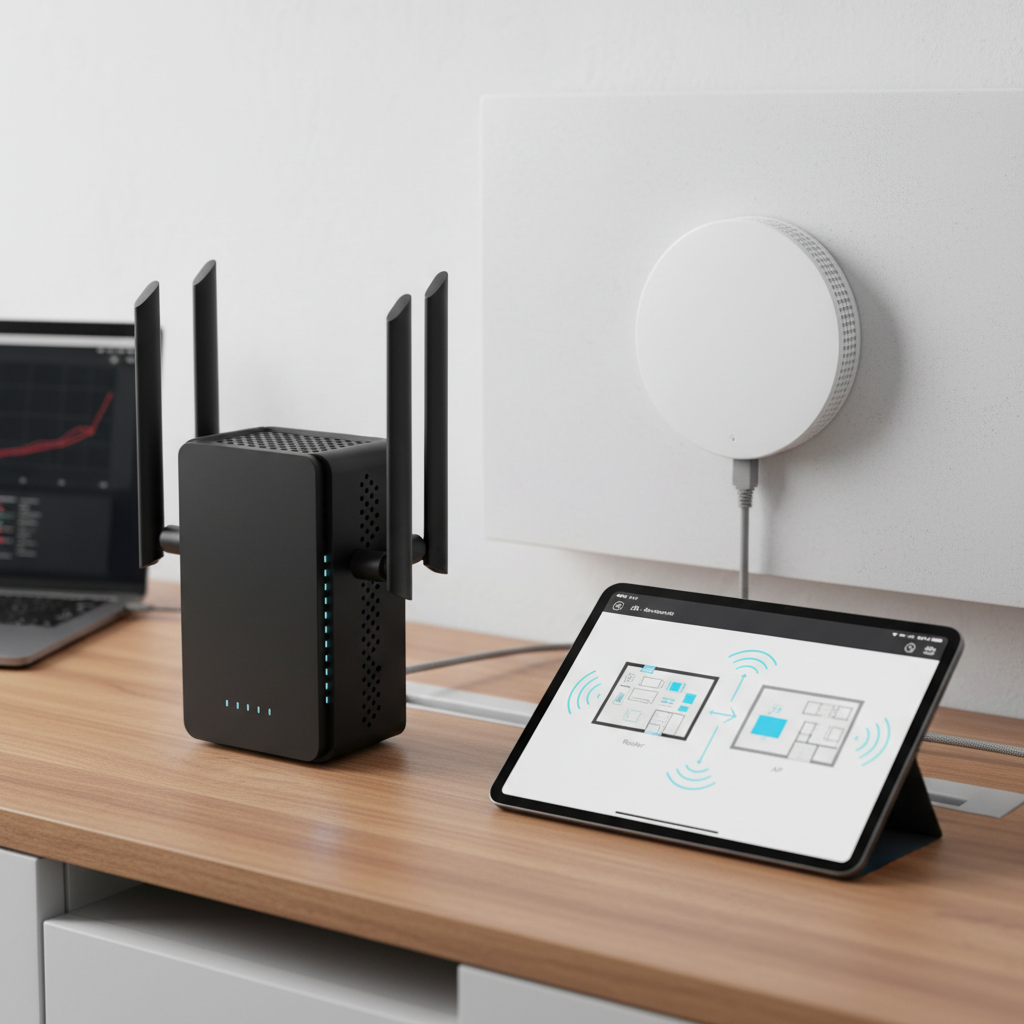
In contrast to a router, a Wifi 6 access point (AP) has a more focused role: its primary function is to extend an existing wired network wirelessly. An AP does not manage network traffic, assign IP addresses, or connect directly to the internet. Instead, it acts as a bridge, taking a wired internet connection (typically from a router or network switch) and converting it into a wireless signal that devices can connect to.
The significant advantages of Wifi 6 APs come from their scalability and flexibility. By deploying multiple APs throughout a large home or office, you can create a unified, seamless Wi-Fi network that eliminates dead zones and supports numerous devices with consistent performance. This is particularly beneficial for businesses or large residences where a single router’s signal can’t reach every corner. The main drawback is that an AP requires a separate router or gateway to provide core network services, making the initial setup potentially more complex and requiring additional equipment.
Key Differences: Wifi 6 Router vs. Access Point
While both devices are instrumental in providing Wi-Fi, their fundamental differences dictate their ideal use cases. Understanding these distinctions is crucial for designing an efficient and reliable network. A Wifi 6 router is designed to be a standalone solution for managing and connecting a network to the internet, while a Wifi 6 access point is specifically engineered to expand wireless coverage from an existing wired network infrastructure.
Here’s a detailed comparison of their core features:
| Feature | Wifi 6 Router | Wifi 6 Access Point |
|---|---|---|
| Primary Role | All-in-one network hub and internet gateway | Extends existing Wi-Fi coverage |
| Functions | Routing, DHCP, NAT, Firewall, Wi-Fi broadcasting | Wi-Fi broadcasting only |
| Network Creation | Creates and manages the local network | Joins and extends an existing network |
| Internet Access | Connects directly to modem/ISP | Connects to a router or switch for internet access |
| Setup | Simpler, standalone for basic networks | More complex, requires existing router/network |
| Scalability | Limited, typically one device per network | Highly scalable with multiple units |
| Best For | Small to medium homes, new network setups | Large homes, offices, complex networks, eliminating dead zones |
Beyond these core functions, routers typically include multiple Ethernet ports for wired connections, and some may offer USB ports for network storage or printer sharing. Access points, while usually featuring fewer Ethernet ports (often just one for uplink), are optimized for broadcasting Wi-Fi and can support advanced features like Power over Ethernet (PoE) for easier installation in diverse locations.
When to Choose a Wifi 6 Router
Choosing a Wifi 6 router is often the most straightforward solution for many users. If you live in a small apartment, a modest home, or are setting up a new network from scratch with a single internet connection, a router is usually sufficient. It consolidates all essential networking functions into one device, offering an easy-to-manage and cost-effective solution.
A Wifi 6 router provides an excellent balance of performance and simplicity for environments that do not require extensive Wi-Fi coverage or complex network configurations. It is also the ideal choice if budget is a primary concern, as purchasing a single router is typically less expensive than investing in a router plus one or more access points. When convenience and a compact setup are priorities, the integrated capabilities of a Wifi 6 router make it the top choice.
When to Choose a Wifi 6 Access Point (or Multiple APs)
For larger spaces, multi-story buildings, or business environments, relying solely on a single router’s Wi-Fi can lead to inconsistent coverage and poor performance. This is where Wifi 6 access points become indispensable. If you already have a robust wired network infrastructure and need to expand wireless coverage efficiently, APs offer the perfect solution.
Businesses, for instance, frequently deploy multiple APs to ensure seamless Wi-Fi across large floor plans, warehouses, or campus settings. Similarly, homeowners with sprawling properties or multiple floors can strategically place several APs to eliminate dead zones and ensure consistent, high-speed Wi-Fi everywhere. APs also support seamless roaming, allowing devices to automatically switch between the strongest Wi-Fi signal as users move around, providing an uninterrupted experience. This approach provides greater control over network design and allows for granular adjustments to optimize performance in specific areas.
Advanced Considerations: Mesh Wi-Fi Systems
In recent years, mesh Wi-Fi systems have gained popularity as a hybrid solution that blurs the lines between traditional routers and access points. A Wifi 6 mesh system typically consists of a main router unit and several satellite nodes (which function much like access points) that communicate with each other to form a single, unified Wi-Fi network.
These systems are particularly beneficial for large homes that struggle with traditional router coverage but find a full-blown AP setup too complex. Mesh networks offer easy setup, smart device management, and excellent whole-home coverage with seamless roaming capabilities. While often more expensive than a single router, they provide a user-friendly way to achieve extensive, reliable Wifi 6 connectivity without the need for extensive wired infrastructure for each node.
Installation and Setup Tips
Proper installation and setup are crucial for optimizing the performance of both Wifi 6 routers and access points. For routers, placement is key: choose a central location, away from obstructions like thick walls or large metal objects, and elevated if possible. Ensure it’s connected directly to your modem or ONT. Follow the manufacturer’s guided setup for initial configuration, including setting up strong passwords for your Wi-Fi networks and administrator access.
For access points, strategic placement is even more critical to fill coverage gaps. APs generally connect to your router or a network switch via an Ethernet cable. For convenience and a cleaner setup, consider Wifi 6 APs that support Power over Ethernet (PoE), which allows both data and power to be transmitted over a single Ethernet cable. This flexibility enables mounting APs on ceilings or walls in optimal locations without needing a nearby power outlet. Always ensure your APs are integrated into your existing network with a consistent SSID and security settings for a seamless user experience.
“Understanding your actual coverage needs and the layout of your space is the first step. A single Wifi 6 router often suffices for smaller homes, but for expansive areas or complex network demands, combining a router with well-placed Wifi 6 access points or a mesh system will unlock the full potential of your wireless network.” – Alex Chen, Lead Network Architect
Frequently Asked Questions
Can a Wifi 6 router be used as an access point?
|
Our Picks for the Best Wifi 6 router in 2026
As an Amazon Associate I earn from qualifying purchases.
|
||
| Num | Product | Action |
|---|---|---|
| 1 | ASUS RT-AX1800S Dual Band WiFi 6 Extendable Router, Subscription-Free Network Security, Parental Control, Built-in VPN, AiMesh Compatible, Gaming & Streaming, Smart Home |

|
| 2 | TP-Link Dual-Band BE3600 Wi-Fi 7 Router Archer BE230 | 4-Stream | 2×2.5G + 3×1G Ports, USB 3.0, 2.0 GHz Quad Core, 4 Antennas | VPN, EasyMesh, HomeShield, MLO, Private IOT | Free Expert Support |
|
| 3 | TP-Link Archer AX1450 WiFi 6 Dual-Band Wireless Router | up to 1.45 Gbps Speeds (Renewed) |
|
| 4 | TP-Link AX1800 WiFi 6 Router (Archer AX21 V5) – Dual Band Wireless Internet, Gigabit, Easy Mesh, Works with Alexa - A Certified for Humans Device, Free Expert Support |
|
| 5 | TP-Link AXE5400 Tri-Band WiFi 6E Router (Archer AXE75), 2025 PCMag Editors' Choice, Gigabit Internet for Gaming & Streaming, New 6GHz Band, 160MHz, OneMesh, Quad-Core CPU, VPN & WPA3 Security |
|
| 6 | TP-Link Dual-Band AX3000 Wi-Fi 6 Router Archer AX55 | Wireless Gigabit Internet Router for Home | EasyMesh Compatible | VPN Clients & Server | HomeShield, OFDMA, MU-MIMO | USB 3.0 | Secure by Design |
|
| 7 | TP-Link Deco X55 AX3000 WiFi 6 Mesh System - Covers up to 2500 Sq.Ft., Replaces Wireless Router and Extender, 3 Gigabit Ports, Supports Ethernet Backhaul, Deco X55(1-Pack) |
|
| 8 | TP-Link AX5400 WiFi 6 Router (Archer AX73)- Dual Band Gigabit Wireless Internet Router for Streaming, Long Range Coverage |
|
| 9 | TP-Link Smart WiFi 6 Router (Archer AX10) – 4 Gigabit LAN Ports, Dual Band 802.11AX Router, Beamforming, OFDMA, MU-MIMO, Parental Controls, Dual-Core 900MHz Processor, Works with Alexa |
|
| 10 | NETGEAR Nighthawk WiFi 6 Router (RAX36) – Router Only, AX3000 3 Gbps Wireless Speed – Dual-Band Gigabit Internet – Covers 2,000 sq. ft., 25 Devices – Built-in VPN, USB 3.0, Gaming |
|
Yes, many Wifi 6 routers can be configured to operate in “Access Point Mode.” This disables the router’s routing functions (DHCP, NAT) and allows it to simply broadcast a Wi-Fi signal, extending an existing network. It’s a common way to repurpose an older router to improve Wi-Fi coverage.
Do I need a router if I have an access point?
Yes, an access point requires a router to function. The router is responsible for creating and managing your network, assigning IP addresses, and connecting to the internet. An access point only broadcasts the Wi-Fi signal; it doesn’t perform these core networking tasks.
What is the best placement for an AP?
The best placement for an access point is typically central to the area you want to cover, avoiding major obstructions like concrete walls, large appliances, or metallic objects. Mounting APs on ceilings or high on walls can often provide optimal signal distribution.
What’s the difference between a Wi-Fi extender and an AP?
A Wi-Fi extender (or repeater) wirelessly picks up an existing Wi-Fi signal and re-broadcasts it, often leading to reduced bandwidth. An access point connects directly to your network via an Ethernet cable, providing a new, stable, and full-speed Wi-Fi signal to expand coverage without performance degradation.
Conclusion
Choosing between a Wifi 6 router and a Wifi 6 access point ultimately comes down to your specific networking environment and requirements. For simpler setups in smaller homes, an all-in-one Wifi 6 router offers a comprehensive and convenient solution. However, for larger homes, multi-story buildings, or complex business networks demanding extensive, seamless coverage, leveraging the scalability and focused functionality of Wifi 6 access points, either individually or as part of a mesh system, provides superior performance and flexibility. Evaluate your space, the number of devices, and your desire for advanced network control to determine the best approach. Which option resonates most with your networking aspirations?